.png&w=96&q=75)

When your customer support team is drowning in tickets, automation can save the day. App builder platforms let you create AI-powered assistants that handle repetitive support tasks, like answering FAQs or processing refunds, without needing coding skills or expensive development. These tools are fast to set up, cost-effective, and integrate with your existing systems.
Here’s a quick look at five leading platforms in 2026:
- CoSupport AI: Quick setup (live in 3–5 days), flexible pricing ($0.59 per resolved ticket or $190/month for unlimited replies), and high accuracy (99% response rate). Works with Zendesk, Freshdesk, Shopify, and more.
- Microsoft Power Apps: Part of the Microsoft ecosystem, it uses Azure OpenAI for AI agents and integrates with Teams, Dynamics 365, and third-party tools.
- Salesforce App Builder: Built into Salesforce CRM, it trains AI using historical tickets and ensures smooth handoffs to agents.
- Zendesk App Builder: Ideal for large teams, it automates workflows with intelligent routing and integrates with over 1,000 tools.
- HubSpot Service Hub: Perfect for teams using HubSpot’s marketing and sales tools, it centralizes customer data and automates ticket management.
Quick Comparison
| Platform | Setup Time | Pricing Model | Key Integrations | Best For |
|---|---|---|---|---|
| CoSupport AI | 3–5 days | $0.59/ticket or $190/month | Zendesk, Freshdesk, Shopify | Fast deployment, high accuracy |
| Microsoft Power Apps | Varies | Usage-based | Teams, Dynamics 365, CRMs | Microsoft ecosystem users |
| Salesforce App Builder | Varies | Custom pricing | Salesforce CRM | Salesforce users |
| Zendesk App Builder | 4–6 weeks | $55+/agent/month + AI add-ons | CRMs, analytics tools | Large support teams |
| HubSpot Service Hub | Quick | CRM-based, custom pricing | HubSpot marketing/sales tools | HubSpot users |
Each platform has strengths tailored to different needs. Whether you want fast deployment, seamless CRM integration, or advanced workflow automation, there’s a solution here for your team.
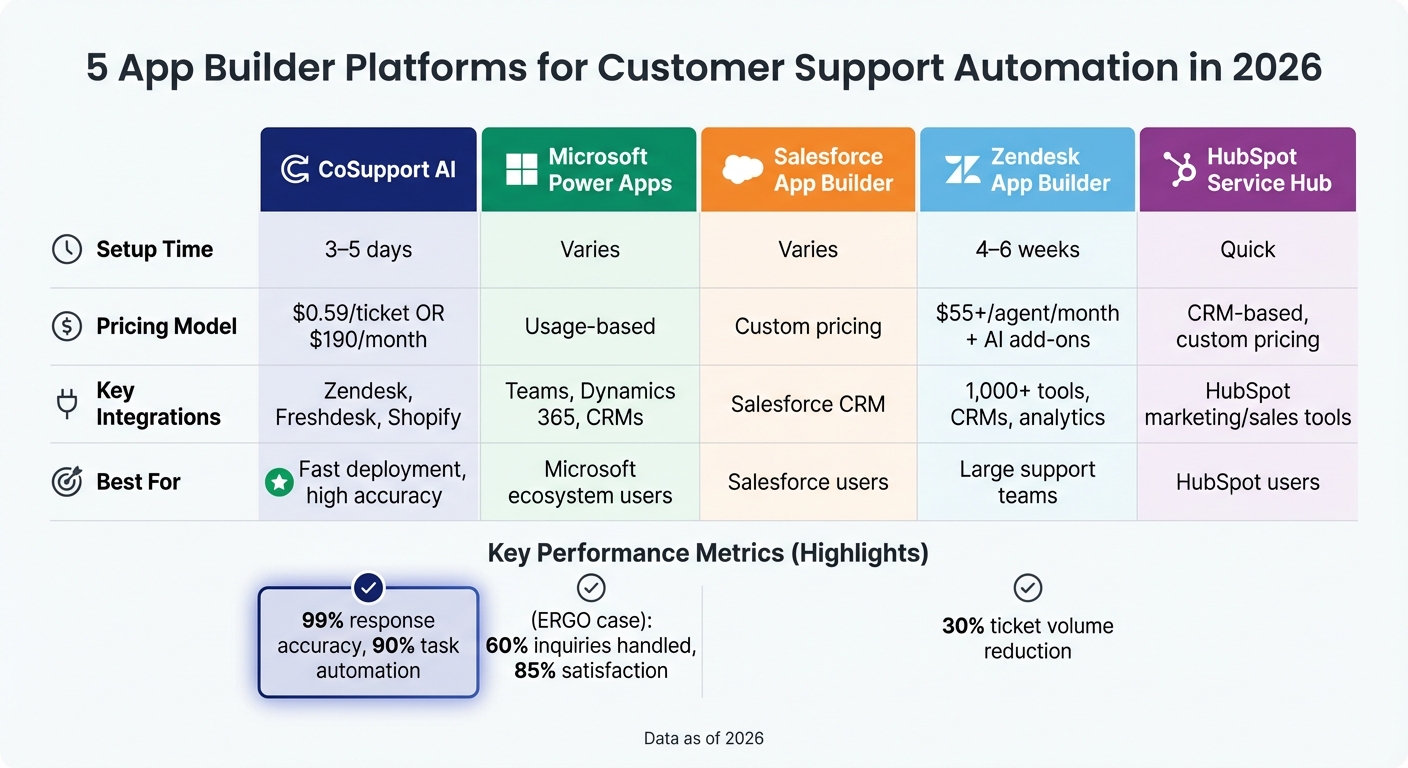
Comparison of 5 Customer Support App Builder Platforms 2026
I Built an AI Agent that Automates Customer Support (No-Code)
Why App Builder Platforms Matter for Customer Support
Support teams often lose valuable time routing tickets and answering the same questions over and over. App builder platforms solve this problem by empowering non-technical staff to create AI agents and internal tools - no coding required. Simply upload your help documentation, connect your knowledge base, and the platform takes care of everything else: servers, security, and scaling. This approach speeds up resolutions and streamlines support operations.
With automated workflows, ticket queues become a thing of the past. Instead of waiting for a human response, AI agents can now handle issues instantly. They process refunds, update subscriptions, and check order statuses by integrating seamlessly with your CRM or helpdesk. For example, ProjectFitter reduced its average resolution time from 2 hours to just 6 minutes by integrating AI with Freshdesk, automating 70% of support requests in just one month.
No-code tools also make it easy for non-technical staff to build their own solutions. Using drag-and-drop editors or natural language prompts, product managers and support leads can create what they need without relying on engineers. Take ERGO Greece’s virtual assistant, "Joy", for instance. It now handles over 60% of inquiries with an impressive 85% satisfaction rate. These tools not only eliminate development delays but also slash costs.
Traditional AI development can take months and come with a hefty price tag, but app builders can be up and running in minutes. Cocoatech, for example, deflected 82% of its Zendesk chats using a no-code platform, while SupportYourApp saved $14,000 every month by automating 80% of internal support requests.
What to Look for in a Customer Support App Builder
Not all app builder platforms are created equal. To find the right one for your support team, focus on these key features that can make or break your experience.
Data control and security should be at the top of your checklist. Look for platforms that comply with standards like ISO 27001, GDPR, and SOC 2. Features like dedicated client servers and source pinning ensure the AI sticks to approved documentation, reducing the risk of misinformation. Role-based access control (RBAC) and single sign-on (SSO) add an extra layer of security by limiting management access to authorized personnel.
No-code workflows are a game-changer for speed and ease of use. Can your team set up the bot without technical expertise? Ideally, the platform should allow a non-technical user to launch the bot in less than a day. Bonus points if it syncs automatically with your existing Help Center and FAQs. Some platforms can go live in just 3–5 days, far faster than the 8–12 weeks it typically takes for custom development.
Human handoff is another critical feature. A smooth transition from AI to live agents is non-negotiable. The AI should forward the full conversation history to the agent, so customers don’t have to repeat their issues. Be sure to test this during your trial to ensure seamless handoffs.
Transparent pricing is crucial to avoid unpleasant surprises. Different pricing models cater to different needs: resolution-based pricing (e.g., $0.59 per solved ticket with CoSupport AI) is great for performance-driven teams, while server-based plans (e.g., $190/month for unlimited AI replies) offer predictable costs. Response-based models (e.g., $0.10 per reply) scale with your volume. Watch for hidden fees - some platforms charge an extra $29/month just to access AI features.
1. CoSupport AI
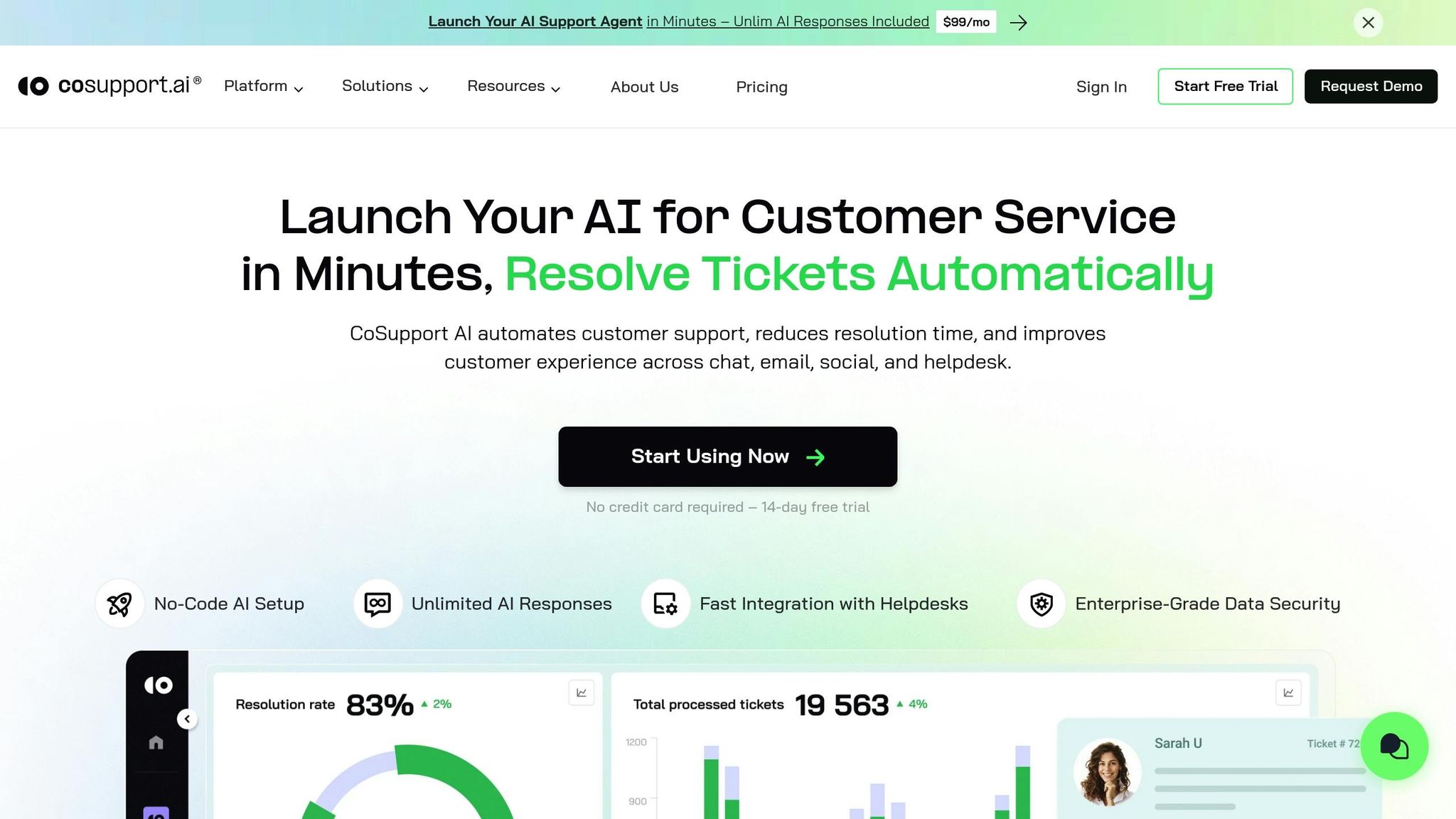
CoSupport AI is a no-code platform designed for support teams looking to streamline operations while maintaining full control. With this tool, you can train AI agents using your own resources - like documentation, FAQs, past tickets, or website content - and deploy them quickly. The platform boasts a 99% response accuracy and claims it can handle up to 90% of repetitive tasks, such as order tracking and account-related inquiries.
This section dives into its data security features, AI safeguards, and integration capabilities.
Data Control and Training Capabilities
Building your knowledge base is straightforward. You can upload files, scrape public FAQs, or sync your helpdesk directly. CoSupport AI integrates with platforms like Zendesk and Freshdesk to learn from your product details and past interactions. Each client benefits from dedicated servers, data anonymization, and encryption. The platform adheres to strict security standards, being ISO 27001 certified and compliant with GDPR and CCPA regulations.
Accuracy and AI Safeguards
CoSupport AI employs a patented AI framework that minimizes errors and ensures the system stays within your business guidelines. By using a combination of AI models trained on your specific context, it aligns with your tone, business rules, and conversation logic. It even connects to external databases in real time, allowing it to provide up-to-date customer information, such as order history and account details.
"Setup took one API key. In three months, resolution rates grew from 69 to 82 percent. We tested six other tools before. Nothing performed as well as CoSupport AI." - Josh Brown, CEO, Softorino
No-Code Tools for Workflow Automation
Getting started with CoSupport AI doesn’t require technical expertise. Non-developers can easily set up workflows and start automating tasks. For example, Cocoatech automated 81% of its support requests and deflected 82% of Zendesk chats after implementing CoSupport AI. Similarly, ProjectFitter reduced its average resolution time from 2 hours to just 6 minutes in under a month.
Seamless Human Handoff and Integrations
CoSupport AI offers native integrations with popular tools like Zendesk, Freshdesk, Zoho Desk, Intercom, Salesforce, Slack, Microsoft Teams, Shopify, and Stripe. When a ticket requires escalation, the AI forwards the entire conversation history to the agent, eliminating the need to repeat information. Additionally, the platform includes CoSupport AI Assistant, a feature that drafts reply suggestions for human agents to review and send.
Most teams can go live in just 3–5 days. Pricing options are flexible: $0.59 per resolved ticket (resolution-based), $190/month for unlimited AI replies (server-based), or $0.10 per response (response-based). A 14-day free trial is available, no credit card required.
2. Microsoft Power Apps
Microsoft Power Apps, part of the Power Platform, offers support teams a visual tool to create custom workflows and AI agents using Copilot Studio. Powered by Azure OpenAI, it enables intent recognition and natural language responses. Let’s break down its standout features.
Build Workflows Without Writing Code
With its intuitive visual editor, you can drag and drop elements like forms, buttons, and charts to create support apps. Instead of coding, you can define conversation topics, questions, and responses using natural language. For more advanced tasks, the platform provides visual flowcharts and rule builders. For instance, you can set up a rule to send an email and update your CRM whenever a form is submitted.
In 2024, Rabobank used Copilot Studio to develop a chatbot that automated routine customer queries, allowing agents to focus on more complex issues. Jeroen van Doorn, the Innovation Manager at Rabobank, spearheaded the project, leading to quicker response times across their support channels.
"Copilot Studio gave us the flexibility to create a solution that fits how we work. Our virtual agent now helps customers faster and lets our teams focus on more complex tasks." - Jeroen van Doorn, Innovation Manager, Rabobank
Smooth Handoff to Humans and Flexible Integrations
Power Apps integrates seamlessly with Microsoft Teams and Dynamics 365, making it easy to integrating AI with human agents to escalate conversations when needed. It also comes with built-in connectors for popular tools like Shopify, PayPal, Stripe, and various CRM and ERP systems. If a bot can’t resolve an issue, it automatically triggers a handoff and transfers the full conversation history to an agent.
In Greece, ERGO implemented an AI assistant named "Joy" using Microsoft Azure. By 2025, Joy was managing over 60% of incoming inquiries, including tasks like policy renewals and payments, all while maintaining an impressive 85% customer satisfaction rate for bot-led interactions.
Control Over Data and Training AI
Power Apps allows you to train AI agents using your existing resources, such as FAQs, product catalogs, and internal guides. Running on Microsoft’s secure cloud infrastructure, it complies with GDPR and CCPA standards, offering features like role-based access controls and encryption. For retail teams, the platform’s catalog enrichment agent can extract product details from images and social insights, automating categorization and resolving errors.
Microsoft also provides pre-built templates, such as Store Operations and Personalized Shopping agents. These templates pull data from inventory systems, sales trends, foot traffic, and even external factors like weather or local events to deliver context-aware recommendations. Pricing depends on usage and enterprise agreements, with most companies working directly with Microsoft or a reseller to tailor their setup.
Next, we’ll dive deeper into how its no-code design, effortless handoffs, and robust data security empower support teams to work more efficiently.
3. Salesforce App Builder
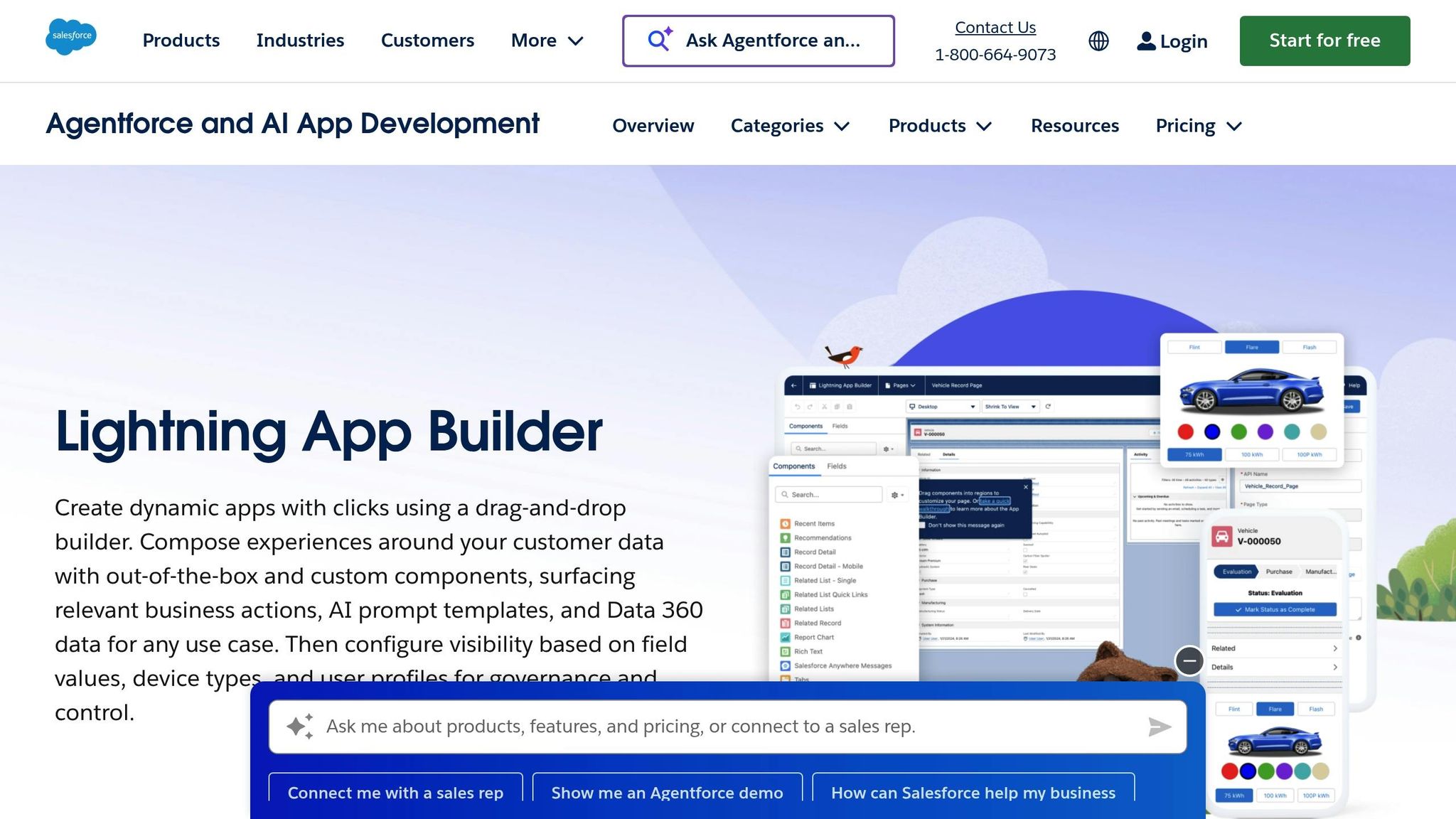
Salesforce App Builder empowers support teams to create custom workflows and train AI agents directly within their CRM. By leveraging support tickets, product information, and customer history, it ensures consistent and accurate responses. Here's a closer look at how it manages data training and live support transitions.
The platform uses data from historical tickets, FAQs, and internal documents stored in your Salesforce environment to train AI agents. If the AI can't resolve an issue, it seamlessly transfers the entire conversation history to a live agent, ensuring no context is lost. Salesforce App Builder also integrates with chat, email, and social platforms, offering AI-generated response suggestions to help resolve customer service challenges more efficiently.
sbb-itb-97114f1
4. Zendesk App Builder
Zendesk App Builder is designed for large support teams that rely on multiple communication channels and require deep integration with technology. It trains the Answer Bot using help center articles, enabling it to suggest solutions proactively. According to Zendesk, this approach can cut ticket volume by as much as 30%.
Data Control and AI Training
The platform leverages your existing knowledge base and historical ticket data to train its AI for smarter responses. Features like intelligent routing identify customer intent and direct issues to the right team or department. Additionally, AI-driven ticket management automates tagging and prioritization, streamlining queues for large-scale operations. This level of data control supports the platform's ability to handle complex workflows efficiently.
No-Code Tools for Workflow Automation
Zendesk's advanced bots can handle multi-step workflows, such as processing refunds or scheduling appointments, and provide response suggestions through the Agent Copilot. While these tools are powerful, setting them up takes time - typically 4–6 weeks - and may require developer assistance, which could pose challenges for smaller teams.
Seamless Handoff and Integration Options
When automation reaches its limits, Zendesk ensures smooth transitions to human agents. Complex inquiries are escalated automatically, providing agents with full conversation history for context. The platform also integrates with over 1,000 tools, including CRMs, analytics platforms, and other business systems. AI builders can connect via APIs or native helpdesk connectors, often in just minutes.
Pricing starts at $55 per agent per month for the Suite Team Plan. However, advanced AI features require additional subscriptions, typically costing $50 or more per agent each month. This positions Zendesk as a better option for enterprises that can fully utilize its extensive features rather than smaller teams seeking budget-friendly automation.
5. HubSpot Service Hub
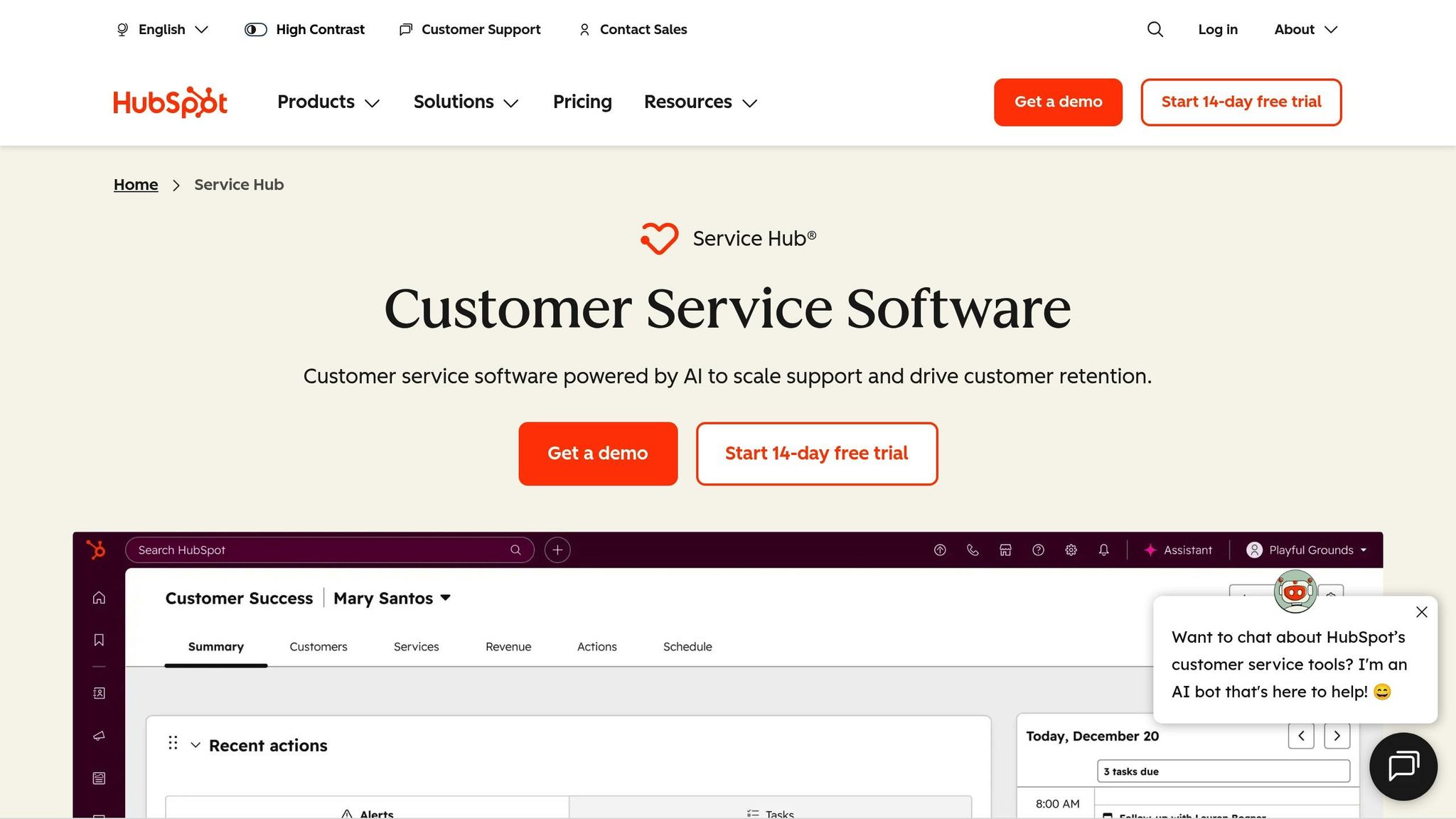
HubSpot Service Hub follows a similar multi-channel strategy as Zendesk, offering a CRM-based solution tailored for customer support automation.
This tool is ideal for teams that rely on HubSpot's marketing or sales platforms, as it seamlessly integrates with them. By centralizing all customer data, it provides a complete view of the customer journey - eliminating the need to jump between different systems.
Easy Workflow Automation Without Coding
With its visual workflow builder, you can quickly automate tasks like ticket routing, status updates, and notifications using simple drag-and-drop functionality. The Chatflows feature allows you to design bots—either rule-based or AI agents—that can handle FAQs, qualify leads, and even schedule meetings.
Smarter Data Management and AI Training
HubSpot uses your existing knowledge base, past tickets, and CRM records to train its AI. This enables automated ticket categorization, sentiment analysis, and prioritization. Since all customer information - like purchase history, past interactions, and open deals - is stored in one place, your team can easily access the context they need without extra effort.
Seamless Handoffs and Integration Options
For cases that need a human touch, the bot passes along the entire chat history to a live agent. HubSpot also integrates effortlessly with its own marketing and sales tools, while offering compatibility with hundreds of third-party apps through its marketplace.
This streamlined, no-code approach makes it easier to manage even the most complex support workflows.
What Most People Get Wrong About App Builders
One of the biggest missteps with app builders is treating them as a "set it and forget it" solution. Many teams configure their app builders once and then fail to revisit them as customer needs, product features, or policies evolve. But here's the thing: customer questions change over time. If you're not checking what your AI couldn't answer on a regular basis, you're missing out on chances to make it better.
Here are three common pitfalls that can derail support automation:
- Static setups: When app builders aren't updated to reflect changes in products, policies, or customer inquiries, they quickly become outdated and less effective.
- Low-quality training data: If you're feeding your bot outdated or poorly organized documents, don't be surprised when it delivers inconsistent or incorrect responses.
- Overemphasis on channels: Prioritizing the number of channels your bot is on, rather than focusing on resolving tickets effectively, often leads to poor support outcomes.
To improve eCommerce customer support and keep your AI effective, you need to make regular updates a priority. Review your "could not answer" logs every week, refresh your help docs frequently, and define clear boundaries for what the bot should and shouldn't handle (like legal inquiries or refunds). Always test your bot in a controlled environment before going live, and ensure there's a smooth handoff process for situations where the bot struggles, routing those cases to human agents.
Here’s a quick guide to these common mistakes and how to fix them:
| Common Mistake | Practical Fix | What You'll See |
|---|---|---|
| Static setup | Weekly review of unanswered queries | Improved deflection rates over time |
| Poor training data | Use specific Help Center or FAQ documents | Up to 99% response accuracy |
| Channel-only focus | Set ROI goals like resolution time or cost | Faster responses and measurable savings |
| No human handoff | Add triggers for agent routing | Higher CSAT scores and fewer complaints |
Key Takeaways
When choosing an app builder, consider your team's expertise, current tech stack, and automation requirements. For instance, if your business already uses Microsoft tools, opting for a platform with seamless native integration - like the examples mentioned earlier - can save time and effort. Similarly, platforms like Salesforce or Zendesk come with built-in app builders that simplify setup. For those prioritizing quick deployment, precise responses, and adaptable pricing, CoSupport AI is a strong contender.
Unlike some platforms that require weeks to get up and running, CoSupport AI can be operational in just three days, offering immediate value. One notable example involved a company testing six different tools, where resolution rates jumped from 69% to 82% in just three months - a significant improvement in a short time.
Cost is another critical factor. CoSupport AI offers a resolution-based pricing model at $0.59 per solved ticket, ensuring you only pay for results. In contrast, response-based plans charge per reply, which can add up quickly, while server-based plans provide unlimited AI responses for a fixed monthly fee - ideal for businesses handling high ticket volumes. Beyond cost, the accuracy, automation, and AI agents are key differentiators among platforms.
Accuracy is non-negotiable. Generic chatbots often provide vague replies, but platforms that allow you to train AI using your own documents, FAQs, and historical tickets - like CoSupport AI's USPTO-approved architecture - ensure responses align with your brand's tone and voice.
Lastly, remember that support automation isn't a "set it and forget it" process. The platform you choose should make it easy to review unanswered queries, update your knowledge base, and fine-tune handoff rules as your product evolves. The most effective app builders grow with your business, improving over time as you refine your data and processes. Keep these considerations in mind to select the platform that best aligns with your support strategy.
Conclusion
Choosing the right app builder platform can transform the way your support team operates. If you're overwhelmed by repetitive questions or struggling to keep up with ticket demand, automation can make all the difference.
Different platforms cater to different needs. Microsoft Power Apps is ideal if you're already embedded in the Microsoft ecosystem. Salesforce and Zendesk are great options if you rely on their CRM or helpdesk tools. HubSpot is perfect for teams looking to combine marketing and service tools in one place. But for teams that want results fast and without complications, CoSupport AI stands out.
CoSupport AI is designed for quick setup, high accuracy, and flexible pricing. It trains using your own content and is ready to go in under 10 minutes. The platform can automate up to 90% of routine support requests, supports over 40 languages, and ensures predictable costs - no per-seat fees, no reply limits, and no confusing AI errors.
Start your 14-day free trial with CoSupport AI today - no code, no credit card needed. Test it with your own tickets, see how it integrates into your workflow, and discover how much it can save your team.
FAQs
How can app builder platforms improve customer support automation?
App builder platforms take static resources like FAQs, help documents, and past customer interactions and turn them into AI-driven support agents. These agents are designed to handle customer questions independently, offering accurate, consistent responses that align with your brand. By training AI models on your existing content, these platforms help reduce manual workloads and speed up response times.
With a no-code setup, you can get an agent up and running in just minutes. Plus, they integrate seamlessly with tools you're already using - like chat, email, or ticketing systems. These agents are perfect for automating repetitive tasks, such as order tracking or account lookups, and can even handle multiple languages. For more complex issues, they can flag tickets for human agents to address. The result? Faster resolutions, less busywork for your team, and noticeable cost savings for your business.
What should I look for when choosing a customer support app builder?
When you're choosing a customer support app builder, it's important to think about how well it aligns with your team’s needs, budget, and future plans. Does it integrate smoothly with tools you already use, like CRMs or help desk software? Or can it function effectively as a standalone option? Pricing is another key factor - find out if the platform charges per user, per seat, or offers a flat rate, especially if scalability is on your radar.
Here are some critical features to keep in mind:
- Ease of use: A no-code interface with drag-and-drop tools and ready-made templates can make setup a breeze, even for teams without technical expertise.
- Customization: Opt for a platform that lets you tweak AI behavior or add custom logic to better suit your brand and workflows.
- Integration: Make sure it integrates effortlessly with your CRM, ticketing systems, and communication channels to streamline operations.
- AI reliability: Look for a solution that provides accurate, consistent responses that reflect your brand’s voice, avoiding errors or "hallucinations."
By prioritizing these features, you'll be better equipped to choose a tool that not only meets your current support needs but also grows with your business.
What makes CoSupport AI fast to set up and highly accurate?
CoSupport AI makes a mark with its no-code platform, enabling you to set up a fully operational AI support agent in less than 10 minutes. That means you can quickly automate your customer support without needing any technical know-how.
What sets it apart is how its AI agents learn directly from your existing resources - like FAQs, help documents, or even past chat conversations. This ensures the responses are precise and highly relevant, with minimal inaccuracies. The blend of speed and accuracy positions CoSupport AI as a dependable option for automating customer support.
.png)



