Customer service automation: the biggest upgrade a support team can make
AI customer service automation autonomously resolves the repetitive share of your queue – up to 90% of L1 – and escalates the rest to your agents with the full conversation attached.

Which support tickets should you automate first?
The ones your knowledge base already answers in writing. Then the tickets that need an action, once your systems are connected. Judgment calls stay with your team. Most teams climb in this order:
01
How-to, policy and "do you…" questions
Your help center and knowledge base.
In minutes – right after the 10-minute connection.
02
Order status (WISMO), account access
A lookup into your store or account system. See Shopify integration.
In about 3 days – with full deployment.
03
Billing, refunds, subscription changes
Connected billing and order systems; the AI executes the action.
Inside the 30-day pilot.
04
Routine troubleshooting with known fixes
Internal documentation and past resolved tickets.
Grows through the pilot as the AI learns.
01
How-to, policy and "do you…" questions
What the AI needs
Your help center and knowledge base.
Goes live
In minutes – right after the 10-minute connection.
02
Order status (WISMO), account access
What the AI needs
A lookup into your store or account system. See Shopify integration.
Goes live
In about 3 days – with full deployment.
03
Billing, refunds, subscription changes
What the AI needs
Connected billing and order systems; the AI executes the action.
Goes live
Inside the 30-day pilot.
04
Routine troubleshooting with known fixes
What the AI needs
Internal documentation and past resolved tickets.
Goes live
Grows through the pilot as the AI learns.
05
Exceptions, upset customers, judgment calls
A human – with the AI's draft and thread summary ready.
Stays with your team.
05
Exceptions, upset customers, judgment calls
What the AI needs
A human – with the AI's draft and thread summary ready.
Goes live
Stays with your team.
Customer Service Automation In Production



Pick your first rung – the free pilot starts there, with 1,000 AI responses on your real tickets.
How does automated customer service handle a ticket end to end?
Automated customer support resolves the ticket in the channel it arrived in, and escalates only what it can't verify. Help desk automation here means the AI works inside Zendesk, Freshdesk, Zoho Desk, HubSpot, Intercom, Pylon or Salesforce Service Cloud – or as a standalone widget with no helpdesk at all. One customer service automation example, both ways:
Manual path
Automated path
Manual path
"Where is my order #4471?" lands in the queue and waits for the next free agent – first response in hours.
Automated path
The message arrives; the AI understands the intent and pulls the order from your connected store.
Manual path
The agent opens the ticket, looks up the order in the store, writes the reply.
Automated path
The reply goes out in the customer's language with the carrier, tracking link, and delivery window – first response in minutes.
Manual path
The customer asks a follow-up; second touch, often the next day.
Automated path
The customer writes "thanks"; the AI closes the ticket and logs the sources it used.
Manual path
Closed after two or three touches, with agent time spent on each.
Automated path
If the parcel is stuck or lost, the AI escalates to an agent with the order record and the conversation attached.
Nordic Knots, an e-commerce brand on Zendesk, saves about $7K a month on tickets like this one. Language makes no difference to the path: the AI detects the customer's language and answers in it, across 120 languages.
What keeps automation from going wrong?
Three controls, and they run by default on every ticket the AI touches.
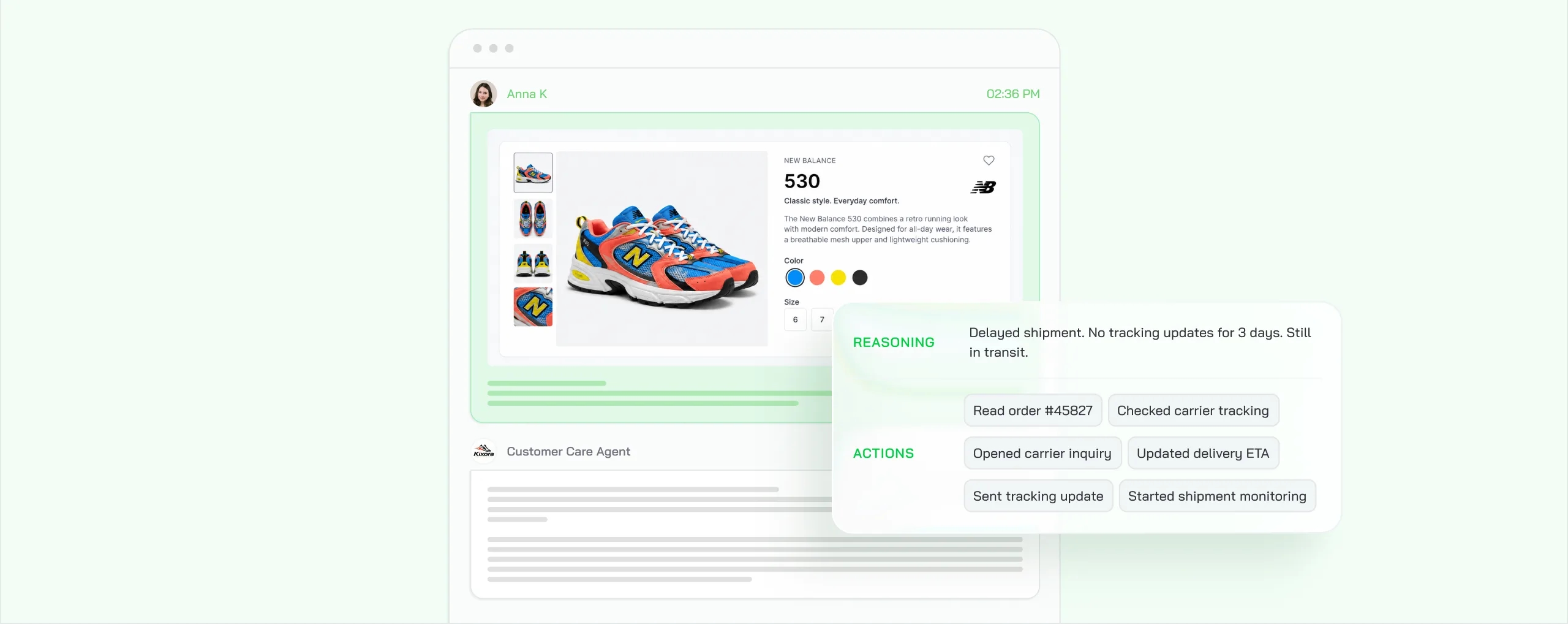
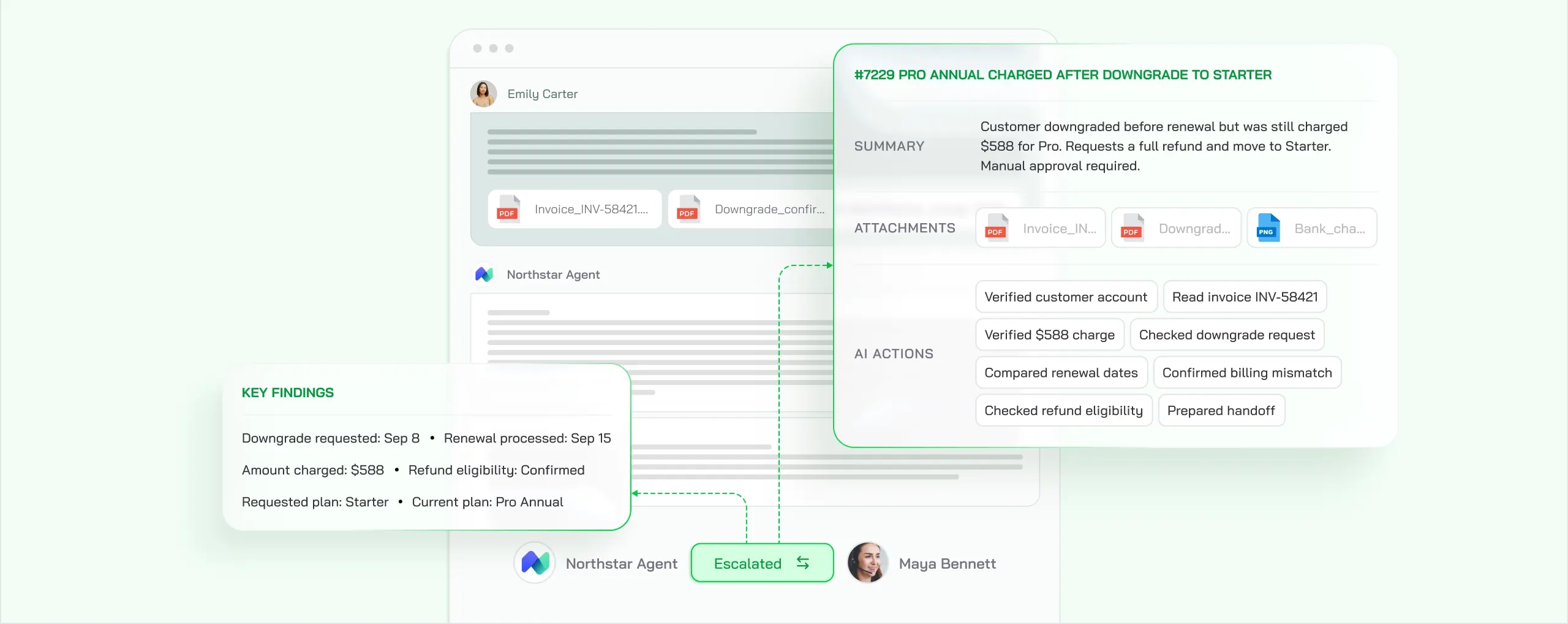
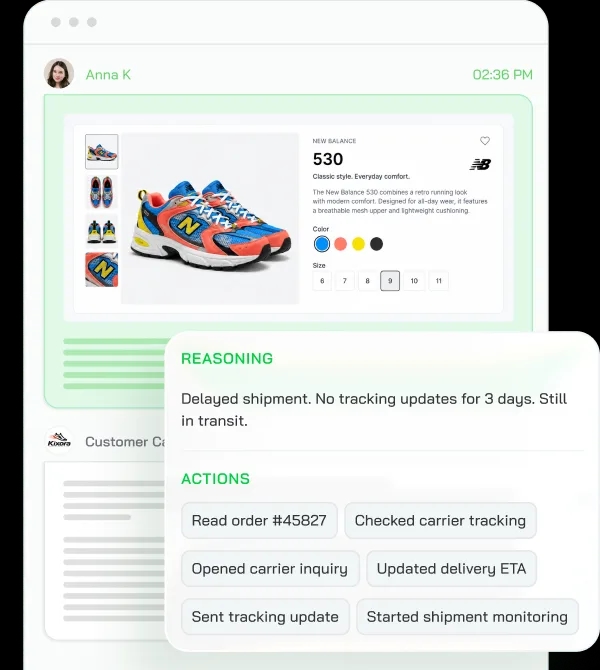
Every reply carries its decision log
What the AI read, which sources it used, and the reasoning behind the answer. Your team audits any conversation and corrects the logic once, for every future ticket. Decision logs shipped with CoSupport AI 2.0.
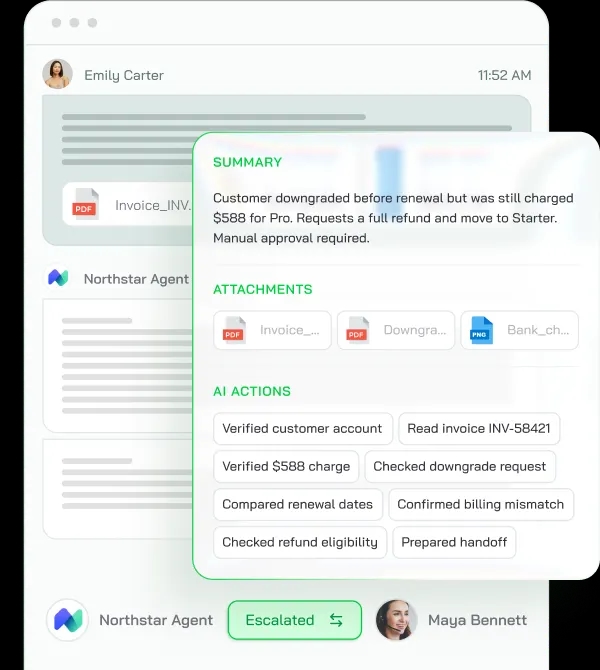
Confidence thresholds decide what it leaves alone
Anything below the bar goes to an agent with the full conversation history and a structured summary of what the AI found. Thresholds and routing are configurable per queue and workflow.
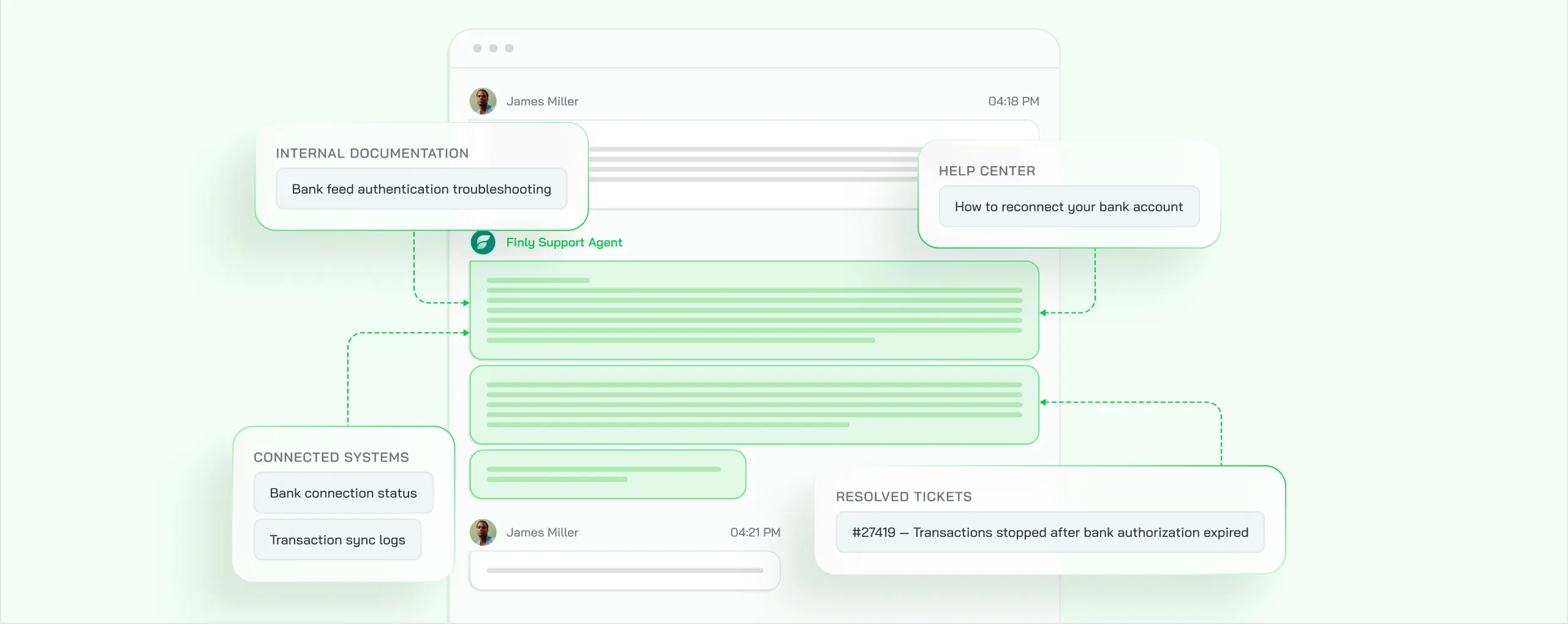
It learns from your data only
Your resolved tickets, help center, internal documentation, and the systems you connect. Nothing else feeds its answers.
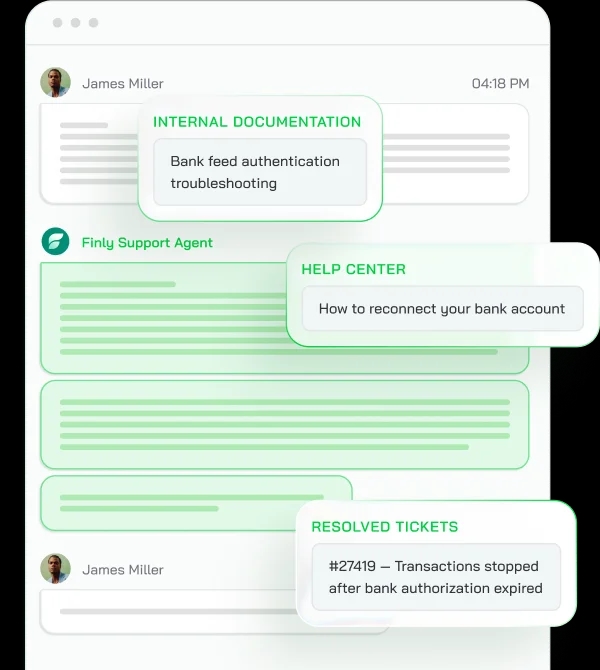
The reasoning architecture behind all three is patented in the US (US11823031B1)
What the patent covers: the AI pulls the relevant sources first, writes the reply against them, and checks that the reply matches those sources before anything is sent – so answers stay deterministic and hallucinations near zero.
What does customer service automation cost per ticket?
Pay for outcomes only
$0.50/ resolved ticket
- Pay only for tickets AI resolves
- Unresolved tickets cost nothing
- 1,000 AI responses on your real tickets are free
A resolved ticket is one with no customer reply within 72 hours after the AI answer.
How fast can you automate customer support without code?
About 10 minutes to connect, about 3 days to full deployment – no code, no implementation project.
In minutes
Connect your helpdesk, knowledge base, and business systems. Answers from the knowledge base go live right away.
As you connect your systems
The rungs that need an order, billing, or account system switch on as each one is connected.
First 1,000 AI responses free
The pilot runs on your real tickets, so you see the resolution rate before you pay anything.
AI Persona + Knowledge base + Integration
Free pilot + 1,000 AI responses
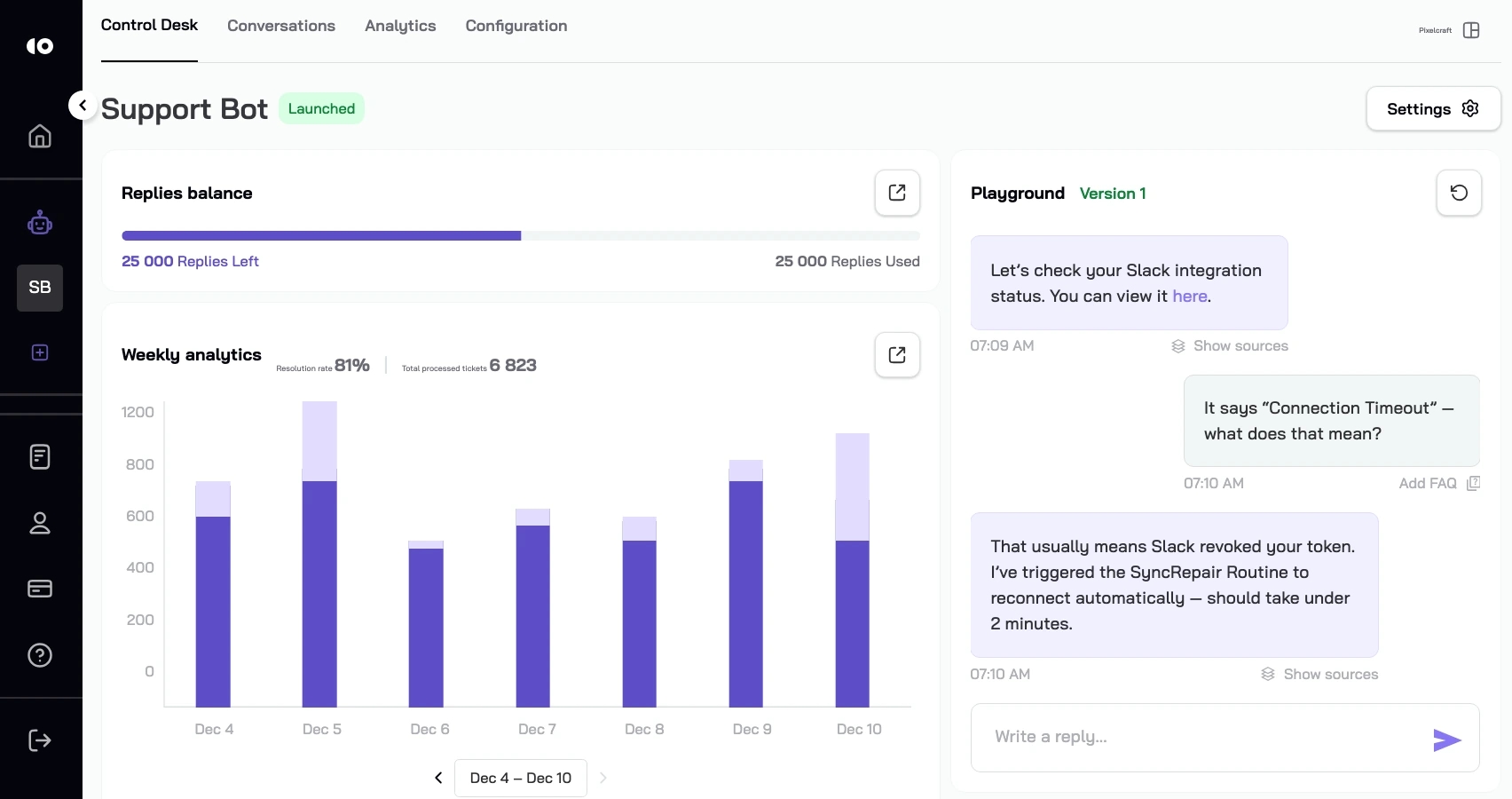
Sensitive customer data stays in a safe place
Your tickets, knowledge base, and customer records stay on a dedicated server for your company alone.
Dedicated server
ISO 27001 certified
CCPA + GDPR compliant
Start on your first rung
Run the free pilot on the ticket type you picked above: the first 1,000 AI responses on your real queue cost nothing. After that you pay only for tickets the AI resolves.
FAQ
Customer service automation is software resolving customer requests without an agent touching them: it reads the request, finds the answer in your knowledge base or connected systems, executes the action, and replies – escalating to a human when judgment is needed. CoSupport AI is customer service automation software built on a USPTO-patented reasoning architecture (US11823031B1), used by 300+ brands.