.png&w=96&q=75)

Want to automate up to 90% of customer inquiries and cut response times from hours to seconds? With OpenAI Agent Builder through CoSupport AI, you can build an AI-powered customer support agent in under 10 minutes - no coding required. Here's how it works:
- Upload your data: Train the AI using your company’s FAQs, support docs, and chat logs.
- Set rules: Define tone, escalation paths, and safeguards like PII redaction.
- Integrate tools: Connect platforms like Zendesk, Intercom, or Slack.
- Test and launch: Simulate real conversations, refine responses, and go live.
The result? A 24/7 virtual agent that delivers accurate answers, escalates complex issues to humans, and helps businesses save 60%+ on support costs. Companies like Shelterluv and ProjectFitter report automating 70-80% of requests while improving customer satisfaction and team efficiency.
Ready to transform your support process? Follow these simple steps to get started.
OpenAI Agent Builder Tutorial: Zero to Deployed AI Agent: Complete Walkthrough
Introduction: Why Automating Customer Support Matters
Customer support teams often find themselves buried under a mountain of tickets. As businesses expand, support requests can double within months, creating overwhelming pressure on limited staff and resources. Automation steps in as a game-changer, instantly addressing repetitive inquiries that bog down teams.
Hiring more support staff comes with hefty costs - salaries, training, and overhead quickly add up. Without additional hires, response times balloon from minutes to hours, or even days, leaving customers frustrated over delays in resolving basic issues.
Inconsistent responses add fuel to the fire. When agents rely on outdated information, customers might receive conflicting answers. For example, one agent might approve a refund, while another denies it for the same situation. This inconsistency not only erodes trust but also generates more tickets as customers seek clarification. Clearly, there’s an urgent need for a solution that ensures consistent, immediate support.
The reality? Support teams spend 80% of their time answering repetitive questions instead of tackling complex issues that require human expertise. For startups and rapidly scaling businesses, this inefficiency can cause support costs to outpace revenue growth.
"This AI customer service solution was implemented in just three days, and first month results were stunning - the average resolution time decreased by more than 50%. Long term (we have been a year already) - the turnover in the team has improved as our agents were no longer bored resolving repetitive questions." - Ann Kuss, CEO, Outstaff Your Team
Enter OpenAI Agent Builder through CoSupport AI - a tool that completely changes how support teams operate. Instead of hiring more agents to manage growing ticket volumes, this AI-powered support agent handles up to 90% of routine inquiries instantly. This frees up your human team to focus on the complex, high-value problems that demand personal attention.
The impact is immediate. Companies report significant cost savings each month while maintaining exceptional service quality. These aren’t hypothetical savings - they’re tangible dollars that can be redirected toward product innovation or customer acquisition.
What’s more, the setup is straightforward. With a no-code interface, support managers and CX leaders can build, train, and deploy AI agents without relying on IT teams. Simply upload your existing FAQs, help docs, and chat logs to train the AI on your company’s unique content. The result? Accurate, brand-aligned responses that steer clear of the generic replies customers dislike.
This solution couldn’t come at a better time. Customers now expect instant support, but hiring costs keep climbing. AI agents bridge this gap by delivering fast, accurate responses while ensuring smooth escalation to human agents when necessary.
What Is an AI Customer Support Agent?
An AI customer support agent is a system designed to handle customer inquiries automatically by leveraging large language models, specialized tools, and your company’s data. Unlike basic chatbots that rely on pre-programmed responses, these AI agents can understand natural language, interpret customer intent, and provide tailored, context-aware solutions.
They excel at managing unexpected questions and adjusting their replies based on the situation. By using advanced language models, these agents can determine the intent behind a query, access relevant knowledge bases, and take actionable steps to resolve issues effectively.
How AI Agents Work
AI customer support agents follow a structured workflow that begins with identifying the customer’s intent. For example, when a query comes in, the agent determines whether it’s about a refund, product details, account problems, shipping updates, or something else entirely.
Next, the agent taps into its training data using advanced search techniques powered by generative AI. This semantic search capability allows the agent to find accurate answers even when the customer’s wording doesn’t match your documentation. For instance, if someone asks, "How can I get my money back?" the AI recognizes it as a refund request, even if the phrasing differs from standard terminology.
Modern AI agents also come equipped with safeguards to ensure reliability. They monitor for personally identifiable information (PII), prevent misuse attempts, detect inaccuracies (often called hallucinations), and moderate both incoming and outgoing messages. Their workflow - spanning from receiving the query to classifying intent and providing task-specific responses - enables them to handle multiple conversations simultaneously without compromising quality.
This streamlined process not only speeds up response times but also reduces costs, making support operations more efficient.
Benefits of AI Support Agents
AI agents offer a significant advantage by cutting response times and reducing support costs. They respond instantly, taking over repetitive tasks that often consume up to 80% of a traditional support team’s time. Tasks like password resets, order tracking, and basic troubleshooting can be handled by AI, freeing human agents to focus on more complex or high-priority issues.
During peak periods - such as product launches or holiday seasons - AI agents shine by managing increased ticket volumes 24/7, without requiring additional staffing. This continuous availability ensures customers receive accurate information at any time, which improves satisfaction and loyalty.
"This AI customer service solution was implemented in just three days, and first month results were stunning - the average resolution time decreased by more than 50%. Long term (we have been a CoSupport client for a year already) - the turnover in the team has improved as our agents were no longer bored resolving repetitive questions. I'm glad we ran into CoSupport AI back in 2023. Recommended!" - Ann Kuss, CEO, Outstaff Your Team
How CoSupport AI Helps
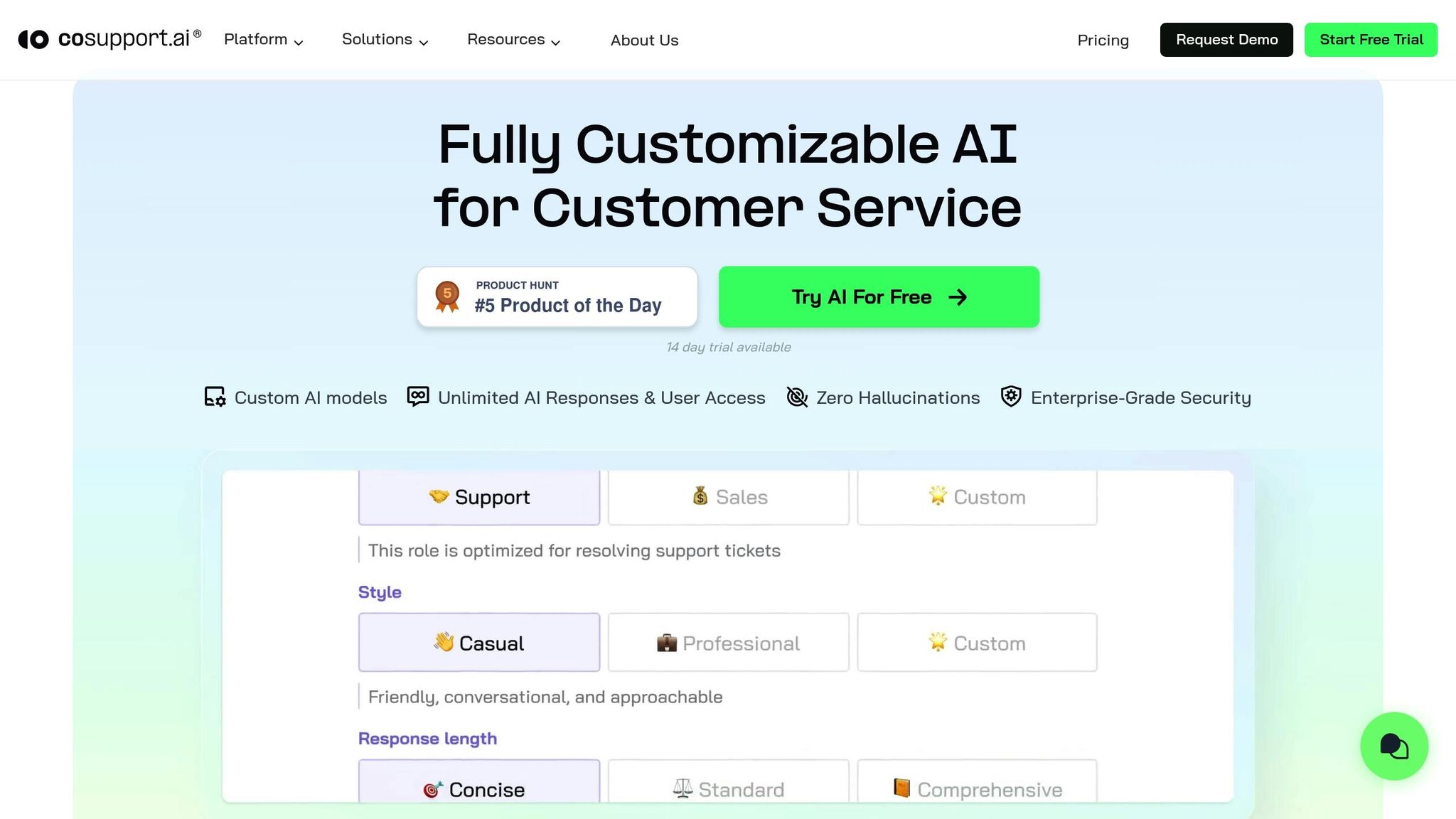
CoSupport AI takes these benefits to the next level by focusing on precision and seamless integration. Unlike generic AI solutions, CoSupport AI emphasizes accuracy by training agents exclusively on your verified data, such as help articles, FAQs, past support tickets, or CRM records. This approach ensures response accuracy of up to 99% while minimizing errors.
The platform also integrates effortlessly with tools like Salesforce, Zendesk, and Slack, making it easy to incorporate into your existing workflow. For example:
- Shelterluv used CoSupport AI with their help center and Zendesk data, achieving a 60% resolution rate.
- ProjectFitter automated 70% of support requests across Freshdesk and Freshchat, reducing resolution times from hours to minutes.
- SupportYourApp managed approximately 7,000 monthly chats and emails, automating 80% of incoming requests and saving thousands in operational costs.
What’s more, setting up CoSupport AI is quick and straightforward. With no coding required, support managers and CX leaders can build, train, and deploy AI agents in under 10 minutes. This means you can start seeing results almost immediately, without waiting for lengthy development cycles or IT involvement.
sbb-itb-97114f1
Step-by-Step Guide: Building Your AI Customer Support Agent
Creating an AI customer support agent doesn’t require advanced technical skills or a lengthy development process. With the right steps, you can build a system that efficiently handles a significant portion of customer inquiries. This guide breaks down the process into simple, actionable steps to help you design a responsive and effective AI-powered support agent.
Step 1: Import Your Support Content
Your agent's accuracy depends on the quality of the data it learns from. Start by gathering your current support materials, such as FAQs, help docs, past chat transcripts, and knowledge base articles. These resources will serve as the backbone of your agent’s responses.
Organize and upload this content by topic to ensure quick and accurate retrieval. Focus on recent, verified information, and remove anything outdated, like old policies or discontinued product details, to avoid confusion. For better results, include anonymized chat transcripts from top-performing human agents to provide examples of natural, effective communication in complex situations.
Josh Brown, CEO of Softorino, shared, "It was easy to set up with our Zendesk workspace - this AI for customer service learned everything on its own with just an API key." After three months of training on Zendesk data, Softorino’s agent achieved an impressive 82% resolution rate.
Step 2: Configure Agent Settings
Once your content is imported, fine-tune how your agent interacts with customers. Define its behavior by specifying which queries it should handle independently, setting a tone that aligns with your brand, and establishing rules for escalating issues to a human.
To ensure accuracy and protect customer data, enable safeguards like PII redaction, content moderation, and hallucination checks. Clearly define escalation triggers, such as when a customer requests a human or for specific scenarios like complex technical problems or billing disputes over $100.
Step 3: Connect to Your Tools
Integrate your agent with your existing support platforms. Use API keys to connect it to tools like Zendesk or Salesforce, allowing it to access ticket histories and customer profiles.
If you rely on custom or niche systems, set up API connections to link your agent with tools like your CRM, inventory management, or billing platform. This ensures your agent can pull real-time data and provide accurate, up-to-date responses.
ProjectFitter demonstrated the importance of integration by connecting their agent to both Freshdesk and Freshchat. Within a month, they automated 70% of support requests, delivering consistent answers across email and live chat.
Step 4: Test and Refine Your Agent
Before launching, test your agent with real customer queries to assess its performance. Use the preview feature to simulate conversations and run sample tickets through the system to identify any gaps in its knowledge or tone.
Test a variety of scenarios, including queries with typos or slang, to ensure the agent can handle real-world interactions. Involve your support team in the process - they can provide valuable feedback based on their experience and help refine the agent’s responses and tone.
Step 5: Deploy and Monitor Performance
Launch your agent on your primary support channel and closely monitor key metrics like resolution rates, response times, and escalation patterns. Once it’s performing well, consider expanding to additional channels.
Leverage built-in analytics to track its performance and review logs to identify recurring issues or areas for improvement. Regularly update your content and make adjustments based on these insights to keep your agent effective.
Cocoatech’s approach to deployment underscores the importance of ongoing monitoring. Their agent now handles 82% of Zendesk chats, thanks to regular performance reviews and updates based on actual customer interactions.
3 Common Mistakes to Avoid When Building AI Support Agents
Deploying an AI support agent is no small feat, and maintaining its effectiveness requires careful attention. Rushing the process can lead to serious support issues, frustrating customers and straining your team. Below are three frequent mistakes that can derail your AI support project - and how to avoid them.
Using Outdated or Generic Data
Training your AI agent with outdated or irrelevant information is a surefire way to lose customer trust. Imagine a customer asking about pricing or features, only to receive answers referencing old policies or discontinued products. It’s not just embarrassing - it’s damaging.
Take the case of a SaaS company that launched its AI agent without updating the knowledge base. Customers were given outdated setup instructions, which led to a surge in support tickets and negative feedback. The issue persisted until they refreshed the training data and implemented proper escalation protocols.
To avoid this, always keep your data current. Regularly update your agent with the latest chat transcripts from your top-performing human agents. Focus on information specific to your business - don’t rely on generic FAQs that fail to address your unique offerings.
Also, resist the temptation to connect your agent to open web searches. Doing so risks pulling in competitor information or irrelevant responses, which can confuse customers. Stick to verified, business-specific content for accurate, reliable interactions.
Next, let’s talk about why human handoffs are crucial for handling complex issues.
Skipping Escalation Setup
No AI agent can solve every problem, and failing to set up proper escalation paths can leave customers stuck when they need human assistance. Complex issues like billing disputes, technical glitches, or sensitive requests often require human judgment.
Set up clear escalation triggers from the start. For example, program your agent to hand off to a human when it detects keywords like "refund" or "cancel", when its confidence level drops too low, or when a customer explicitly asks for human help.
Testing these escalation rules is just as important as creating them. Run real-world scenarios to ensure your system works as expected. Involve your support team - they know which issues typically require human intervention and can provide valuable input. Also, make sure the full conversation history is passed along during handoffs so human agents can step in seamlessly.
Finally, keeping your AI agent effective requires ongoing performance monitoring.
Neglecting Performance Reviews
Launching your AI agent is just the beginning. Without regular reviews, even a well-trained agent can become less effective over time as your business evolves.
Schedule monthly performance reviews to analyze chat transcripts, monitor resolution rates, and test your agent against new scenarios. Pay attention to metrics like escalation frequency and customer satisfaction scores to identify areas needing improvement.
Use built-in analytics tools to spot patterns in unresolved issues or recurring complaints. This data is invaluable for identifying knowledge gaps and updating your agent’s training. Remember, your business needs will shift as you introduce new products, update policies, or expand into new markets.
Regular reviews also help you catch technical issues early, such as integration errors or system changes that might limit your agent’s access to up-to-date information. Staying proactive ensures your AI agent remains a reliable part of your support strategy.
Key Takeaways: Automating Support with Confidence
The steps outlined earlier lead to a host of benefits for your support operations. Building an AI-powered customer support agent isn’t just about ticking off tasks - it’s about creating a system that redefines how your team operates.
AI Agents Save Time and Money
By 2027, Gartner predicts chatbots will handle 70% of customer conversations, a big jump from 40% in 2023. This shift can reduce support costs by 30–50% and speed up response times by as much as 90%.
Take SupportYourApp, for example. They save $14,000 every month by automating 80% of internal requests with CoSupport AI. Similarly, an eCommerce team cut $7,000 in monthly costs after automating 75% of inquiries. Hour Timesheet automated over half of their incoming chats and slashed resolution times by 70%.
A 2024 Zendesk report highlights that AI agents resolve 62% of support tickets without human involvement. This frees up your team to tackle the more complex, high-touch issues that require empathy and strategic thinking.
Training on Your Data Boosts Accuracy
Generic data won’t cut it when it comes to building trust with your customers. Training your AI agent with your specific business data - like documentation, FAQs, and past chat logs - ensures it delivers precise, contextually relevant responses that genuinely help your customers.
Softorino saw this firsthand after integrating CoSupport AI with their Zendesk workspace. Their resolution rates climbed steadily: 69% in the first month, 76% in the second, and 82% by the third.
"It was easy to set up with our Zendesk workspace - this AI for customer service learned everything on its own with just an API key. First month - 69% resolution rate, second - 76%, third - 82%. I think the numbers speak for themselves. We couldn't achieve even close results with the other 6 companies."
- Josh Brown, CEO, Softorino
When your AI is trained on your specific policies, pricing, and features, it provides answers that are not only accurate but also aligned with your brand.
Human Oversight Ensures Quality Service
While AI excels at speed and accuracy, maintaining a high standard of customer service requires human input. Human oversight is essential for handling nuanced or sensitive issues. Matthew Brown from Shelterluv shared how their AI agent effectively managed FAQs and even complex questions, but the escalated tickets were exactly the kind of cases that needed human attention.
"The AI performance has been very good. It handles FAQs and many complex questions well, and the escalated tickets I'm seeing come through are ones I wouldn't expect AI to be able to handle."
- Matthew Brown, Director of Customer Solutions, Shelterluv
Ann Kuss from Outstaff Your Team noted a long-term benefit of using CoSupport AI: reduced team turnover. By automating repetitive queries, their agents were more engaged and less likely to burn out.
"Long term (we have been a CoSupport client for a year already) - the turnover in the team has improved as our agents were no longer bored resolving repetitive questions."
- Ann Kuss, CEO, Outstaff Your Team
This balance of automation and human oversight not only reduces costs but also keeps customer satisfaction levels high across all channels.
FAQs
How does OpenAI Agent Builder protect customer information and ensure security?
CoSupport AI places a strong emphasis on keeping your data private and secure. It achieves this through measures like encryption, data anonymization, and dedicated servers. The platform complies with major regulations, including CCPA and GDPR, and holds the prestigious ISO 27001 certification, reflecting its commitment to top-tier data protection standards.
With these measures in place, your customer information is managed with care, ensuring both security and privacy at every stage.
What challenges do businesses face when adopting AI-powered customer support, and how can they overcome them?
Transitioning to an AI-powered customer support system isn't without its bumps in the road, but with the right strategy, these challenges can be managed effectively. Let’s take a closer look at some common obstacles and how to tackle them:
- Training the AI with reliable data: The performance of an AI system depends heavily on the quality of the data it learns from. To ensure accurate responses, feed the AI with verified sources like FAQs, user manuals, and past customer interactions. Keeping this data updated is key to maintaining its effectiveness.
- Striking a balance between automation and human support: While AI can handle a wide range of queries, there will always be situations that demand human involvement. To address this, create a seamless process that allows the AI to transfer customers to a live agent when necessary, ensuring no interruptions in support quality.
- Building trust with teams and customers: Employees might worry about job security, and customers could question whether the AI can deliver accurate assistance. Address these concerns by emphasizing that AI is designed to support teams, not replace them, and by showcasing its ability to provide fast, dependable service.
By tackling these challenges head-on, businesses can unlock the full potential of AI while delivering excellent customer experiences.
How can businesses track the performance and ROI of their AI customer support agent after it’s live?
Businesses can measure how well their AI customer support agent is performing and calculate its ROI by focusing on a few key metrics. Start with cost savings: take the reduction in monthly support tickets managed by human agents and multiply it by your current cost per ticket. Beyond costs, keep an eye on customer satisfaction scores (CSAT), response times, and the percentage of issues resolved without human involvement. These metrics provide a clearer picture of both the financial benefits and the improvements in service quality.
.png)



