.png&w=96&q=75)

AI support in 2026 is no longer about answering simple FAQs. It’s about closing tickets. If you run support, the main shift is this: teams now judge AI by resolution rate, cost per ticket, handoff quality, and time to launch.
Here’s the short version:
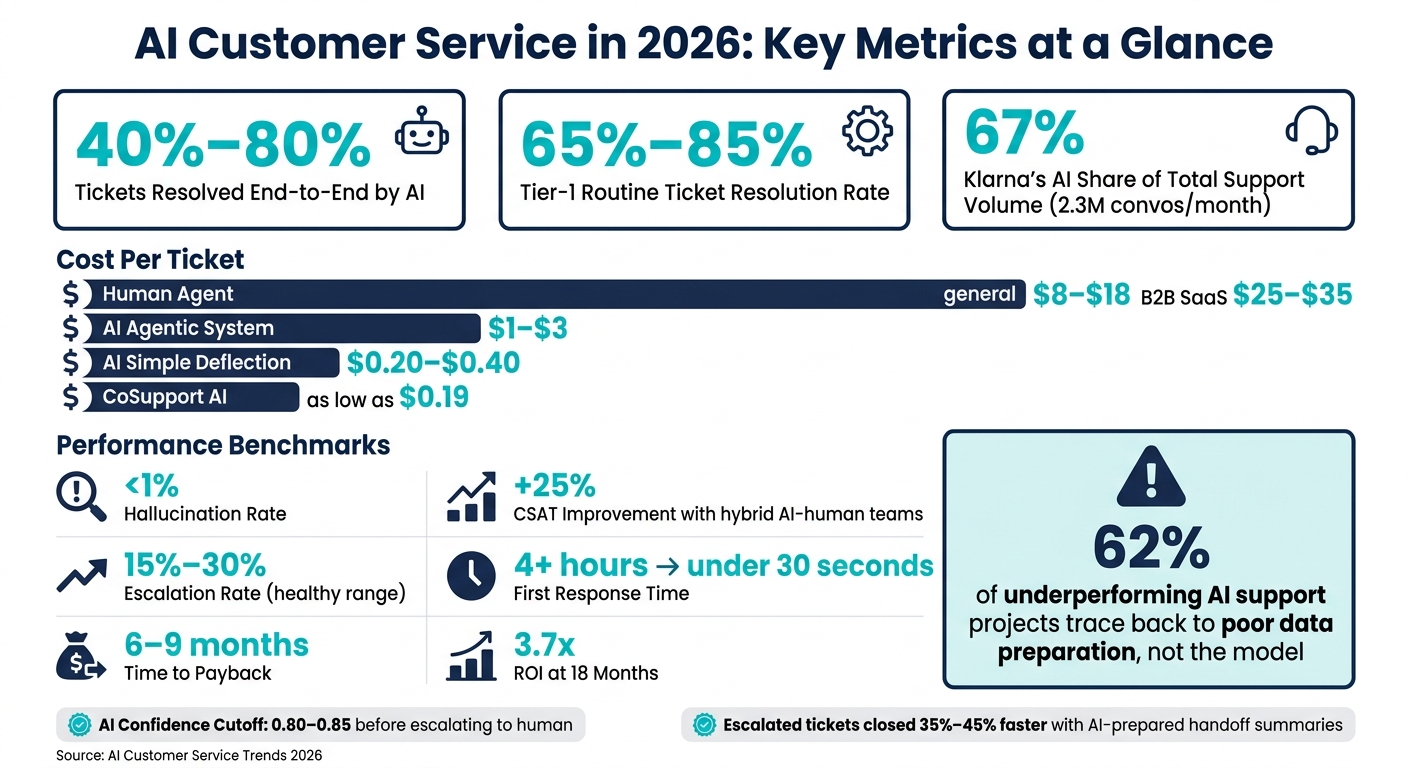
- AI now resolves a large share of support work on its own. Many teams see 40% to 80% of tickets handled end-to-end, including tasks like refunds, order updates, and routing.
- Most teams use AI and humans together in a hybrid model. AI handles repeat, low-risk tickets. Human agents take over when the case is emotional, complex, or tied to money or policy.
- Cost is a big driver. AI-handled tickets often land around $1 to $3 each, while human-handled tickets are often $8 to $18. In B2B SaaS, human support can reach $25 to $35 per ticket.
- The weak point is usually not the model. In many failed rollouts, the problem starts with messy help docs, old policies, or poor handoff rules.
- The best rollouts start small. Teams usually begin with Tier-1 tickets, set confidence cutoffs around 0.80 to 0.85, test old tickets first, then expand.
What changed is simple: AI has moved from deflecting customers to resolving issues. That means support leaders now care less about whether AI can reply and more about whether it can finish the job without making the experience worse.
A few numbers stand out:
- The hallucination rate should stay under 1%
- Escalation rate often works best around 15% to 30%
- First response time can drop from 4+ hours to under 30 seconds
- Time to pay back often lands in 6 to 9 months
- Some teams report 3.7x ROI within 18 months
If I had to sum up the 2026 trend in one line, it would be this: AI is now part of day-to-day support work, but human backup still matters most in the moments that carry risk.
AI vs Human Customer Service: Key Metrics & ROI in 2026
What AI customer service actually means in 2026
"AI customer service" used to mean weak bots, canned replies, and rigid scripts. In 2026, it means trained agents inside your helpdesk that can answer, classify, route, and resolve tickets using your help center, internal docs, and past tickets. The point is resolution, not deflection.
From scripted bots to autonomous AI support agents
The main difference is simple: how the system handles a ticket.
Scripted bots follow decision trees. They match keywords to pre-written paths, and they fall apart when a customer asks something that sits outside the script.
Autonomous AI agents work through the problem. They pull from a verified knowledge base with Retrieval-Augmented Generation (RAG), gather context from the customer's history, and either fix the issue or pass it to a human with the full story attached - no "please start over."
A refund request makes the change easy to see. The agent checks the order data, confirms the policy, uses a connected API to process the refund, and closes the ticket. That's a move from suggesting to doing: direct action.
And that's why this shift matters. Support teams now expect AI to do the work, not just point someone in the right direction.
By April 2026, Klarna's AI agent was handling 2.3 million conversations per month - 67% of total support volume - and cut average resolution time from 11 minutes to under 2 minutes. That's the same workload as 700–850 full-time agents. This is live support at scale, not a pilot.
Why support teams are paying attention now
Ticket volume keeps going up, but headcount usually doesn't. That's why teams are leaning on AI for repetitive tier-1 questions and routing.
There's also a cost angle. AI tickets cost less than human tickets, so the math starts to matter once volume gets high.
CoSupport AI prices resolutions as low as $0.19 per resolved ticket, with unsolved tickets free.
That leads to a simple ownership split:
| Support Need | Best Owner |
|---|---|
| Simple how-to / FAQ | AI agent with knowledge base access |
| Order status/tracking | AI agent with API integration |
| Technical bugs with logs | AI-assisted intake, human review |
| Billing disputes/empathy | Human agent with AI-prepared context |
| High-value / VIP accounts | Human agent (immediate routing) |
AI takes the predictable, high-volume work. Humans step in for judgment calls and edge cases. That split is driving many of the biggest AI customer service trends showing up in 2026.
sbb-itb-97114f1
The biggest AI customer service trends in 2026
Autonomous resolution is replacing simple deflection as the main goal
As soon as AI can solve tickets, the scoreboard changes.
Deflection used to be the big number. Now teams care more about Goal Completion Rate: did the AI finish the issue from start to finish and close it out? That’s a much tougher standard, and it tells you far more about whether the system is doing useful work.
Top platforms now resolve 40% to 60% of tickets end-to-end, and routine tier-1 work can hit 65% to 85%. That’s a big shift from the old model, where success often meant the customer just never reached a human.
When AI support fails, the model usually isn’t the main problem. The bigger issue is the source material behind it. 62% of failed AI support projects trace back to poor data preparation. If the knowledge base is thin, outdated, or messy, the AI has very little to work with.
Two other metrics for AI support matter just as much:
- Hallucination Rate should stay below 1%.
- Escalation Rate should land around 15% to 30%.
That second number tells an important story. If escalation is too low, the AI may be acting too sure of itself. If it’s too high, the problem may sit in the content, the routing rules, or both.
Hybrid AI-human support is becoming the default model
This shift also changes how support teams route work.
Hybrid support now means AI takes the first pass on routine requests, then hands off higher-risk or emotional cases when confidence drops. It’s less about AI or humans and more about AI than humans when needed.
Most teams run this with confidence thresholds. When the AI’s confidence falls below a set level, often around 0.80 to 0.85, it sends the case to a human with a handoff summary that includes conversation history, classification, handoff reason, and suggested next actions. That way, the human agent isn’t walking in cold.
The payoff is pretty direct: human agents close those escalated tickets 35% to 45% faster because they don’t have to start from scratch.
Low-risk, repeat questions are usually a good match for AI. More sensitive situations still need a clear human review path. That’s especially true when a customer is upset, the issue carries financial risk, or the case has a lot of edge cases. No one wants a tense support moment to get worse because the bot guessed wrong.
Agentic workflows, proactive support, and multimodal service are moving into production
The next step goes past answering tickets. AI is starting to do work inside support flows.
With agentic AI, the system checks a system, takes an action, and then confirms the result. That includes jobs like checking inventory, processing a refund, or rescheduling a delivery. In plain English, the AI isn’t just talking about the task. It’s handling the task.
Proactive support is also live in production now. Systems watch for product signals, like repeated setup failures or error hits, and send help before the customer even opens a ticket. That can cut friction fast. If someone keeps hitting the same error, a timely prompt or setup guide can stop the problem before it turns into a support case.
Multimodal continuity matters more, too. Customers move between voice, chat, email, and social messages, and the context needs to move with them. If it doesn’t, support starts to feel like a broken record. If it does, the experience feels far smoother because the customer doesn’t have to repeat the issue every time the channel changes.
Teams are also getting more specific about boundaries. They’re spelling out what AI can handle on its own and what should go to a human. Autonomy is going up, but guardrails still matter.
AI customer service ROI, costs, and where human support still matters
How teams measure AI customer service ROI in 2026
Once AI starts resolving tickets, the next thing every team wants to know is pretty simple: Is it cutting costs without hurting service?
That’s where the math gets interesting.
A human-resolved ticket usually costs $8 to $18, and in B2B SaaS, that jumps to $25 to $35. AI-handled tickets are far less expensive: $1 to $3 for agentic systems, and as low as $0.20 to $0.40 for simple deflection.
In 2026, most leaders judge ROI with five core metrics:
| Metric | Target |
|---|---|
| Goal Completion Rate | Did AI close the case from start to finish? Target 80%+ for routine categories |
| First Response Time | AI cuts this from 4+ hours to under 30 seconds |
| Escalation Rate | A healthy range is 15% to 30%; if you're outside that range, something is off |
| CSAT | Hybrid AI-human teams see a 25% increase in scores |
| Time to pay back | Most teams see ROI within 6 to 9 months |
But those numbers only look good on paper if humans stay involved in the right moments. That’s the part some teams miss.
When AI support is set up well, organizations report a 3.7x return on investment within 18 months. At the same time, weak data work still trips up a lot of rollouts. In fact, 62% of underperforming projects trace back to poor data preparation, not the model.
So if results are bad, the model often isn't the first thing to blame.
What most people get wrong about AI vs human customer service
The mistake isn’t using AI in customer service. The mistake is using cost savings to defend the wrong staffing model.
A lot of teams treat AI like a full replacement for support staff. On the surface, it looks smart: cut agents, let AI handle the volume, watch costs fall.
Then the hard cases show up.
A billing dispute. A canceled order. An angry customer who’s already had a bad week. That’s when a bot can hit a wall fast, and the savings start to look a lot less impressive.
Speed is great for routine work. No one wants to wait hours for a password reset or shipping update. But when the issue is messy, emotional, or high-stakes, people still want a person.
That’s the line teams need to get right: let AI handle the repeatable work, and make sure there’s a clear human path when the conversation needs judgment, context, or empathy.
How to roll out AI support without losing accuracy
Start with verified content, low-risk tickets, and clear handoff rules
When an AI support rollout goes off the rails, the model usually takes the blame.
But in our experience, the root problem is often the data. If the knowledge base is messy, old, or full of policy conflicts, the AI has no fair shot.
Here’s the short checklist that matters most:
- Verified content first. Clean the knowledge base before launch. Remove old articles, fix policy conflicts, and let the system answer ONLY from verified content.
- Start with Tier-1 tickets like order status, password resets, and business hours.
- Handoff rules matter as much as the model. Set a 0.80–0.85 confidence cutoff. Escalate when the customer asks for a human, the AI fails twice, sentiment turns negative, or the case involves fraud or billing.
Once those rules are in place, the launch path gets pretty straightforward.
What a 2026 rollout looks like with CoSupport AI
Here’s what a clean rollout looks like in practice.
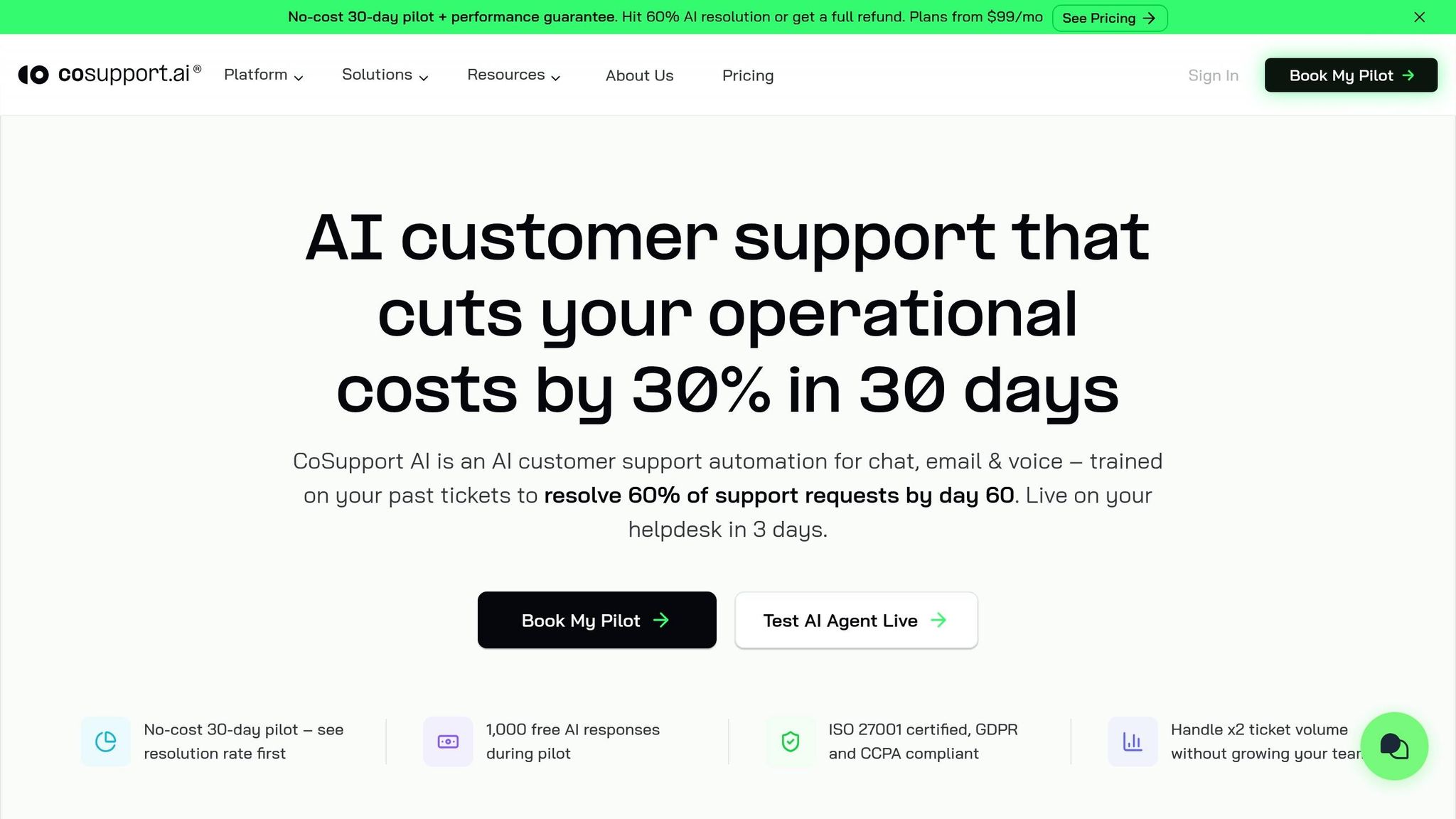
With CoSupport AI, a no-code team can launch in under 10 minutes. The platform connects natively with Zendesk and Freshdesk, and teams train it on their own tickets, macros, and help center content. It answers only from that verified knowledge base.
A practical rollout follows a four-week path. In week 1, audit the last 1,000 tickets and identify the top five categories by volume. In week 2, clean the knowledge base and remove conflicting content. In week 3, test 100 past tickets in a test environment and tune the system until it reaches a 60% accurate resolution rate. In week 4, soft-launch to 10% of tickets and monitor every conversation for 48 hours before scaling to 100%.
Then do the part teams often skip: review escalation transcripts every week and feed missing answers back into the knowledge base.
.png)



