.png&w=96&q=75)


 115
115
AI ticket deflection for Freshdesk is a cost-effective way to handle rising support ticket volumes without needing to hire more staff. By leveraging tools like CoSupport AI, SaaS teams can automatically resolve repetitive customer queries, saving time and reducing costs. Here's what you need to know:
- Cost Savings: Resolving tickets via AI can bring costs down from $25–$35 per ticket to as low as $0.19 per resolution.
- Efficiency: Automates common queries like password resets, order tracking, and FAQs, cutting resolution time by up to 52%.
- Impact: Companies have reported deflecting up to 60% of tickets, with some achieving 75% faster resolutions.
- Setup: Integration with Freshdesk is quick - under 10 minutes - and requires no coding.
- Key Metrics: Track deflection rate, resolution time, and customer satisfaction (CSAT) to measure success.
This guide explains how to connect, train, and optimize AI for ticket deflection, ensuring better support efficiency and significant cost reductions for your team.
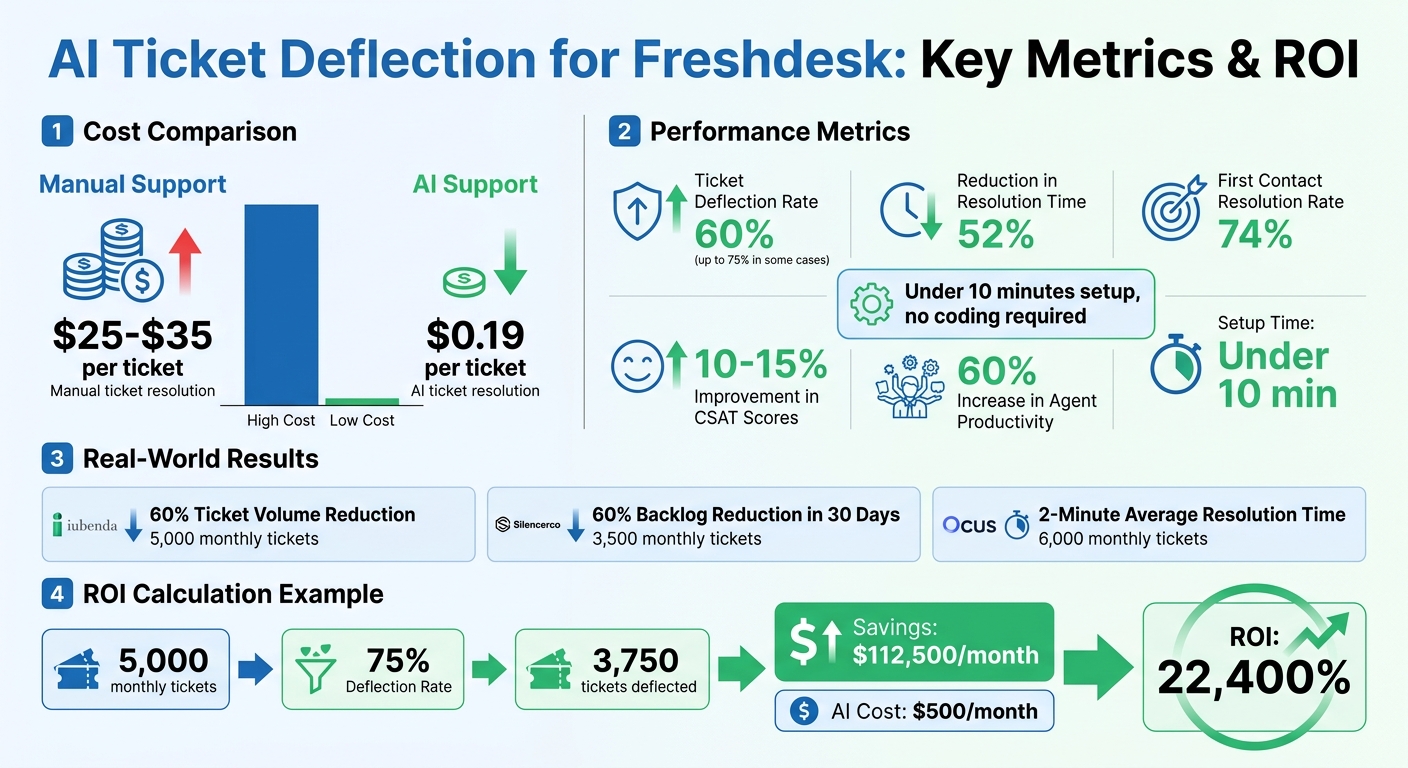
AI Ticket Deflection ROI: Cost Savings and Performance Metrics for Freshdesk
What is AI Ticket Deflection in Freshdesk?
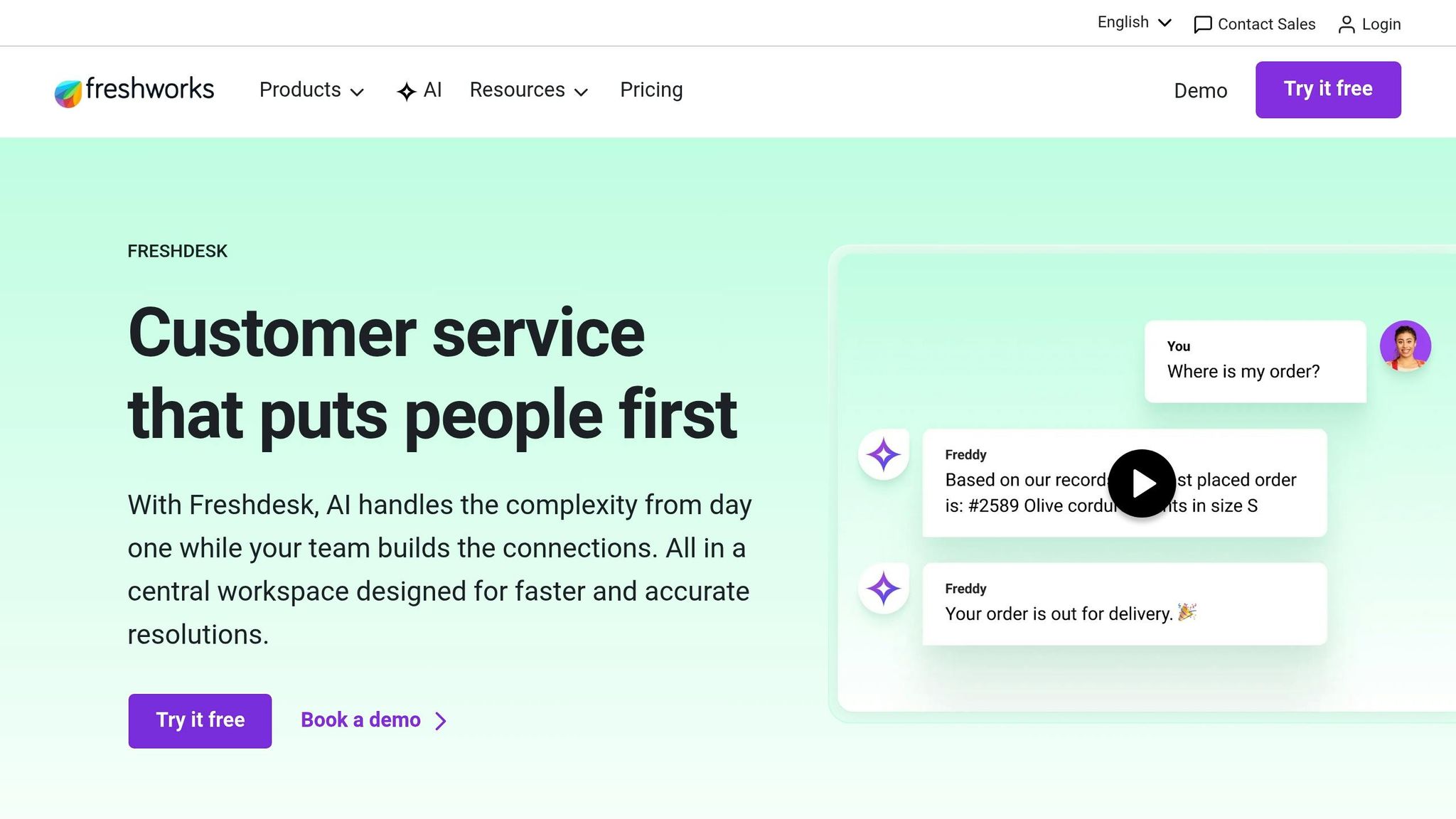
AI ticket deflection in Freshdesk uses artificial intelligence to resolve customer queries automatically, preventing tickets from reaching human agents. The system analyzes incoming emails, identifies the customer's intent, and pulls relevant information from your knowledge base and ticket history to provide accurate responses. If the AI resolves the issue, it closes the ticket on its own. When it cannot, it escalates the ticket to a human agent, complete with a summary for faster handling.
CoSupport AI, integrated with Freshdesk, learns from your company’s ticket history and help center content to enhance its accuracy. It uses intent detection to understand customer needs - like resetting a password, requesting a refund, or addressing technical issues - and either resolves the issue or routes it appropriately. By reviewing past interactions, it identifies patterns, handles repetitive tasks like subscription updates or FAQs, and streamlines your support process. This approach has proven effective, as demonstrated by companies like iubenda.
For instance, iubenda, a privacy and compliance platform managing 5,000 monthly tickets, reduced its ticket volume by 60% after adopting CoSupport AI. The AI system, trained on their historical data and help center materials, automatically resolved recurring questions about GDPR compliance, cookie policies, and account management. This allowed their support team to focus on more complex legal inquiries.
Unlike traditional chatbots, Freshdesk’s AI ticket deflection is designed for email-based tickets. It analyzes the full context of customer messages and references specific help articles, providing responses tailored to your company’s support history rather than relying on generic templates.
AI Deflection vs. Ticket Escalation
AI deflection ensures tickets are resolved entirely by the AI, eliminating the need for human intervention. On the other hand, ticket escalation occurs when the AI cannot provide a satisfactory solution. In such cases, it forwards the ticket to an agent, along with a concise summary of the customer’s issue.
The aim is to maximize deflection while keeping escalations minimal. Companies using AI-powered ticket deflection have achieved up to a 75% reduction in ticket resolution time by automating simple queries. CoSupport AI also uses sentiment analysis to identify frustrated customers, ensuring that those tickets are quickly escalated to human agents for a more thoughtful response.
Benefits of AI Ticket Deflection
AI ticket deflection doesn’t just resolve queries efficiently - it delivers measurable improvements in support operations. For example:
- SilencerCo, a firearms accessories company managing 3,500 monthly tickets, reduced its backlog by 60% in just 30 days with CoSupport AI. Common queries that once took hours to resolve were handled in minutes.
- Ocus, a workforce management platform handling 6,000 monthly tickets, cut its average chat resolution time to about 2 minutes and boosted agent productivity by 60%, allowing its team to focus on more complex cases.
Another standout benefit is improved first contact resolution. Companies using AI agents report a 74% success rate in resolving issues during the first interaction. This keeps ticket queues manageable and enhances customer satisfaction.
These examples highlight how AI ticket deflection can cut costs, speed up response times, and maintain high levels of customer satisfaction - making it a game-changer for SaaS support teams.
sbb-itb-97114f1
Step 1. Connect AI to Freshdesk
Setting up CoSupport AI with Freshdesk is quick and straightforward - it takes less than 10 minutes to get started, and you don’t need any coding skills. The integration uses your Freshdesk API key to establish a connection, syncing your knowledge base and historical ticket data to train the AI. For example, a UK-based e-commerce catering supplier completed the entire setup and data sync in under an hour. Now, they automatically handle 50% of repetitive email tickets, cutting the average resolution time down to 23 minutes.
What You Need Before Starting
To begin, you’ll need three essentials:
- An active Freshdesk account with API access
- Historical ticket data
- A well-organized knowledge base with FAQs and help articles
The AI relies on this data to learn your brand’s tone and typical resolution patterns. Make sure your solution articles are clean, well-written, and easy to search - better data leads to better AI performance.
You can find API access in your Freshdesk admin settings. CoSupport AI complies with GDPR, ISO 27001, and CCPA standards, anonymizing customer data to ensure privacy. Once you’ve checked these boxes, you’re ready to connect Freshdesk to CoSupport AI.
How to Connect CoSupport AI to Freshdesk
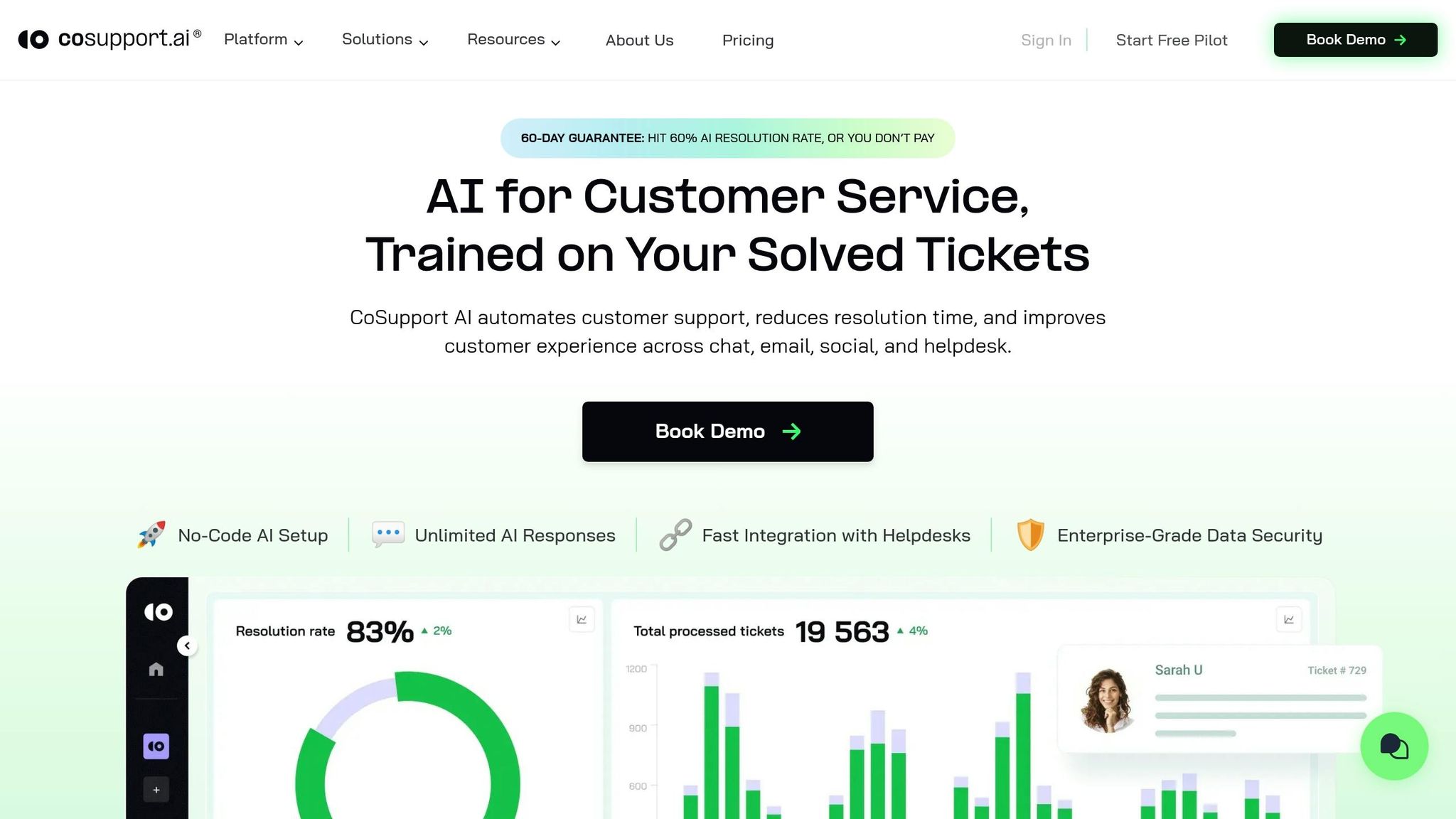
- Generate your Freshdesk API key: Head to your Freshdesk admin panel, locate your API key, and enter it into CoSupport AI's integration dashboard. This establishes the connection between the two platforms.
- Sync your knowledge base and upload ticket data: This step helps the AI understand your support practices by analyzing your existing resources and historical interactions.
- Set AI parameters: Configure the AI’s role, tone, communication channels, supported languages, and workflow rules. For instance, you can program the AI to escalate tickets flagged with specific keywords or negative sentiment.
After these steps, the AI begins training on your data and gets ready to assist your team.
"Our customers love the instant, high-quality responses. I've been impressed with CoSupport's professional approach and how quickly they helped us reach our goals." - Chris J., Customer Success Manager
Step 2. Train AI on Your Ticket Data
The effectiveness of your AI in deflecting tickets depends on how well it’s trained on your Freshdesk data. CoSupport AI utilizes three key data sources: historical tickets, agent macros (canned responses), and knowledge base articles. The quality of this data plays a huge role in determining deflection rates. Take Silencerco as an example - they trained their AI with 3,500 monthly Freshdesk tickets and hit a 60% deflection rate by ensuring their training data was clean and well-structured.
If the input data is messy, you’ll get subpar results. For instance, outdated knowledge base articles or inconsistent macros will lead to inaccurate responses from the AI. To address privacy concerns, CoSupport AI anonymizes customer data before training, adhering to GDPR, ISO 27001, and CCPA standards. The AI also analyzes past tickets to understand customer intent and sentiment, helping it prioritize issues and direct complex cases to human agents.
How to Prepare Your Training Data
To ensure high-quality training, start by auditing your support documentation. Remove outdated articles referencing old UI elements, retired features, or obsolete workflows. Keep an eye on help center search queries that return no results - these highlight gaps in your content. By improving documentation, you can boost FAQ accuracy by 35–45%.
Next, organize historical tickets by department, such as Logistics, Technical Support, or Billing. This helps fine-tune ticket routing. Your macros are another goldmine for training material since they reflect your brand’s tone and standard resolutions. Also, review repetitive queries to identify common customer intents, then update your knowledge base to address these recurring issues.
"This was when it became clear we weren't lacking data. We were lacking visibility. All the answers were already there, we just had no way to surface them." - Support Team Member, Inovara Case Study
Test AI Before Going Live
Once your data is cleaned and categorized, it’s time to test the AI. Run CoSupport AI on thousands of past tickets to evaluate its response accuracy and uncover any knowledge gaps. Start with an "agent-in-the-loop" mode, where the AI drafts responses that human agents review before sending. This approach not only reduces errors but also improves self-service success rates by 25%.
Step 3. Turn On Auto-Resolution and Track Results
Once you've tested in agent-in-the-loop mode, it's time to activate auto-resolution. This allows CoSupport AI to close tickets automatically without needing agent approval. To make this work effectively, set clear guidelines for when the AI should handle tickets on its own and when it should escalate to a human agent. For example, Ocus cut its average handle time from 4 minutes to 47 seconds after enabling auto-resolution.
How to Enable Auto-Resolution
The success of auto-resolution depends heavily on proper setup and a strong foundation of training data. Head to the Auto-Resolution Settings panel in CoSupport AI to configure the parameters. Start by setting a high confidence threshold to ensure tickets are only auto-resolved when the AI is highly certain of the outcome. As you gain confidence in the system, you can fine-tune this threshold.
Make sure to establish clear escalation rules. For example, tickets involving billing disputes, technical issues, or urgent keywords like "urgent", "broken", or "down" should automatically be routed to human agents. You can also create department-specific rules. For instance, technical tickets might require stricter thresholds compared to simpler FAQ-type inquiries. CoSupport AI integrates seamlessly with Freshdesk's workflow automation, so these rules will align with your existing ticket-routing processes.
Which Metrics to Track
To measure auto-resolution success, focus on three key metrics: deflection rate, average resolution time, and CSAT (Customer Satisfaction Score).
- Deflection Rate: This shows the percentage of tickets resolved without agent involvement. Many SaaS teams report achieving 60–80% deflection within just 60 days.
- Average Resolution Time: AI often resolves tickets in under 2 minutes, compared to the typical 4–6 minutes it takes for human agents.
- CSAT: Monitor satisfaction scores specifically for AI-resolved tickets. Teams frequently report a 10–15% improvement in CSAT as AI delivers instant and consistent responses.
Use CoSupport BI to track these metrics in real time. If you notice a dip in CSAT below your baseline, review recent AI responses and adjust your training data to improve outcomes.
Up next: calculating ROI to quantify the efficiency and cost savings you've achieved.
How to Calculate ROI from AI Ticket Deflection
Once you've implemented and tested auto-resolution, measuring the ROI of AI ticket deflection is essential to understanding the financial impact of your investment. The key factors in this calculation are deflection rate, cost savings, and overall AI investment.
To start, calculate the deflection rate using this formula:
(Number of Deflected Tickets / Total Potential Tickets) × 100.
Next, figure out cost savings with:
(Number of Deflected Tickets × Average Cost per Manual Ticket) - Total AI Operational Costs.
Here’s an example: If CoSupport AI deflects 3,750 tickets out of 5,000 monthly tickets, the deflection rate is 75%. Considering that the average cost to manually handle a support ticket ranges from $25 to $35, let’s use $30 for this calculation. With 3,750 deflected tickets, the monthly savings amount to $112,500 before accounting for AI costs.
Now, factor in your total AI investment. This includes platform subscription fees, AI add-ons, and any session-based charges. For instance, CoSupport AI offers resolution-based pricing starting at $0.19 per resolution or a flat fee of $99/month for unlimited responses. Be sure to account for any additional fees tied to your specific plan.
Finally, use this formula to calculate ROI:
((Total Cost Savings - AI Investment) / AI Investment) × 100.
Let’s say your monthly cost savings are $112,500, and your AI investment is $500. Plugging in the numbers, the ROI comes out to 22,400%. This figure reflects the direct financial return, but don’t overlook the extra value - like a 10–15% boost in CSAT - which can strengthen customer loyalty.
To keep things running smoothly, monitor these metrics monthly using your BI tools. If deflection rates fall below 60%, it’s a sign to revisit your training data and refine escalation rules. This ensures consistent performance and maximizes the benefits of your AI solution.
To Sum Up
Freshdesk's AI ticket deflection can reduce ticket volume by 40–85%, cut resolution time by 52%, and bring support costs down from $25–$35 per ticket to just $0.19 per resolution. For SaaS teams managing 1,000–10,000 tickets each month, this translates into major annual savings while improving customer satisfaction.
In less than an hour - and without requiring any coding - CoSupport AI can train itself using your Freshdesk tickets, help articles, and macros. Once set up, it handles routine questions like password resets, order tracking, and FAQs across email, chat, and ticketing platforms, operating 24/7 in over 40 languages. (Similar automation is also available for Zendesk AI ticketing.) This allows your team to focus on more complex, high-priority issues.
Explore how CoSupport AI can help you save your profit. Get your Demo now.
.png&w=128&q=75)


.png&w=96&q=75)
.png&w=3840&q=75)
