.png&w=96&q=75)


 37
37
AI automation in Zoho Desk can handle up to 80% of routine customer queries, saving your team time and improving response times. Whether you're using Zoho's native Zia AI or integrating tools like ChatGPT or CoSupport AI, automation helps streamline ticket management, routing, and resolution. Here's what you need to know:
-
Plans & Costs:
- Zia AI is included in the Enterprise plan ($40/user/month).
- Lower-tier plans (Standard: $14/user/month, Professional: $23/user/month) require a separate OpenAI API key for generative AI.
-
Set up Essentials:
- A knowledge base with at least 30 published articles per department is critical for effective chatbot performance.
- Enable features like Field Predictions, Answer Bot, and Sentiment Analysis for smarter ticket handling.
-
Limitations:
- Zia works best with centralized Zoho-hosted data and may struggle with external tools or nuanced language.
- Advanced AI integrations, like CoSupport AI, offer higher accuracy and flexibility for complex support needs.
-
Key Benefits:
- Faster resolutions with automated tagging, routing, and sentiment tracking.
- 24/7 customer support through AI-powered chatbots.
- Reduced operational costs - companies have reported savings of up to $14,000/month with advanced automation.
Why Add AI Automation to Zoho Desk
Common Customer Support Problems
Support teams often face challenges that slow them down and frustrate both agents and customers. Repetitive questions like "Where is my order?" flood ticket queues, eating up time that could be spent solving more complex issues. On top of that, manual ticket routing frequently sends inquiries to the wrong department, leading to delays and repeated back-and-forths.
Another common issue is the lack of 24/7 availability. Most businesses can't keep human agents online around the clock, leaving customers waiting for hours - or even days - for a response. When agents do pick up a ticket, they often lack context, forcing them to sift through long histories before they can even start resolving the issue. Add to this the burden of manual tasks like tagging and categorizing tickets, and it's no wonder resolution times lag.
Traditional chatbots don’t help much either. They follow rigid scripts and often fail when customers stray from expected responses. This creates a frustrating self-service experience, pushing customers back to human agents and defeating the purpose of automation entirely.
| Challenge | Impact on Support Operations |
|---|---|
| High Volume of Repetitive Queries | Agents spend time on routine questions instead of complex issues |
| Inefficient Ticket Routing | Tickets end up in the wrong queues, leading to delays and rework |
| Limited Availability | Customers face long waits during off-hours |
| Context Blindness | Agents waste time piecing together ticket histories |
| Manual Administrative Tasks | Routine tasks like tagging and categorizing slow down resolutions |
These challenges highlight the need for a smarter solution. AI automation steps in to address these bottlenecks and streamline customer support operations.
How AI Automation Helps
AI automation solves these issues by delivering quick, context-aware responses and optimizing ticket management. Answer Bots can handle 70–80% of routine queries by pulling accurate information directly from your knowledge base - providing instant, 24/7 assistance without human involvement. Intelligent ticket routing uses intent and sentiment analysis to ensure tickets are assigned to the right agent immediately, cutting out manual sorting errors.
Generative AI further boosts efficiency by summarizing lengthy ticket threads, giving agents a clear understanding of the issue without wading through pages of text. It also automates administrative tasks such as tagging, prioritizing, and updating ticket fields, freeing agents to focus on more complex problems. On top of that, AI monitors spikes in ticket volume and flags frustrated customers through sentiment analysis, enabling managers to step in before situations escalate.
For example, Remedico achieved a 74% ticket resolution rate just two weeks after implementing AI automation, saving $9,000 per month in support costs. This success shows how automation resolves misdirected tickets and reduces delays. Similarly, Hour Timesheet automated over half of its incoming chats and reduced resolution times by 70%. These results occur because AI handles repetitive tasks, allowing agents to focus on high-value interactions that require a human touch.
"The ticket prediction does a phenomenal job of summarizing the ticket content into a single sentence, which makes it easier for the support manager to assign the ticket to the appropriate team member without having to read the full message." - Steven Gabbard, Founder, Contractor Foreman
The takeaway: AI automation doesn’t replace your support team - it empowers them. By eliminating tedious tasks and providing smarter tools, it helps agents work more efficiently and focus on delivering exceptional customer experiences.
sbb-itb-97114f1
AI in Zoho Desk – Part 2: Generative AI and Answer Bot
Zoho Desk's Built-In AI Features
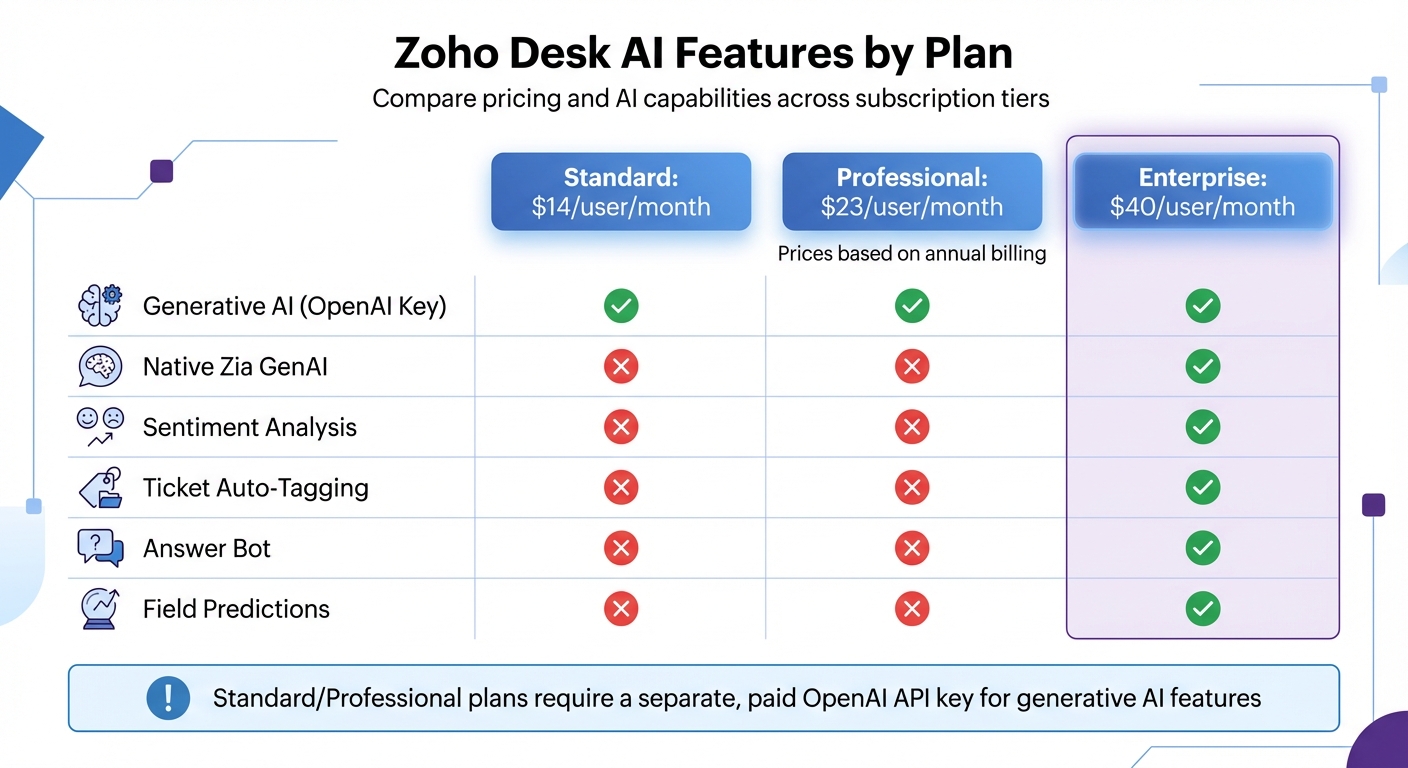
Zoho Desk AI Features and Pricing Comparison by Plan
Zoho Desk includes Zia, its native AI assistant, which ranges from simple automations to advanced generative AI capabilities. Zia is globally available and focuses on automating ticket handling and improving agent efficiency. However, most of these AI tools are tied to the Enterprise plan, priced at $40 per agent per month.
Zoho Desk provides two generative AI options: the built-in Zia, based on open-source models, and a ChatGPT integration that uses your OpenAI API key. With Zia, all data stays within Zoho's servers, adhering to GDPR, HIPAA, and CCPA standards. Meanwhile, the ChatGPT integration offers greater conversational flexibility but relies on external servers and incurs additional usage-based costs.
What Zia Can Do
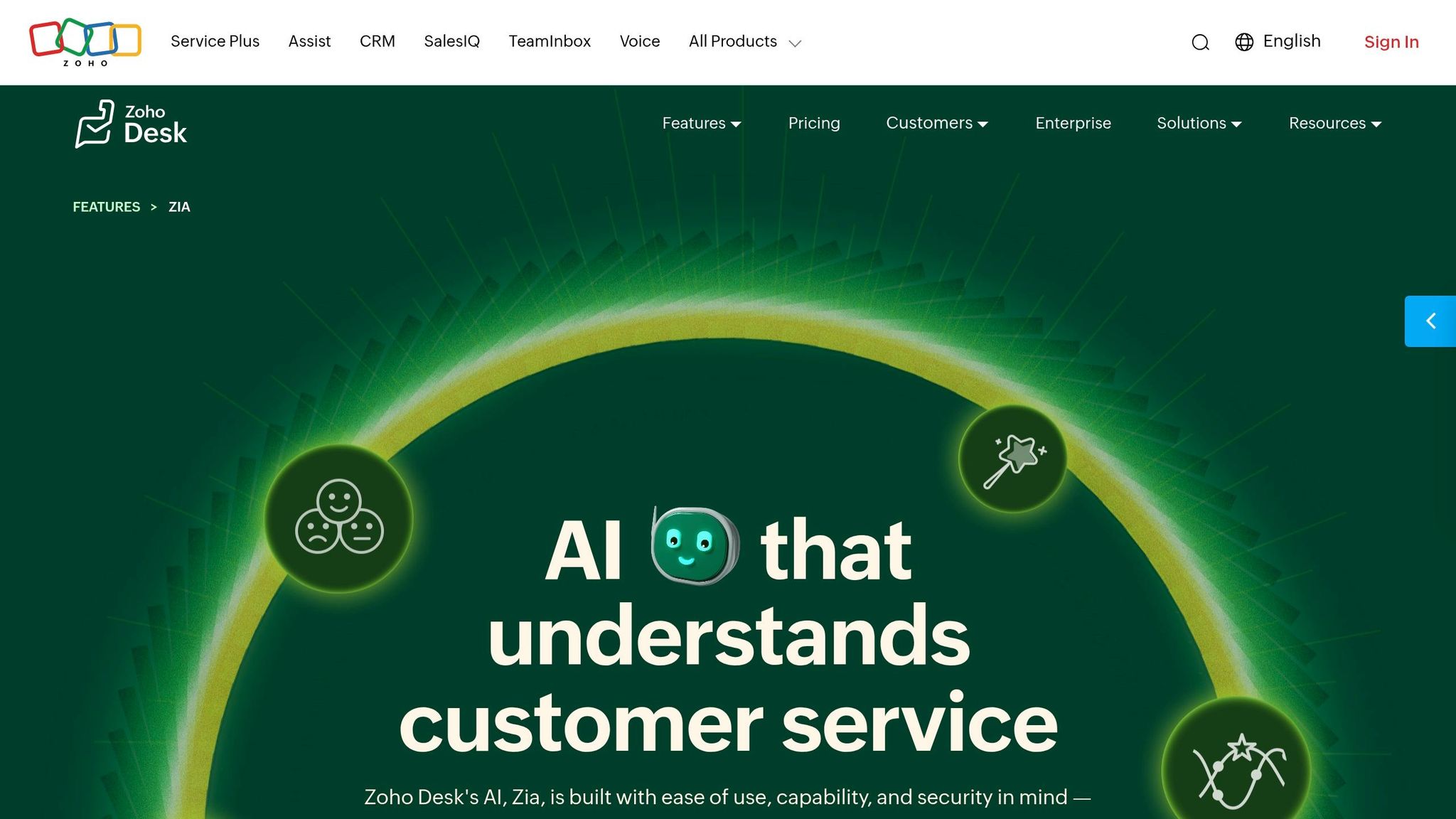
Zia automates several key support tasks, making life easier for both agents and customers.
- Field Predictions automatically analyzes incoming tickets and populates fields such as "Product Type" and "Issue Severity." This triggers workflows to route tickets to the appropriate teams. For instance, billing-related tickets can go directly to the finance department without manual intervention.
- The Answer Bot provides 24/7 customer support by pulling answers from your knowledge base. To use this feature effectively, Zoho requires at least 30 published articles per department. This ensures customers get instant responses to routine queries, even outside business hours.
- For agents, Zia offers real-time writing assistance, functioning as an AI copilot for customer support to help adjust tone, grammar, and length. It also suggests relevant knowledge base articles and drafts responses based on existing documentation. Sentiment analysis helps managers identify whether a customer is happy, neutral, or upset, enabling them to prioritize dissatisfied customers before issues escalate.
"With Zia dashboards, I was able to find out that twice a week between 1 and 4 pm... we almost doubled our inbound call flow... we were able to proactively shift and schedule staff." - Matt Cianfarani, Chief Operating Officer, Cartika
- Anomaly detection alerts managers to unexpected spikes in ticket volume, allowing for proactive staffing adjustments. Zia dashboards also track customer sentiment trends and peak traffic times, helping teams allocate resources more effectively.
| Feature | Standard ($14/user/mo) | Professional ($23/user/mo) | Enterprise ($40/user/mo) |
|---|---|---|---|
| Generative AI (OpenAI Key) | ✅ | ✅ | ✅ |
| Native Zia GenAI | ❌ | ❌ | ✅ |
| Sentiment Analysis | ❌ | ❌ | ✅ |
| Ticket Auto-Tagging | ❌ | ❌ | ✅ |
| Answer Bot | ❌ | ❌ | ✅ |
| Field Predictions | ❌ | ❌ | ✅ |
Prices are based on annual billing. Generative AI on Standard/Professional plans requires a separate, paid OpenAI API key.
Key takeaway: Zia simplifies routine tasks and ticket routing, especially when paired with a well-maintained, comprehensive knowledge base. This reduces manual effort and speeds up resolutions.
Where Native AI Falls Short
While Zia is strong at automating support processes, it does have some limitations that can affect its performance, especially if your setup isn't fully integrated with Zoho Desk.
- Zia operates within a "walled garden", meaning it cannot pull information from external tools like Google Docs, Confluence, Notion, or Slack. If your knowledge base or troubleshooting guides are stored outside Zoho, Zia won’t be able to access them for ticket routing or response generation.
- Summarization accuracy can be hit-or-miss. Users often report that ticket summaries focus too much on the latest customer reply rather than the entire conversation history, forcing agents to review the full thread manually.
- Features like sentiment analysis and auto-tagging sometimes struggle with nuanced or sarcastic language, leading to inconsistencies.
- There’s no simulation mode to test Zia’s performance before going live. This means you won’t know how well it resolves issues or its potential ROI until it’s already deployed. Additionally, setting up features like field predictions and auto-tagging requires manual training and ongoing adjustments, which can be time-consuming.
"The interface is often described as 'overwhelming,' 'cluttered,' and mention a 'steep learning curve.'" - Kenneth Pangan, eesel AI
- Technical limitations include API call caps that limit processing to 200 records per call, which can slow high-volume automations. The Blueprint workflow designer, while powerful, often demands significant technical expertise to configure effectively.
For teams with complex support operations or documentation spread across multiple platforms, these constraints may require supplementing Zia with external AI integrations.
Key insight: Zia performs best when your knowledge base is centralized and fully integrated within Zoho Desk. If your team relies on external tools or needs more advanced AI capabilities, you’ll likely need to explore additional integrations to bridge these gaps. Up next, we’ll explore the necessary steps to prepare for AI automation and maximize its benefits.
What You Need Before Setting Up AI Automation
Before diving into AI automation, it's essential to confirm your plan's compatibility and prepare your ticket data. These steps ensure smooth integration and that your AI performs as expected.
Zoho Desk Plan Requirements
Zoho's Enterprise plan is the gateway to its native AI tools. Priced at $40 per user per month (billed annually), this plan includes Zia's full suite of features - Answer Bot, AI Agents, sentiment analysis, and field predictions - without requiring external API keys.
If you're using the Standard ($14/user/month) or Professional ($23/user/month) plans, you can still access generative AI tools. However, you'll need to supply your own OpenAI API key and pay usage-based fees directly to OpenAI.
"For anyone not on the top-tier Enterprise plan, the promise of 'Generative AI included' is a bit misleading. It's more like, 'we give you the feature, but you bring your own API key and credit card.'" - Kenneth Pangan
If you're planning to deploy customer-facing chatbots, ensure you have administrator-level access to both Zoho Desk and Zoho SalesIQ. Both tools must be part of the same Zoho Organization. For advanced Answer Bot features on your website, you'll also need a Zoho SalesIQ Enterprise subscription, which costs $20 per operator per month.
Once your plan is sorted, the next step is preparing your ticket data for AI training.
Preparing Your Ticket Data
Zoho's AI doesn't automatically learn from your ticket history. Instead, it relies heavily on your Knowledge Base. To train the AI effectively, you'll need to transform resolved ticket solutions into structured, public articles.
Aim for 50+ articles for decent performance, but creating 100+ articles ensures broader coverage. These articles must be set to "Public" visibility, as the AI cannot access internal or private content.
"The AI needs sufficient training data to understand context. Below 30 articles, the bot may not respond or give poor answers." - Obad Zafar
To strengthen your Knowledge Base, analyze historical ticket tags and trending search terms. Identify recurring issues without documentation and use solutions from resolved, complex tickets to draft new articles. Organize these articles into a clear structure with Categories, Sections, and Articles. Consistent formatting helps the AI interpret your content accurately.
For automated ticket triaging with field predictions, you'll need to train Zia using historical ticket data manually. This process helps the system predict fields like priority, category, or product type. Additionally, make sure to sync your Knowledge Base between Zoho Desk and Zoho SalesIQ daily, so the AI always has access to the latest information.
Key takeaway: The Enterprise plan provides seamless access to native AI features, while lower-tier plans require OpenAI integration. Your Knowledge Base is the backbone of your AI - invest time in creating a well-organized library of at least 30–50 public articles to ensure effective AI implementation. Once your Knowledge Base is ready, you can start configuring your AI automation.
How to Set Up AI Automation in Zoho Desk
Once you've finalized your plan and ensured your Knowledge Base is ready, you can configure automated ticket handling using Zoho Desk's native Zia tools or advanced AI integrations. The setup process depends on whether you're sticking with Zoho's built-in features or connecting external AI platforms.
Turning On AI Features in Zoho Desk
To enable AI in Zoho Desk, go to Setup (gear icon) > Zia > Generative AI, click "Enable Generative AI", and choose between native Zia or ChatGPT integration, depending on your subscription. For Enterprise plan users, Zia is included at no extra charge. If you're on Standard or Professional plans and opt for ChatGPT, you'll need to provide your OpenAI API key.
Once activated, set up Field Predictions to let Zia automatically fill ticket fields based on historical data. Navigate to Setup > Zia > Field Predictions, and train Zia to classify tickets by priority, category, or product type.
For customer-facing automation, enable the Answer Bot under Setup > Zia > Answer Bot. Ensure your public Knowledge Base is ready - each department must have at least 30 published articles for optimal results.
Key takeaway: While turning on Zia is quick, proper configuration involves training it with your historical data and ensuring your Knowledge Base is well-organized and accessible.
Setting Up Automated Ticket Handling
Zia's Sentiment Analysis evaluates incoming messages to determine whether they're positive, neutral, or negative, helping agents prioritize urgent or frustrated customers. This feature is automatically available to users on the Enterprise plan.
Auto-Tagging analyzes ticket content and applies relevant tags, making it easier to locate similar tickets and track recurring issues. When combined with Field Predictions, this helps streamline ticket routing.
Instead of relying on manual rules, you can use Zia's predictions to update ticket categories or priorities. Then, create standard Assignment Rules to route tickets accordingly. For instance, if Zia identifies a ticket as "High Priority" and categorizes it as a "Billing Issue", an assignment rule can route it directly to the appropriate team lead.
If you use Zoho SalesIQ for chat support, you can map SalesIQ departments to Zoho Desk departments to ensure chat conversations that convert into tickets are routed correctly.
Key takeaway: Combining AI-driven predictions with workflow rules creates a powerful system in which Zia handles classification, while your rules manage routing and escalation. For even more advanced automation, consider integrating CoSupport AI.
Connecting CoSupport AI to Zoho Desk
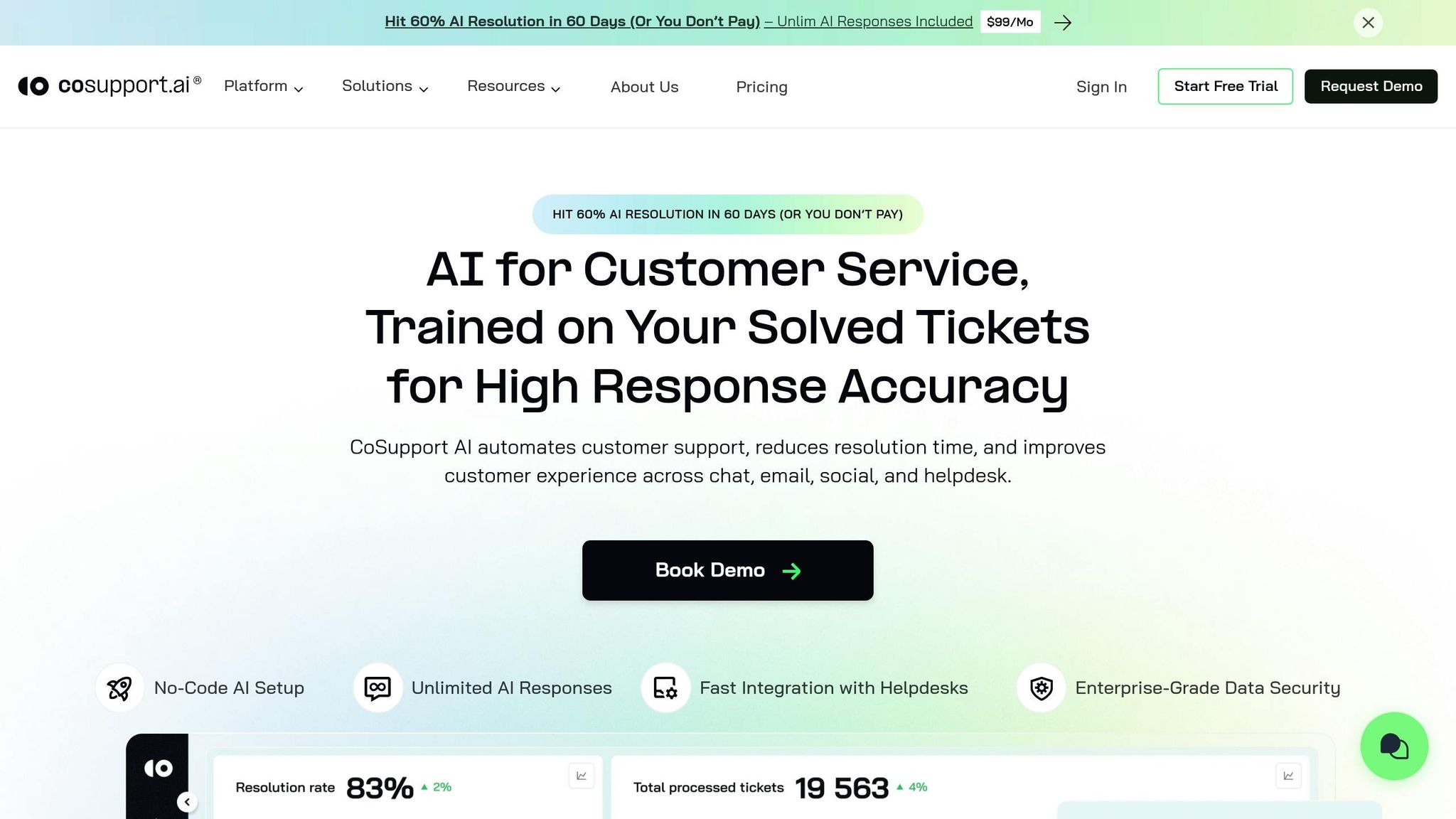
For teams looking to go beyond Zoho's native features, CoSupport AI offers advanced automation for ticket reading, categorization, and resolution. The setup process is straightforward and requires no coding.
Start by retrieving your Zoho Desk API key, then log in to CoSupport AI to connect your instance. During setup, link your data sources - such as past tickets, internal documents, and external knowledge bases - so the AI can learn from your support history.
Unlike Zia, which relies solely on your Knowledge Base, CoSupport AI uses reinforcement learning to improve over time. Its "Zero Hallucination" architecture ensures responses are based only on approved data, achieving 99% accuracy in customer interactions.
In February 2026, SupportYourApp reported saving $14,000 per month by automating 80% of internal requests with CoSupport AI. Similarly, Remedico achieved a 74% ticket resolution rate within two weeks, cutting support costs by $9,000 per month.
"The impact of launching the CoSupport AI is tangible. We get our hands on way fewer tickets now, as many are solved by AI." - Dragan Milić, Senior Technical Specialist, Cocoatech
Before going live, use CoSupport AI's simulation feature to test its performance on historical tickets. This ensures the AI meets your quality standards and aligns with your brand's tone. CoSupport AI offers three pricing options: Server-Based ($190/month for unlimited interactions), Resolution-Based ($0.59 per resolved ticket), or Response-Based ($0.10 per AI-generated reply).
Key takeaway: CoSupport AI builds on Zoho Desk's capabilities by leveraging your entire support history to automate up to 90% of customer inquiries with high accuracy and reliability.
Testing and Improving Your AI Setup
Testing Your AI Workflows
Start by running a controlled pilot phase to test your AI automation. For example, Zoho Desk's Field Prediction Playground allows you to train Zia using historical ticket data. This lets you verify predictions for priority, category, and routing without affecting live tickets. It's a safe space to see how well the AI aligns with your expectations.
Keep an eye on the Zia Insights panel for real-time sentiment analysis and tone tracking during customer interactions. If the AI frequently misinterprets frustrated customers as neutral, it's a sign to tighten escalation rules for negative sentiment.
For Answer Bot testing, ensure each department has at least 30 published Knowledge Base articles. Review customer feedback, especially helpfulness ratings, to pinpoint which articles are effectively resolving cases. Use this feedback to update or re-rank content for better results.
A practical example comes from Cartika, where AI insights on peak activity patterns helped optimize staff schedules. This proactive resource allocation during busy times shows the value of leveraging AI-driven data.
Key takeaway: Testing isn't a one-and-done process. Use Zoho's dashboards and simulation tools to identify successes and areas that need human intervention. This approach creates a strong foundation for ongoing refinement.
Making Your AI Better Over Time
After testing, focus on continuous updates to keep your AI performing at its best. Regularly monitor trends and conversation tags to uncover knowledge gaps. Address these gaps by creating new Knowledge Base articles to ensure the AI always has current and relevant information.
Audit bot-customer interactions to find moments where conversations lose context. For example, if customers frequently ask follow-up questions after an AI response, it likely means the original answer wasn't clear enough. Use these patterns to refine your Knowledge Base and adjust routing rules, building a system of constant improvement.
Matthew Brown, Director of Customer Solutions at Shelterluv, achieved a 60% resolution rate by training CoSupport AI on their help center and ticket history. He kept a close eye on escalated tickets and noted that the AI effectively handled FAQs and even some complex questions, escalating only issues that genuinely needed human attention.
"The AI performance has been very good. It handles FAQs and many complex questions well, and the escalated tickets I'm seeing come through are ones I wouldn't expect AI to be able to handle." - Matthew Brown, Director of Customer Solutions, Shelterluv
Make it a habit to review metrics like Resolution and Automation Rates each month. If you notice these numbers plateau, it may be time to refresh your Knowledge Base or tweak routing rules to align with new patterns.
Key takeaway: Continuous improvement depends on regular monitoring, content updates, and customer feedback to fine-tune AI responses and ensure routing accuracy.
Key Takeaways
Using AI in Zoho Desk can significantly improve customer support operations. For example, AI chatbots can automatically handle 70–80% of customer queries, and advanced integrations can resolve up to 90% of support requests with 99% accuracy. This allows your team to dedicate their efforts to more complex, human-centered problems.
To make AI automation work effectively, a well-maintained Knowledge Base is essential, with at least 30 published articles per department. Without this, tools like the Answer Bot won’t have the information they need to provide accurate, round-the-clock assistance.
Start by leveraging Zoho's native Zia features, available with the Enterprise plan ($40/user/month). These tools ensure your data remains secure within the Zoho ecosystem while offering features such as sentiment analysis, ticket auto-tagging, and field predictions. However, it’s important to remember that 86% of consumers still prefer speaking to a human, so always include clear options for escalating AI-handled queries to live agents.
For long-term success, keep a close eye on your system’s performance. Review monthly reports on automation and resolution rates, update Knowledge Base articles based on customer feedback, and audit bot interactions to spot areas where context might be lost. Striking the right balance between AI and human involvement ensures routine tasks are handled efficiently while complex issues receive the attention they deserve.
.png&w=128&q=75)


.png&w=96&q=75)
.png&w=3840&q=75)
