.png&w=96&q=75)


 80
80-(1).png&w=3840&q=75)
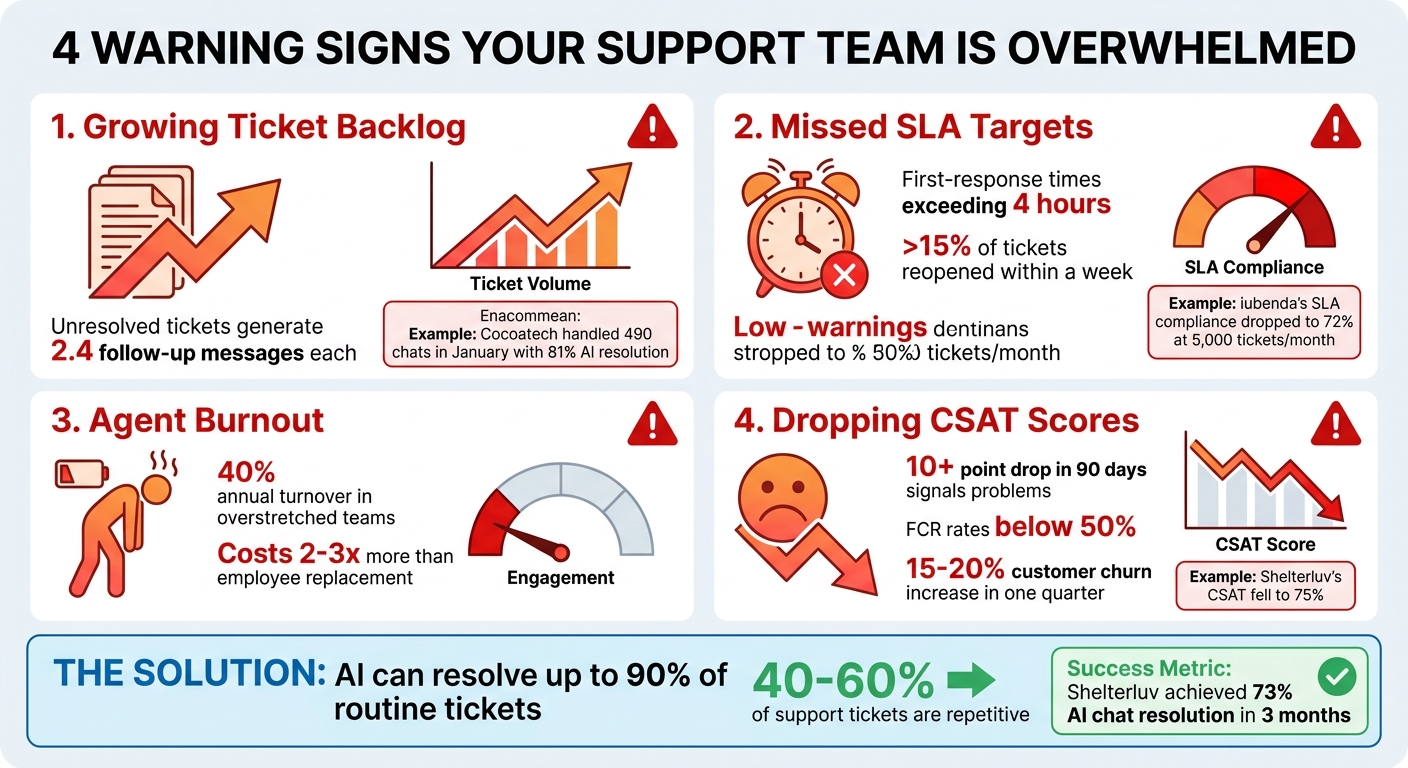
When your support team is overwhelmed, it leads to slower response times, unresolved tickets, and poor customer satisfaction. Here’s how to spot the warning signs and fix them:
- Growing Ticket Backlog: If unresolved tickets increase daily, your team is falling behind.
- Missed SLA Targets: First-response times exceeding 4 hours and high ticket reopen rates indicate rushed resolutions.
- Agent Burnout: Short, impersonal responses and reduced engagement suggest your team is overworked.
- Dropping CSAT Scores: A decline of 10+ points in 90 days signals unresolved customer issues.
Solution: Automate repetitive tickets with AI tools like CoSupport AI. This allows your team to focus on complex cases, improve SLA compliance, and boost morale. Start with a 30-day pilot in high-volume areas like billing or order status, and track metrics like ticket deflection and CSAT improvement. AI tools can resolve up to 90% of routine tickets, saving time and reducing burnout.
Key Example: Shelterluv saw AI resolve 73% of chats, improving their SLA compliance and customer satisfaction within 3 months.
Take Action: Connect CoSupport AI to your helpdesk in under 10 minutes, test it in one queue, and measure results. It’s a cost-effective way to manage workload without hiring more agents.
4 Warning Signs Your Support Team Is Overwhelmed
Warning Signs Your Support Team Can't Keep Up
Overload tends to sneak up on teams, becoming apparent only when key metrics start to edge into the danger zone. When ticket volumes surpass manageable levels, the focus often shifts to speed rather than thorough solutions, with teams prioritizing clearing queues over resolving issues completely.
Here are four clear indicators that your support team might be stretched too thin. Each one highlights a specific breakdown in your workflow that, if left unchecked, can spiral into bigger problems over time.
Ticket Backlog Keeps Growing
A backlog that keeps getting bigger is a major warning sign. If the number of unresolved tickets at the end of the day consistently exceeds the count at the start of the day for a month or more, your team is struggling to keep pace. And the problem compounds - each unresolved ticket typically generates 2.4 follow-up messages, effectively tripling the workload without any increase in customer base.
Take Cocoatech, for example. During a busy partnership period from November 2024 to January 2025, their small two-person team was overwhelmed by incoming requests. By implementing AI automation, they managed to handle 81% of their conversations - clearing 490 chats in January alone - without needing to expand their team.
SLA Targets Are Being Missed
If your first-response times start creeping past four hours, it’s a sign your team is overloaded. Missing SLA targets often means agents are prioritizing simpler tickets to maintain volume metrics, leaving complex issues unresolved. Another red flag? If more than 15% of closed tickets are reopened within a week, it suggests resolutions are being rushed and aren’t addressing the root problem.
iubenda faced this exact issue, with SLA compliance dropping to 72% while they were managing a hefty 5,000 tickets per month.
Agents Are Burned Out
Burnout among agents shows up in subtle but telling ways - shorter, less engaging responses, and a noticeable lack of personal interaction. Cocoatech’s team, for instance, reported feeling burned out during weeks when they were handling over 500 tickets. The costs of burnout go beyond employee turnover (which can exceed 40% annually in overstretched teams). It also impacts customer satisfaction and retention, costing businesses two to three times more than simply replacing an employee.
CSAT Scores Are Dropping
When CSAT scores drop by more than 10 points over 90 days, it’s a glaring sign that something’s wrong. Shelterluv, for instance, saw its CSAT fall to 75% due to delayed responses and unresolved issues. Customers notice when their problems aren’t fully addressed, which can lead to First-Contact Resolution rates dipping below 50% and customer churn increasing by 15–20% in just one quarter. These numbers highlight the urgent need for operational adjustments to restore your team’s efficiency.
| Operational Signal | Likely Meaning | Recommended Action |
|---|---|---|
| Reopen rate jumps | Confusing answers or policy drift | Check knowledge base readiness and recent policy changes |
| Escalations spike | Unclear escalation guidelines | Review permission rules and manager coverage |
| Handle time rises | Agents searching, not solving | Check for tool switching or missing context |
| Schedule adherence drops | Team is worn down | Review break norms and staffing levels |
| FCR drops < 50% | Team is rushing interactions | Audit quality vs. speed metrics |
sbb-itb-97114f1
How to Fix an Overloaded Support Team
Feeling the strain of an overloaded support team? You don’t need to double your headcount to fix the problem. Instead, the key lies in automating repetitive tasks and allowing your team to focus on more complex, high-priority issues. Companies that adopt AI-driven automation often see faster resolution times, better SLA compliance, and happier agents - sometimes in as little as 30 days. This strategy directly addresses the challenges outlined earlier, ensuring your support team stays on track.
Use AI to Handle Repetitive Tickets
Did you know that 40%–60% of support tickets are repetitive? These include inquiries about hours, pricing, policies, and order statuses. While they eat up a lot of time, they rarely require human judgment. That’s where AI comes in. Tools like CoSupport AI can handle up to 90% of these repetitive tickets by learning from past interactions and help center resources.
Take Cocoatech as an example. During high-demand periods, their AI resolved 81% of incoming chats. Dragan Milić, Senior Technical Specialist at Cocoatech, shared how transformative this was:
"The impact of launching the CoSupport AI chatbot is tangible. We get our hands on way fewer tickets now, as AI solves many on its own."
To start, review your last 500 tickets and group them into categories like Lookup (e.g., order status), Process (e.g., password resets), Advisory (e.g., product recommendations), and Emotional (e.g., complaints). Focus on automating the Lookup and Process categories first - they typically make up 35–45% of your ticket volume and can achieve deflection rates of 75–85%.
Track SLA Metrics Daily and Automate Responses
If your team is missing SLA targets, it’s often a sign of structural overload, not individual shortcomings. The solution? Monitor SLA trends weekly to spot patterns and use AI to handle high-volume, repetitive queries. This approach not only improves response times but also helps reduce burnout.
Consider Shelterluv, a software provider for animal rescues. They manage around 5,000 tickets monthly and saw SLA compliance drop to 72%. After implementing CoSupport AI in October 2024, their AI resolved 73% of chats and 61% of emails by January 2025, using insights from 20,000 past tickets. Matthew Brown, Director of Customer Solutions at Shelterluv, shared his experience:
"The AI performance has been very good. It handles FAQs and many complex questions well... CoSupport AI has exceeded my expectations."
To replicate this success, set up SLA-based routing in your helpdesk. Automate responses for simple queries and escalate critical issues based on customer tier and severity. By tracking average response times over a four-week period, you can identify whether delays are temporary or a sign of chronic understaffing.
Once your SLA metrics are stable, you can take things further by equipping agents with AI-powered reply tools.
Give Agents AI-Powered Reply Tools
For tickets that require human input, reduce the time agents spend searching for answers or drafting replies. AI copilots can suggest responses, summarize ticket histories, and pull information from your knowledge base - cutting research time by 60%. This ensures agents spend more time solving complex issues and less time on repetitive tasks.
StayLoyal, a company handling 900 tickets monthly, used AI-powered reply tools to boost agent morale and increase their CSAT score by 18 points. Agents reported that they spent less time "hunting for context" and more time addressing customer needs.
To implement this, start by piloting AI copilots in one high-volume area, like billing. Monitor deflection rates and CSAT improvements. Make sure your AI tools stay updated with your help center and internal FAQs to avoid outdated responses.
| Ticket Category | Typical % of Queue | Automation Method | Expected Deflection Rate |
|---|---|---|---|
| Order/Account Status | 20–30% | API-connected chatbot | 75–85% |
| Hours, Pricing, Policies | 15–20% | FAQ chatbot / Knowledge Base | 80–90% |
| Returns & Cancellations | 10–15% | Guided workflow bot | 50–65% |
| Product Recommendations | 10–15% | AI chatbot with product data | 30–45% |
| Complaints & Escalations | 10–20% | Human only (AI triages) | 0% (Faster routing) |
How to Set Up CoSupport AI in Your Support Workflow
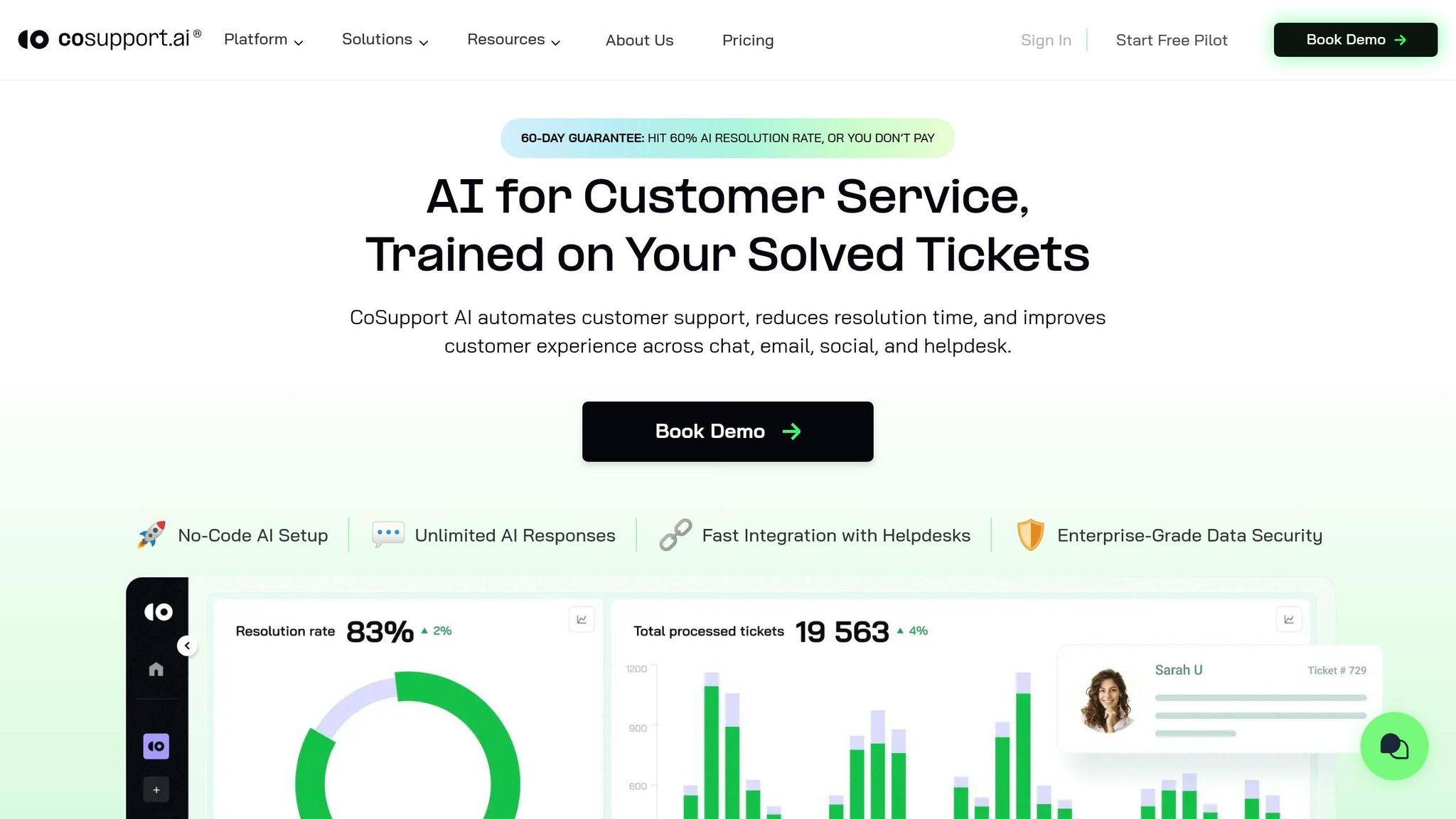
Integrating AI into your support workflow has never been easier. With CoSupport AI, you can start automating ticket deflection in just minutes. It connects seamlessly with Zendesk and Freshdesk via API authorization, learns from your existing tickets and help center content, and can be live in under 10 minutes. The best approach? Start small - pilot the AI in one high-volume queue for 30 days, evaluate the results, and then scale up.
Connect in 10 Minutes
Getting started with CoSupport AI is quick and straightforward. Through API authorization, it connects directly to your helpdesk - no coding required. Once connected, the AI trains itself on your historical tickets and help center articles, learning your team's typical resolutions. Thanks to real-time synchronization, it continuously updates with new knowledge base content and customer interactions.
Take Silencerco, for example. This firearms accessories company manages 3,500 tickets monthly in Freshdesk. After deploying CoSupport AI, they saw immediate success in deflecting repetitive inquiries, such as questions about order statuses and policies.
To ensure the best results, keep your help center updated. Once connected, you're ready to test the AI with a focused queue.
Start with a Pilot Queue
Begin by piloting CoSupport AI in a high-volume queue, such as billing, password resets, or order status. A 30-day trial period allows you to track key metrics like ticket deflection rates, customer satisfaction (CSAT), and escalations.
For instance, iubenda, a legal compliance platform managing 5,000 tickets monthly in Freshdesk, started its pilot with account and billing inquiries. During the trial, they saw noticeable improvements in handling repetitive questions. Use this phase to analyze escalated tickets, identify gaps in your knowledge base, and fine-tune the AI's training data and escalation settings. The insights gained during the pilot will help you optimize the AI before rolling it out more broadly.
Pay Only for Resolved Tickets
CoSupport AI offers a simple pricing model: $0.19 per successfully resolved ticket. If a ticket is escalated to a human, you’re not charged. This structure is ideal for teams managing between 500 and 10,000 tickets monthly, where higher deflection rates translate into significant cost savings.
Here’s an example: A team handling 2,000 tickets per month achieves a 60% AI resolution rate, meaning 1,200 tickets are resolved automatically. At $0.19 per resolution, the monthly cost is $228 - far less than hiring an additional agent or paying for per-seat software licenses. Plus, the pricing scales with your ticket volume, so you’re only paying for what you use.
| Setup Step | Time Required | What Happens |
|---|---|---|
| API Connection | 5–10 minutes | CoSupport AI syncs with Zendesk or Freshdesk |
| AI Training | Automatic | AI learns from past tickets and help center content |
| Pilot Queue Launch | Same day | AI begins resolving tickets in one queue |
| Performance Review | 30 days | Measure deflection, CSAT, and escalations |
Conclusion
Spotting support team overload early is crucial to avoiding the avalanche of issues that can triple ticket volumes and drag down CSAT scores. Key warning signs - like mounting backlogs, missed SLAs, agent burnout, and falling satisfaction metrics - all point to one clear path forward: automation to take care of repetitive, routine tickets.
CoSupport AI steps in to resolve up to 90% of tickets automatically, seamlessly integrating with platforms like Zendesk or Freshdesk in under 10 minutes. Companies such as Shelterluv and Cocoatech have seen impressive results, achieving 73% and 81% resolution rates within just three months. This shift allows agents to move from managing 50+ repetitive tickets a day to focusing on 10–15 meaningful, high-value customer interactions.
"The AI performance has been very good. It handles FAQs and many complex questions well, and the escalated tickets I'm seeing come through are ones I wouldn't expect AI to be able to handle. CoSupport AI has exceeded my expectations." - Matthew Brown, Director of Customer Solutions, Shelterluv
Getting started is simple: launch a pilot queue for tasks like billing inquiries, password resets, or order status updates, and monitor deflection rates for 30 days. Turn overload into streamlined efficiency today. Ready to take the next step? Connect CoSupport AI to your helpdesk in just 10 minutes and discover how many tickets your team will never need to touch again.
.png&w=128&q=75)


.png&w=96&q=75)
.png&w=96&q=75)
.png&w=3840&q=75)
