.png&w=96&q=75)

What’s New in CoSupport AI This December
Another month, another set of improvements built to make your AI support operations faster, cleaner, and easier to manage. This update focuses on clarity, visibility, and efficiency. We took a deep look at how teams actually work inside the CoSupport AI Hub, where time is spent, and where friction still appears for both admins and support managers.
The result is a more intuitive onboarding experience, a redesigned Analytics dashboard, quicker access to important knowledge base files, and new safety and account reminders that keep everything running smoothly. Whether you are setting up your first AI agent or managing a high-volume workspace, the goal is simple: give you the tools that reduce effort and increase visibility.
Let’s walk through the December improvements.
A New Analytics Experience Built for Real Support Teams
Analytics is one of the most powerful parts of CoSupport AI because it shows how your automation performs, how many tickets your AI agent resolves, and where escalation patterns appear. Support leads told us they wanted clearer graphs and easier interpretation of results, especially during weekly reviews.
So we rebuilt the Analytics dashboard to deliver exactly that.
Cleaner Structure, Faster Insights
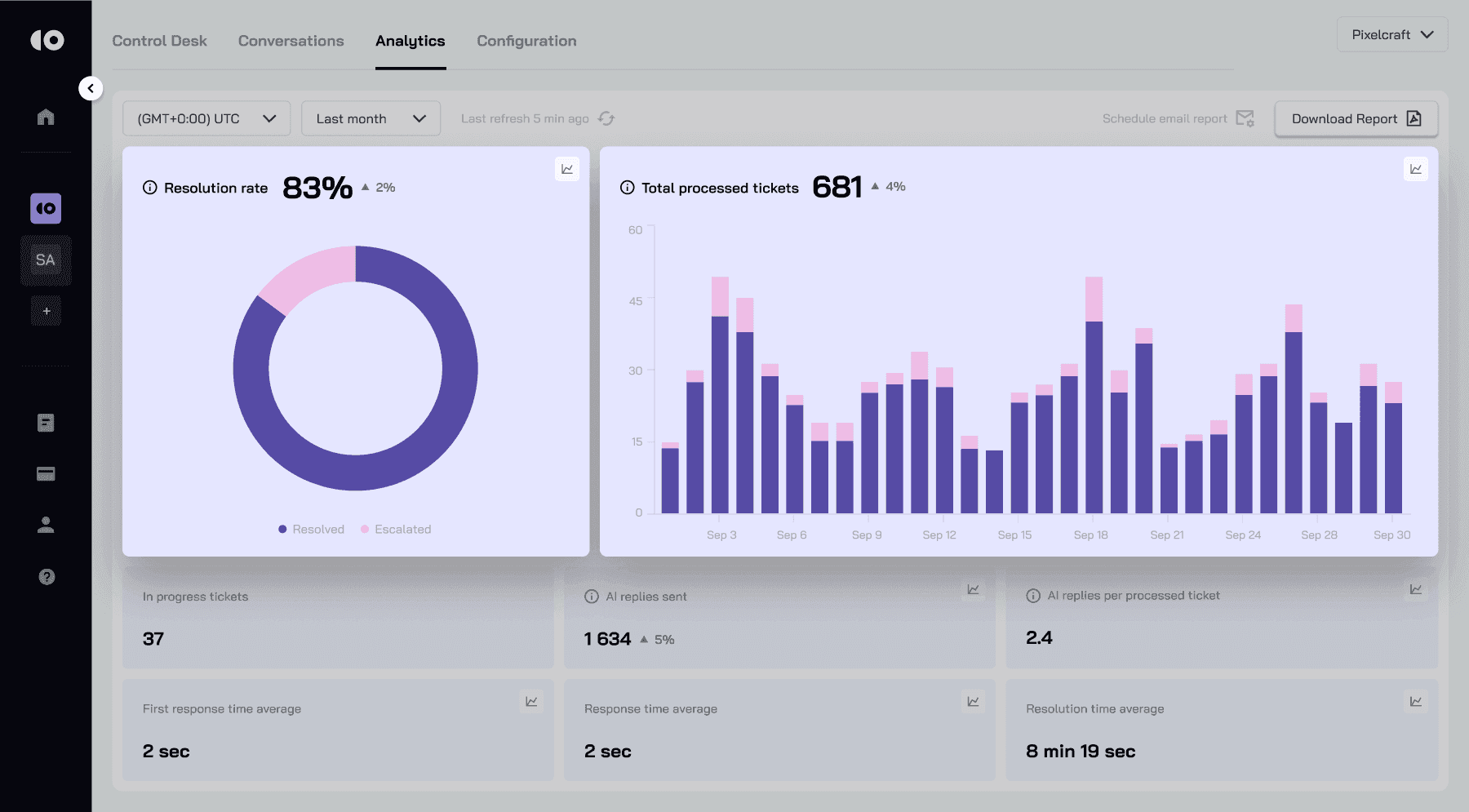
The new Analytics view highlights your most important metrics immediately. Resolution rate, total processed tickets, AI replies per ticket, escalation volumes, and response time averages now appear in a cleaner layout that makes comparisons easier.
The graphs redraw smoothly when you switch timeframes. The legend and categories are presented in a straightforward way so managers can read the dashboard at a glance without navigating through multiple details.
Better Comparisons and Clearer Trends
We noticed many teams compare automation performance during peak days such as Mondays, product release days, or seasonal spikes. The redesigned charts now help you spot patterns, identify unusual days, and understand why certain spikes or drops happen.
You can also see the breakdown between resolved and escalated tickets more clearly, which helps you understand how your AI is learning, where it needs more data, and where human agents still step in.
More Transparency for AI Replies
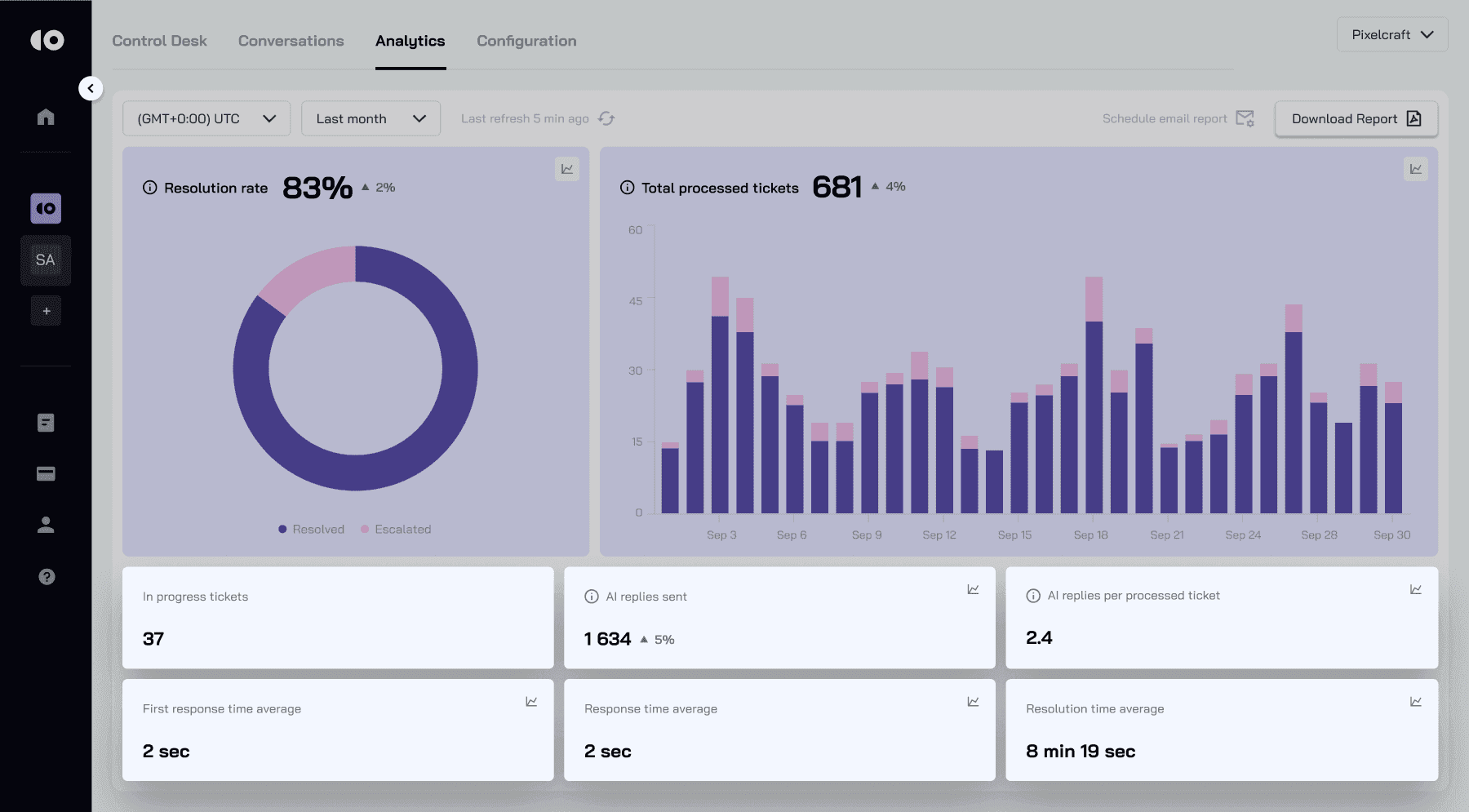
AI replies used to be visible in the workflow view, but not always easy to quantify. Now, the dashboard displays the number of AI replies and the average replies per ticket in a simplified visual. This helps teams decide when to update training data and understand how efficiently the AI interacts with customers.
This redesigned Analytics experience makes it easier to monitor performance, catch issues early, and understand your AI agent’s behavior in real time.
Edit and View Knowledge Base Files Directly Inside the Platform
Creating a high-quality knowledge base is one of the most important steps in building a strong AI agent. Teams often upload large sets of files, manuals, policy documents, and FAQ sheets. The problem many encountered was simple: once a file was uploaded, editing it often required downloading and reuploading.
So we removed that extra work.
Now You Can Open and Edit Files Instantly
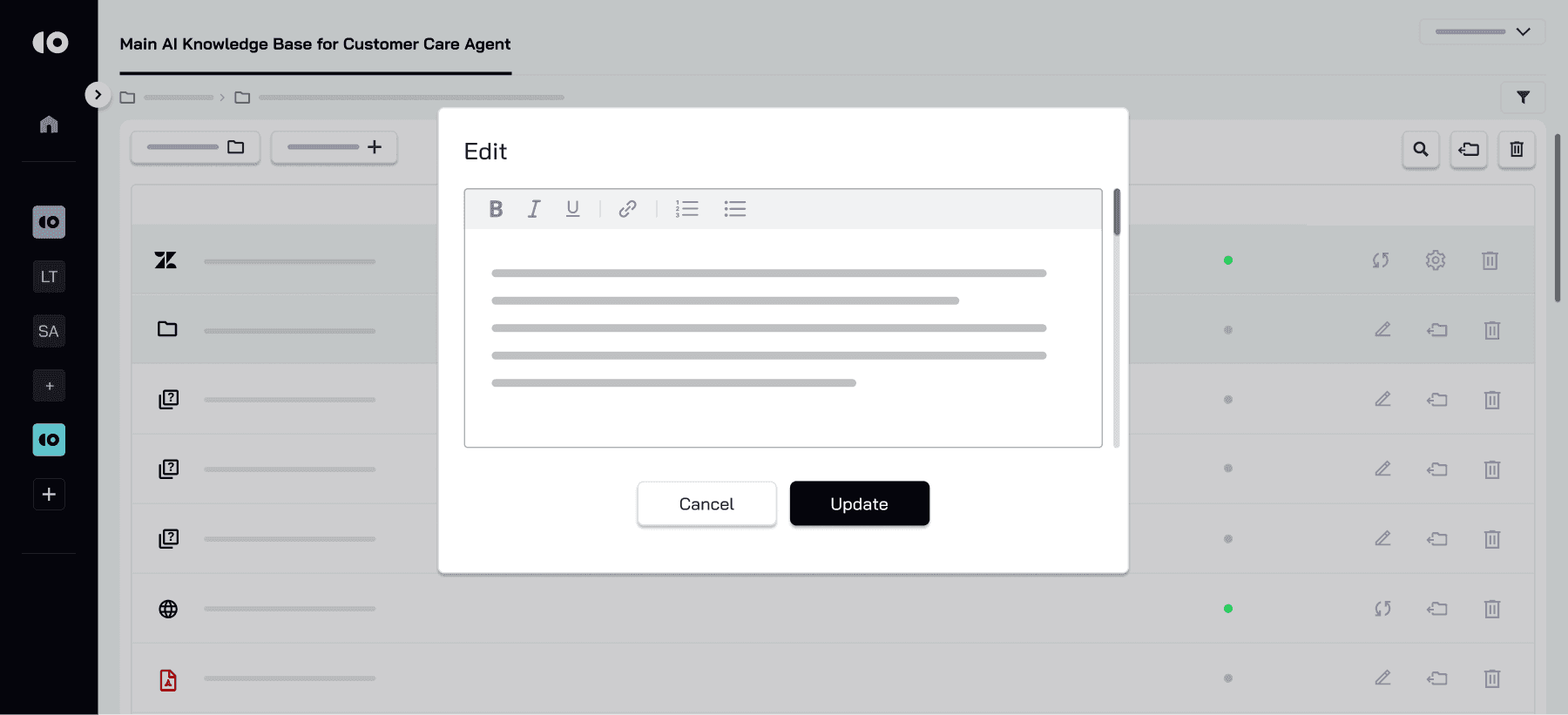
You can now view and edit files directly inside the Knowledge Base. No switching tools. No exporting. No re-uploading.
This is especially helpful when you need to:
- Correct outdated product details.
- Fix document formatting.
- Update policy information.
- Upload new versions after a product update.
- Make quick text adjustments without downloading a file.
Teams with large KB structures, such as ecommerce merchants, SaaS companies, and logistics platforms, will feel this improvement immediately. It also helps prevent version inconsistency, which often leads to AI misunderstandings.
Cleaner Organization and Faster Content Updates
Being able to quickly open a document also allows you to review how the AI will interpret it. Instead of manually checking file contents or maintaining local copies on your computer, you now work inside one unified space.
This improvement makes knowledge maintenance smoother and reduces delays when updating AI training data.
A Smarter, Simpler Onboarding Experience
Onboarding plays a major role in how quickly teams adopt AI. After many user interviews, we learned that businesses want clarity and predictability when setting up their first AI agent. They want to know exactly what to do next, what the system needs from them, and how to structure their data.
So we redesigned the onboarding process from beginning to end.
Clear Steps and Guided Setup
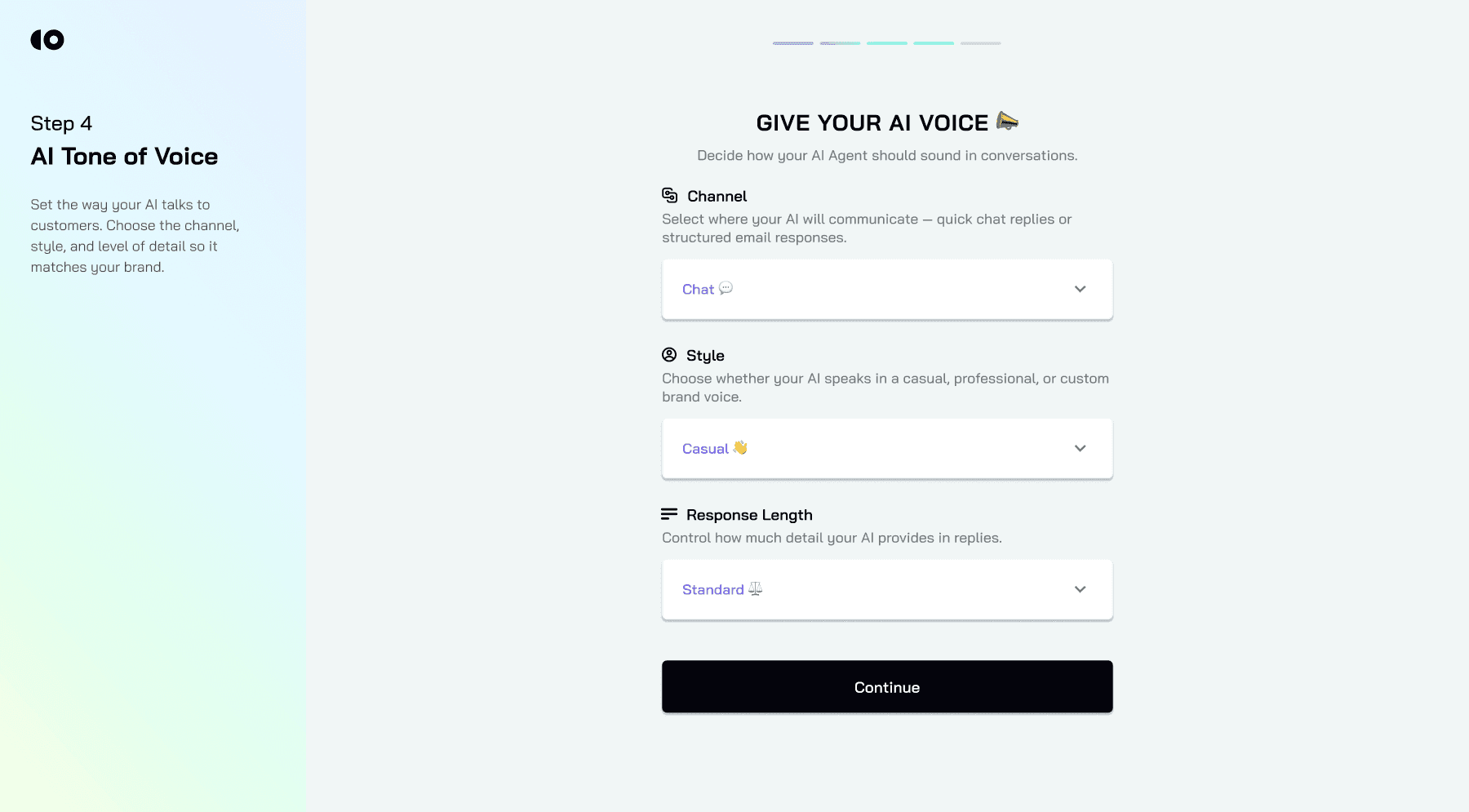
The new onboarding flow gently guides you through setting up your AI identity, choosing your AI role, importing your knowledge base, and connecting your helpdesk. Each step shows tips, examples, and optional guidance for teams who need more context.
Support managers told us that even small improvements in clarity make the experience dramatically smoother. The new setup flow gives confidence and transparency as you progress through the steps.
Everything Syncs in Real Time
Changes you make during onboarding update instantly. When you add files, choose tone of voice, or adjust data sources, the platform shows those updates immediately. This avoids confusion and helps you understand how your AI agent is taking shape.
Built for New Users and Busy Teams
Whether you are launching your first AI agent or adding another workspace for a new product line, the updated onboarding process reduces the time to value. Most teams can now complete setup in minutes.
Google SSO for Faster, More Secure Login
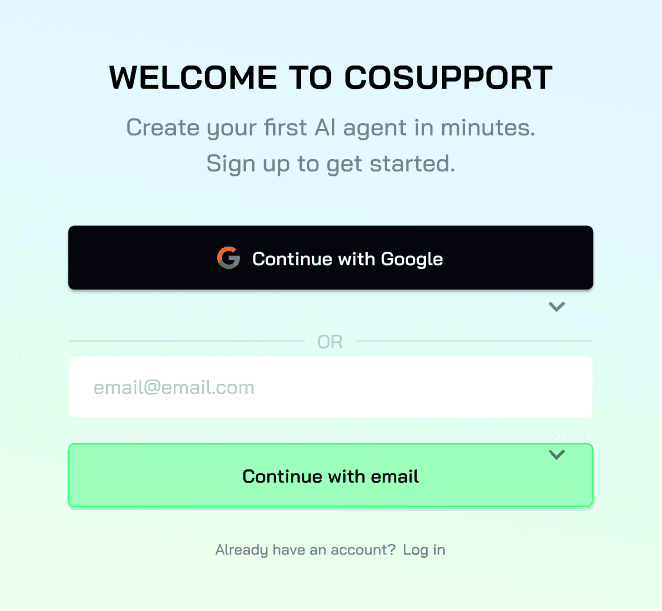
Sign-in is now even easier. You can register and log in to CoSupport AI using Google SSO. This reduces friction, boosts security, and helps teams onboard faster without password fatigue.
Why Google SSO Matters
- No password needed.
- Faster team onboarding.
- Reduced account-related support.
- More secure authentication for businesses
New Email Verification Reminder in the Cabinet
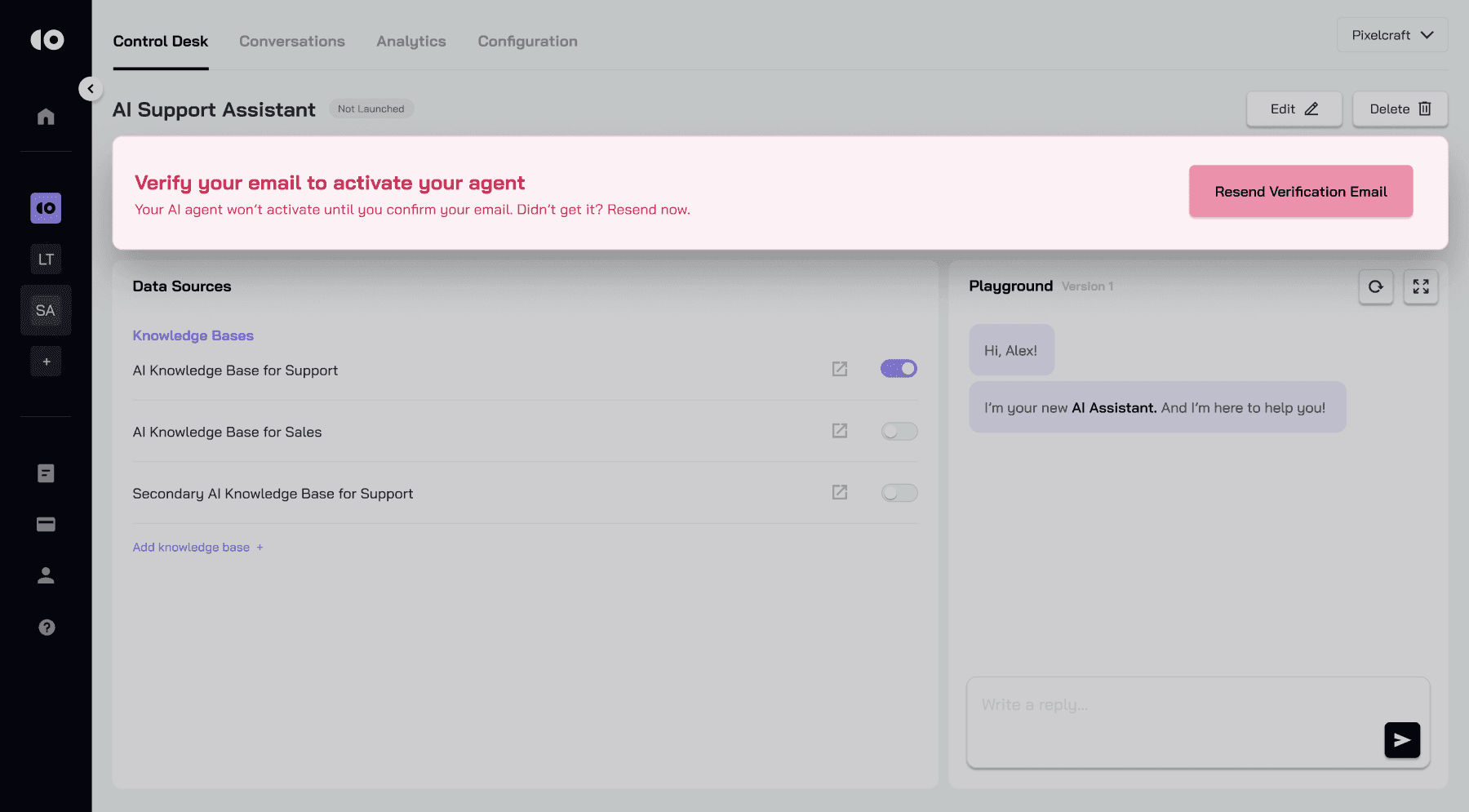
Many users create an account and start onboarding immediately, forgetting to verify their email. This sometimes leads to issues when sending reports or receiving important workspace updates.
To fix this, we added a verification reminder banner directly in the dashboard.
A Small Detail with a Big Impact
This banner ensures that:
- Every user verifies their email on time.
- Account features work properly.
- Workspace admins avoid confusion when inviting teammates.
- All communication channels remain active.
It also improves overall security and helps us ensure email-based features function correctly for every account.
Why These Updates Matter for Your Team
Every improvement this month focuses on reducing friction. Whether you are a support lead, developer, operations manager, or someone configuring automation for the first time, these changes help you work faster and with greater confidence.
You can now:
- Track performance more easily.
- Manage knowledge more efficiently.
- Onboard new agents and teammates faster.
- Collaborate without losing time on file preparation.
- Log in securely without extra steps
Final Thoughts
CoSupport AI continues to evolve into a more intuitive and smarter support automation platform. This release strengthens the foundation for teams that want speed, clarity, and control. By improving analytics, simplifying onboarding, expanding file editing, and streamlining authentication, we make AI adoption easier for companies of any size.
More updates are already in progress, and we are excited to share them soon. If you have feedback or want early access to upcoming features, we would love to hear from you.
Your voice shapes the future of CoSupport AI.
.png)