.png&w=96&q=75)


 119
119
LivePerson is often too complex and costly for small teams. Designed for large enterprises, it requires lengthy setups, custom quotes, and technical expertise - overkill for smaller companies managing fewer tickets. If you need a simpler, faster, and more budget-friendly solution, here are three alternatives:
- CoSupport AI: Automates up to 90% of tickets for Zendesk/Freshdesk users. Quick setup (under 10 minutes), flexible pricing, and no technical skills required. Costs start at $0.19 per resolved ticket.
- Zendesk Native Automation: Works within Zendesk but requires weeks to implement. Costs add up with advanced AI features ($50/agent/month) and per-resolution fees ($1.50–$2.00).
- Genesys Cloud CX: Best for large contact centers (50+ agents). Complex setup (4–12 weeks) and high annual costs ($50,000+), making it less suited for smaller teams.
Quick Comparison
| Factor | CoSupport AI | Zendesk Native Automation | Genesys Cloud CX |
|---|---|---|---|
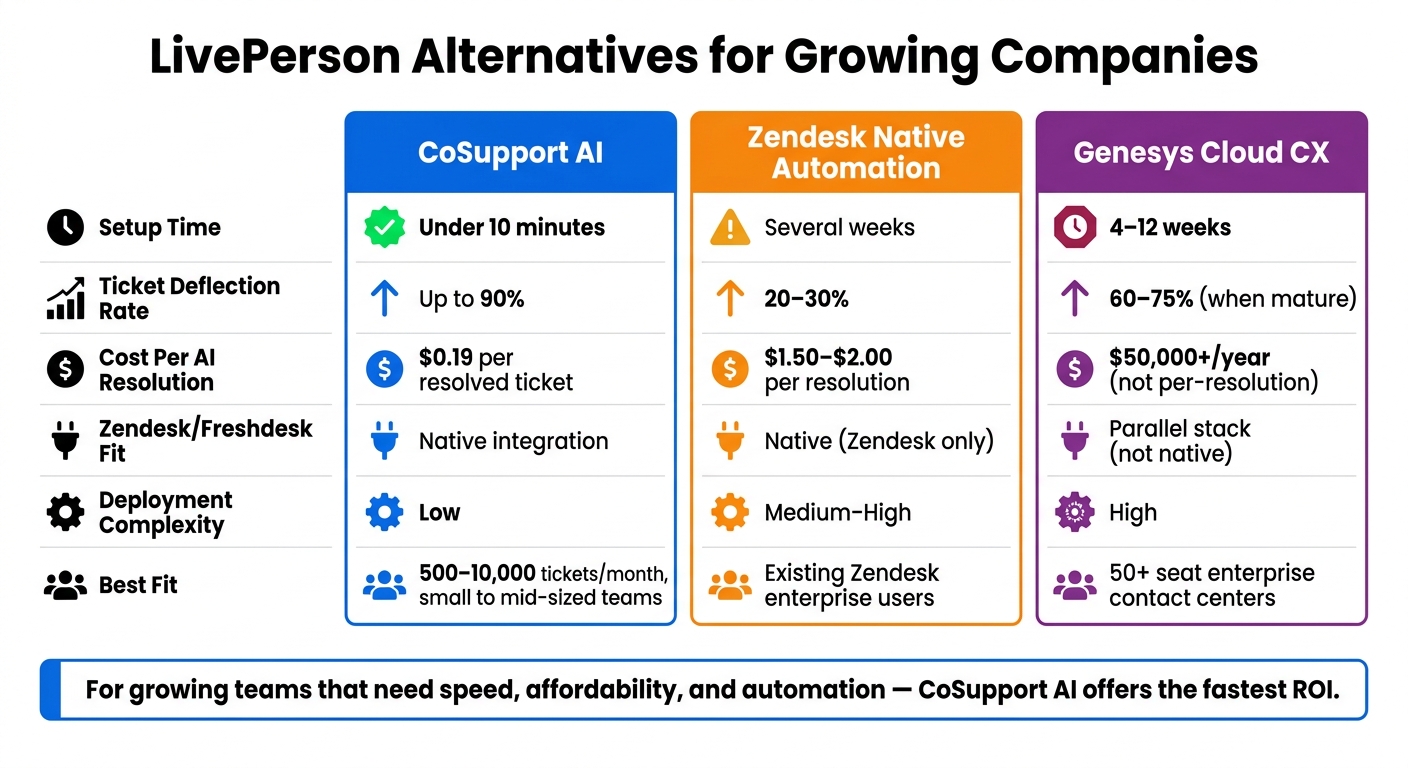
| Setup Time | Under 10 minutes | Weeks | 4–12 weeks |
| Ticket Deflection | Up to 90% | 20–30% | 60–75% (mature) |
| Cost | $0.19 per resolution | $1.50–$2.00 per resolution | $50,000+/year |
| Best Fit | Small to mid-sized teams | Existing Zendesk users | Large enterprises |
Choose the right tool based on your team's size, budget, and support needs.
LivePerson Alternatives Compared: CoSupport AI vs Zendesk vs Genesys
1. CoSupport AI
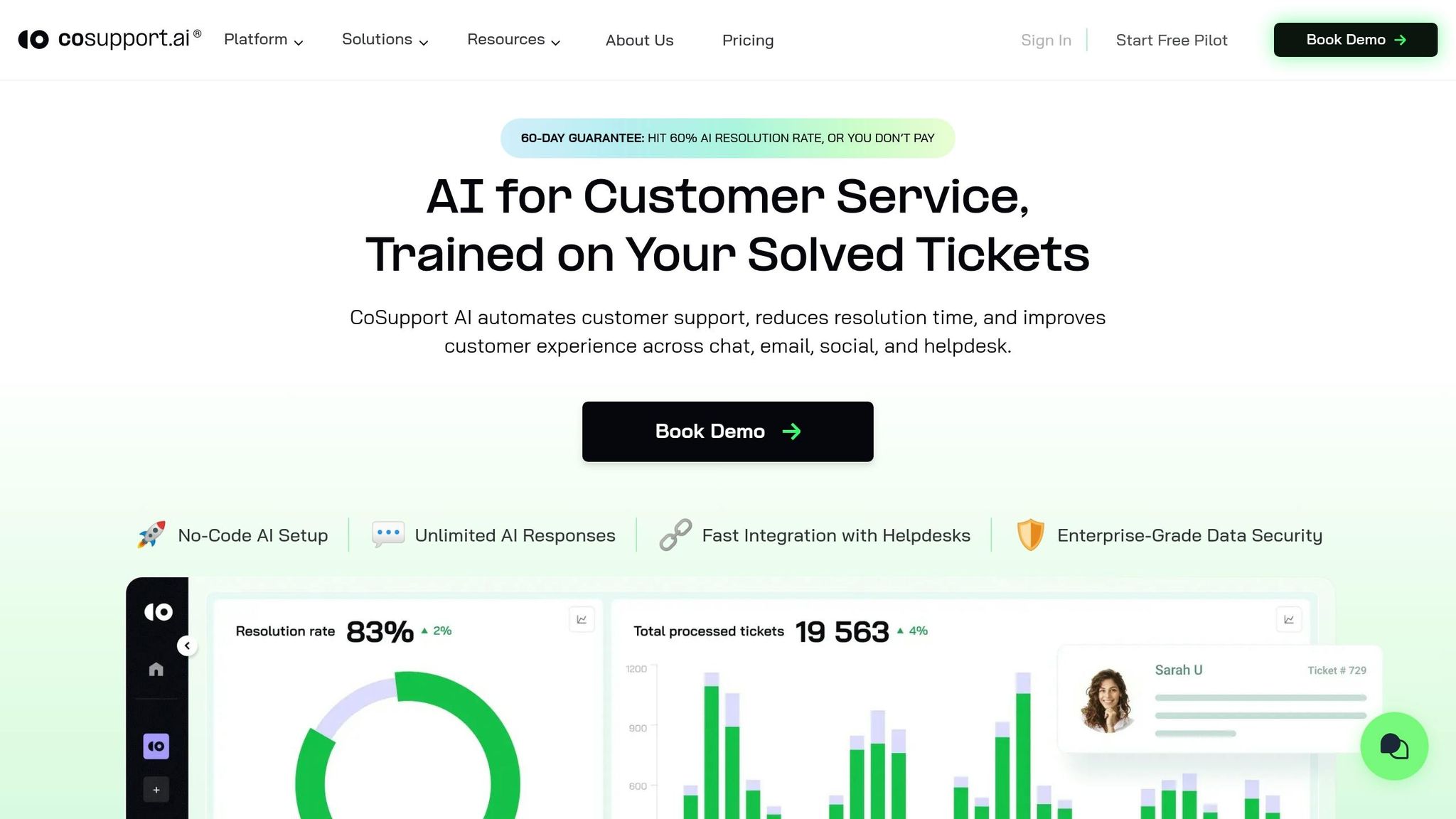
CoSupport AI simplifies ticket resolution for Zendesk and Freshdesk users by automating responses without needing agent involvement. It's tailored for SaaS and e-commerce teams managing between 500 and 10,000 tickets monthly - perfect for companies that find enterprise-level tools overly complicated.
Deployment and Integration
Getting started is quick and hassle-free - setup takes less than 10 minutes and doesn’t require a developer. Simply connect your Zendesk or Freshdesk account, and the AI begins working with your existing data right away. It trains itself using your historical ticket data to understand your product’s terminology and your team’s tone. Companies like Shelterluv (handling 2,000 tickets monthly) and Nordic Knots (managing 5,000 tickets monthly) have implemented CoSupport AI without needing technical expertise. This ease of setup allows teams to see results almost immediately.
Automation Depth
CoSupport AI can handle up to 90% of tickets automatically, using a verified knowledge base to ensure accurate responses. This means faster resolutions and happier customers. For the tickets it can’t fully resolve, the system seamlessly passes them to a human agent, complete with a suggested reply to make the handoff smoother and quicker.
Pricing Model
| Plan | Cost | Best For |
|---|---|---|
| Resolution-Based | $0.19 per resolved ticket | Teams that prefer to pay only for outcomes |
| Server-Based | $99/month flat | Teams with high ticket volumes need predictable costs |
| Response-Based | $0.04 per AI response | Teams are experimenting with automation on a smaller scale |
Here’s the best part: with the resolution-based plan, you only pay for tickets that are successfully resolved - no charges for unresolved ones. This is a stark contrast to enterprise contracts, where costs can pile up no matter the result. Whether you’re managing a tight budget or scaling up, there’s a pricing option to suit your needs.
CoSupport AI offers a simple, cost-effective way for growing support teams to reduce deployment time and lower operational expenses.
sbb-itb-97114f1
2. Zendesk Native Automation
Zendesk's built-in automation is often the starting point for teams already using the platform. However, setting it up is far from quick or straightforward.
Deployment Time
Getting started with Zendesk automation isn't a speedy process. Initial onboarding takes about a week, but full automation implementation stretches to four weeks or longer. Zendesk's implementation partners suggest a baseline of four weeks, adding an extra week for every 10 agents (e.g., a 20-agent team would need six weeks). This lengthy setup can delay support operations, particularly for smaller teams.
Integration with Zendesk/Freshdesk
Zendesk’s native automation integrates seamlessly with over 1,200 tools, including Salesforce, Shopify, Slack, and Jira. These integrations allow support teams to connect with the tools they already rely on. The AI is embedded directly into tickets, macros, routing, and reporting, making it a natural fit for teams already standardized on Zendesk. While this integration is a strong point, it also highlights the system's limitations when it comes to deeper automation capabilities.
Automation Depth
Zendesk automation generally provides a 20–30% ticket deflection rate for growing teams. It performs well with FAQs and simple queries but struggles with more complex workflows like refund processing or billing disputes. These require additional configuration through Action Builder. Features like custom workflows, intelligent triage, and AI Copilot are only available with the Advanced AI add-on, which costs $50/agent/month.
Pricing Model
Zendesk's pricing can escalate quickly, especially for teams using advanced features. For example, a 10-agent team on the Suite Professional plan ($115/agent/month) with the Advanced AI add-on ($50/agent/month) would pay $1,650 per month, not including per-resolution fees. Automated resolutions cost an additional $1.50–$2.00 each, which can add up fast.
| Plan | Price (per agent/month) | Included AI Resolutions |
|---|---|---|
| Suite Team | $55 | 5/agent |
| Suite Professional | $115 | 10/agent |
| Suite Enterprise | $169 | 15/agent |
| Advanced AI Add-on | +$50 | Required for custom workflows |
For smaller teams handling fewer than 200 tickets per month or with fewer than five agents, the time and cost involved in setup often outweigh the benefits. This pricing structure, while comprehensive, poses challenges for support teams trying to balance efficiency with budget constraints.
3. Genesys Cloud CX
Genesys Cloud CX delivers robust voice and omnichannel capabilities for enterprise-level contact centers, but its complexity can be a hurdle for smaller teams. If you're considering it as a LivePerson alternative, it's important to weigh the tradeoffs.
Deployment Time
Genesys isn't a quick setup solution. Full deployment usually takes anywhere from 4 to 12 weeks, depending on factors like integrating your knowledge base, training AI bots, and configuring communication channels. For teams managing 2,000–5,000 tickets monthly, this delay can be a significant challenge, as it postpones any potential return on investment. The longer setup time also means you’ll need to plan carefully for integrating Genesys with your existing tools.
Integration with Zendesk/Freshdesk
Genesys can work alongside Zendesk or Freshdesk for live voice interactions, while those platforms handle ticket follow-ups. By 2026, many enterprises are expected to adopt this dual-stack approach, using Genesys for live voice and omnichannel communication and Zendesk or Freshdesk for ticket management. While this setup is scalable, it requires additional configuration and ongoing maintenance. For smaller teams with fewer than 50 agents, this complexity often leads them to choose simpler, native voice integrations within their primary support platforms.
Automation Depth
When fully optimized, Genesys can deflect 60–75% of tickets in enterprise settings. However, achieving this level of automation requires a detailed rollout process, including auditing your knowledge base, training AI agents, and deploying features in phases. Out of the box, Genesys focuses more on orchestrating omnichannel interactions than automating complex ticket workflows. Tasks like billing disputes, refunds, or account changes still need custom configurations, which come at an additional cost.
Pricing Model
The cost of Genesys reflects its enterprise focus. Pricing isn’t publicly available, but most enterprise contracts exceed $50,000 annually, with costs increasing based on the number of seats, channels, and AI features. For companies without a dedicated contact center or the resources to manage a complex implementation, this can be a tough expense to justify. Genesys is best suited for organizations with a solid budget and dedicated admin teams, rather than smaller businesses still building their support systems.
| Factor | Genesys Cloud CX |
|---|---|
| Deployment time | 4–12 weeks |
| Zendesk/Freshdesk fit | Parallel stack, not native |
| Ticket deflection (mature) | 60–75% |
| Typical annual cost | $50,000+ |
| Best fit | Enterprise contact centers (50+ seats) |
For teams with fewer than 100 employees, the platform's complexity might outweigh its advantages.
Pros and Cons of Each Alternative
This section breaks down the strengths and weaknesses of each option, focusing on setup time, ticket deflection, and cost. These factors can help you decide what works best for your team while balancing speed, budget, and performance.
For ticket resolution efficiency, CoSupport AI stands out with its quick setup and ability to handle high volumes of tickets for Zendesk and Freshdesk users. It can be up and running in less than 10 minutes, requires no developers, and resolves up to 90% of tickets autonomously at just $0.19 per resolved ticket. However, it performs best when there's a strong history of tickets and a well-built help center to train on. Teams managing fewer than 500 tickets per month might find the return on investment slower.
Zendesk Native Automation is a logical choice for teams already using Zendesk and looking to streamline operations without adding another vendor. But it’s worth noting that Zendesk charges separately for its base plans, AI features, and resolutions, which can significantly increase costs. Additionally, setting it up can take several weeks, making it less appealing for teams looking for faster deployment.
For larger operations, Genesys Cloud CX caters to enterprise-level contact centers with 50+ agents, particularly those relying heavily on live voice channels. While it’s powerful, deployment takes 4–12 weeks, and contracts often start at $50,000 annually, which makes it a tough sell for smaller teams with fewer than 100 employees.
| Factor | CoSupport AI | Zendesk Native Automation | Genesys Cloud CX |
|---|---|---|---|
| Setup time | Under 10 minutes | Weeks | 4–12 weeks |
| Ticket deflection | Up to 90% | Varies by configuration | 60–75% (mature) |
| Cost per AI resolution | $0.19 | $1.00–$2.00 | Not public ($50K+/yr) |
| Zendesk/Freshdesk fit | Native | Native (Zendesk only) | Parallel stack |
| Best fit | 500–10,000 tickets/mo | Existing Zendesk enterprise users | 50+ seat contact centers |
| Deployment complexity | Low | Medium–High | High |
This comparison highlights how each solution tackles the common hurdles faced by growing support teams, such as excessive features, long setup times, and unpredictable expenses. Each option caters to different needs, depending on your team size and operational priorities.
Conclusion
Choosing the right support tool is essential to avoid wasted time, maintain efficiency, and ensure customer satisfaction. Each option comes with its own strengths and considerations.
CoSupport AI is a great fit for Zendesk and Freshdesk teams managing 500–10,000 tickets per month. It’s quick to set up, budget-friendly, and highly autonomous. On the other hand, Zendesk Native Automation works best for well-established Zendesk setups, though its advanced features come with higher costs. For enterprise-level contact centers, Genesys Cloud CX is the go-to choice, but it’s not ideal for smaller or growing teams.
The key is to select a tool that’s easy to implement, cost-effective, and adaptable to your team’s growth. Take the first step toward finding your perfect match with a quick demo.
.png&w=128&q=75)


.png&w=96&q=75)
.png&w=3840&q=75)
