
Generative AI blasted into global consciousness late in 2022. At the time, global AI marketing spending was estimated at $370 billion. Researchers predict that the market will grow to a value of $1.3 trillion by 2032.
This means that it’s time to seriously think about using AI for sales. If you don’t, your competitors might, and you can’t afford to be left behind. What’s more, there are distinct benefits to AI sales automation.
Whether you implement an AI sales agent or use artificial intelligence to optimize your ad campaigns, you’ll benefit from greater efficiency. You can also enhance customer service, personalize the experience, and drive revenue growth.
In this article, we’ll look at how to use AI in sales and why it’s a good idea to start now. We’ll also discuss the benefits and finish off with actionable steps you can take to implement this technology effectively.
Understanding Generative AI
But first of all, let’s look at what generative AI is, and how it differs from what went before. First of all, you need to understand a little more about how traditional artificial intelligence works.
Standard AI merely analyzes and interprets data. It can’t actually create something new. So, a chatbot in the old days would react when a customer used a specific keyword. AI became more clever and began to understand the context. But still, a conventional AI sales chatbot uses canned responses.
So, if your customer asks a question about a content feature, the bot simply regurgitates the standard answer.
Generative AI is more nuanced. It can analyze what your client says and create a more personalized response. It can, for example, have a look at your client’s purchase history and other information sources and create a more rounded recommendation.
In other words, it can highlight the features your client feels will respond to most.
Think of it as the difference between a steak knife and a scalpel. Both get the job done, but the latter is cleaner and more precise.
Generative AI can:
- Create targeted content on the fly
- Enhance sales efforts with custom reports
- Boost creativity and analytical processes
Using AI for Sales Success
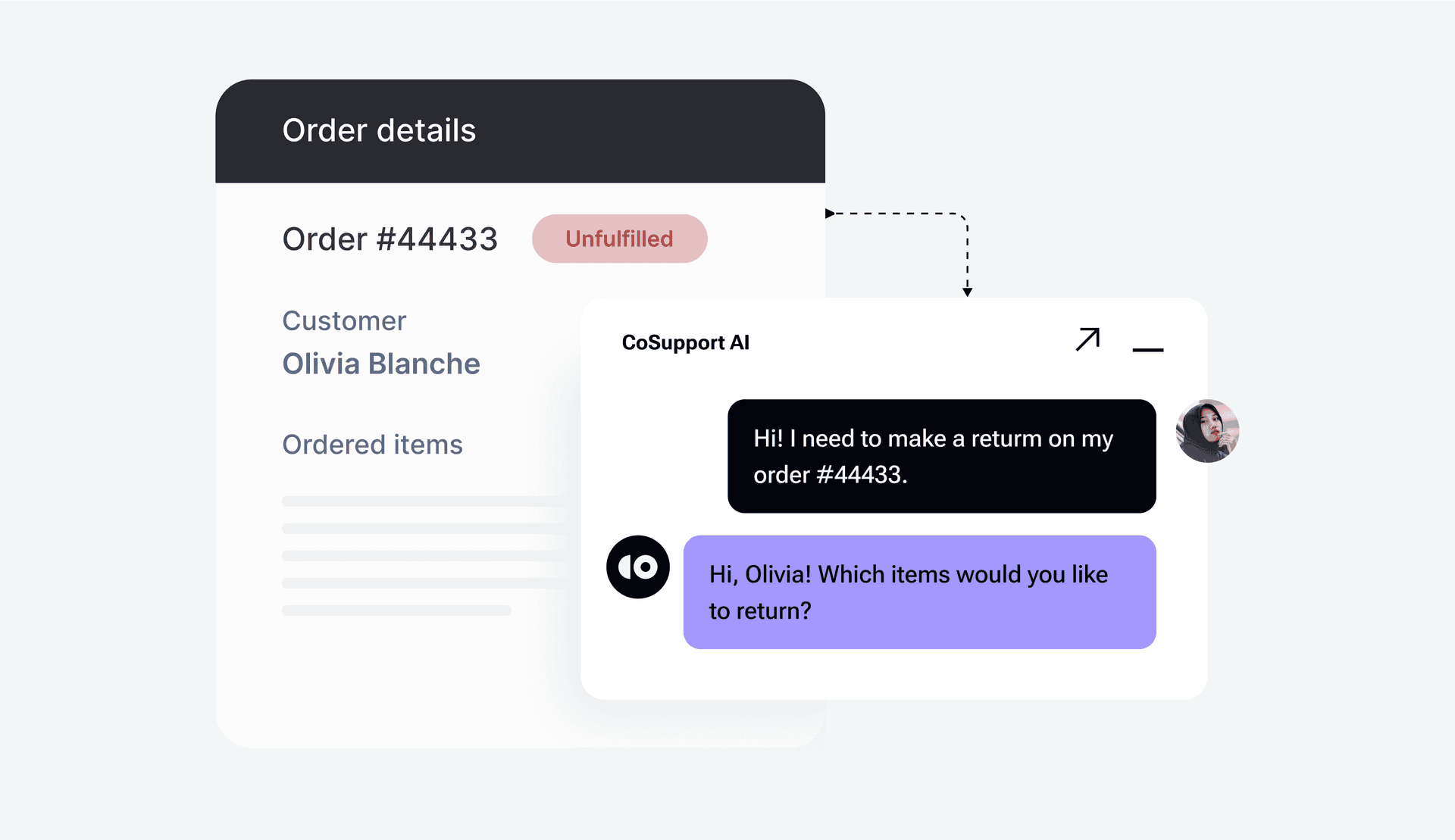
Why it’s Important to Consider AI for Sales
Clients today expect businesses to understand them. They face a constant barrage of poorly targeted advertising, so it can be difficult to break through the noise. The only way to do so is to show your client that you understand them and their needs.
Traditional systems are great at streamlining workflows, but not much else. Generative AI, by contrast, enhances your human team’s capabilities. It enables you to scan through swathes of data points to get a 360-degree picture of what your client is like.
When it comes to AI and sales, this is gold. Imagine being able to draw on hundreds of client interactions, purchases, and even website visits within seconds to make relevant recommendations. With AI, you can accomplish this task easily. What’s more the AI sales agent can do all of this automatically.
You can go beyond simple automation and introduce creativity, efficiency, and personalization. While technically this was possible before, it was extremely time-consuming. Meaning that you had to reserve this technique for the top tier of your customers.
Now you can deliver a similar level of support across the board. It’s also not just your customer-facing teams that benefit from using AI in sales. You can use this technology to create compelling email campaigns and personalized customer experiences.
Say, for example, you sell cars. A mom of two children has very different pain points than a young executive. With AI in the mix, you can easily create multiple versions of the same campaign. Your system can then present the right adverts to the right people.
Generative AI is particularly valuable because it can:
- Adapt to different customer profiles and behaviors.
- Scale creative outputs like proposals and presentations.
- Predict and analyze trends for informed decision-making.
Now let’s look at where you can use AI for sales.
1. Lead Generation and Qualification
Finding and qualifying leads is one of the most critical aspects of sales. It’s also one of the most time-consuming. Generative sales AI tools can simplify this process with:
- Personalized Outreach: AI can create tailored email templates based on customer demographics, past interactions, and preferences. These personalized messages increase response rates and build initial trust because the customers get relevant offers.
- Lead Scoring and Prediction: By analyzing historical data, generative AI predicts high-quality leads most likely to convert. This allows sales teams to focus their efforts on prospects with the greatest potential, optimizing time and resources.
2. Creating Persuasive Sales Content
Content marketing is a valuable way to gently influence clients without them realizing it. Generative AI makes it easier by:
- Crafting Pitches and Campaigns: AI can generate, professional, engaging sales pitches, email campaigns, and even presentations tailored to a specific audience.
- Generating Data-Driven Testimonials: By analyzing customer feedback and data, AI can create compelling case studies and testimonials that demonstrate a product’s value effectively.
- Assisting with Content Creation: You can get AI to suggest blog topics or even create basic outlines.
Should you let AI write your blog posts for you? As university students rely on AI to do their homework, they have found out that it’s not the best idea. Stanford researchers found that general models like ChatGPT hallucinated 58%-82% of the time when it came to writing legal content.
And this highlights the downside of generative AI. Sometimes it makes things up. It’s prone to taking intuitive leaps that don’t always make sense. So, you should always carefully analyze the content it creates.
3. Personalized Customer Engagement
What sets you apart from your competitors? If you said your product, you’re falling behind. You need to consider the whole picture and every touchpoint your customer has.
It’s essential to make the process as smooth as possible for your client. More importantly, you need to demonstrate that you understand them. The best way to do this is to personalize the experience.
Sales AI tools can do this by:
- Delivering tailored responses: AI-driven chatbots can provide instant, accurate, and contextually relevant responses, making customers feel understood and valued.
- Upselling opportunities: AI can analyze customer behavior in real-time and recommend products or services that align with their preferences, increasing sales opportunities.
- Identifying leads: AI can sort through all the queries you get on your site and identify the most promising leads.
- Assisting your support team: An AI sales agent can go beyond recommending products and provide the answers your clients need. It can search through your knowledge base and suggest answers to your clients or support team. It can also undertake basic functions like tracking parcels.
4. Improving Sales Training
Don’t just think of generative AI as a tool for your customer support team. You can also use it to onboard and upskill your sales team. How does an AI sales agent training program differ from conventional models?
A standard course consists of generic information that you give everyone. It doesn’t really allow for people at different levels. In any class, you’ll have people who excel at some things and not others. For example, some agents are better at overcoming sales objections. Others are better at forming a connection.
Adding generative AI into the mix makes your training program more dynamic. The AI can mark each person’s progress as they complete a section. If it picks up that they’re struggling with a particular area, it can generate more examples so they can practice.
You can use AI for sales in this context as well by:
- Creating Role-Play Scenarios: AI can simulate real-world sales situations, providing interactive training for new hires and helping experienced reps refine their skills. It can adjust the level of difficulty by creating examples that reference actual situations your reps may encounter.
- Performance Analysis: AI identifies individual skill gaps and suggests targeted training programs, ensuring that sales reps reach their full potential.
- Creating Course Content: You can have the AI draw on your knowledge base to produce an interactive course. You can use services like ChatGPT to create the written content and then add interest with AI-generated images and videos. You will have to make sure that everything is correct, but this can save a great deal of time and money going forward.
5. Analyzing and Predicting Sales Trends
What separates a successful sales team from an unsuccessful one? The answer is proper planning. You need to know who your target audience is, what their pain points are, and where demand will peak going forward. You also need to make sure you have the inventory available to meet the demand.
Here’s where AI sales automation can help:
- Forecasting Demand: By analyzing historical sales data and external factors, AI can predict demand trends and inform inventory planning. It can also give you ideas of where you might need to change up your product mix.
- Actionable Insights: Generative AI creates clear, visual representations of sales data, helping teams make informed strategic decisions quickly. What’s more, you can use AI for sales to create the exact reports you need instead of relying on the standard generic mix.
5 Benefits of Generative AI Sales Automation
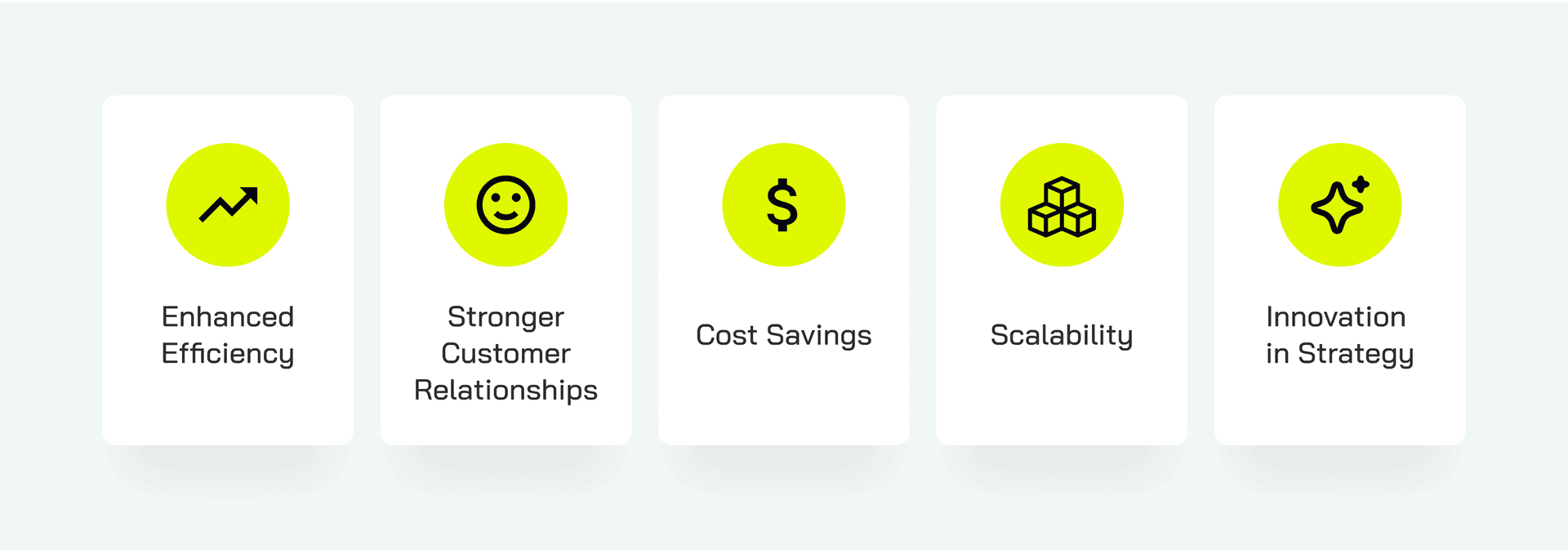
Most companies realize that they can save money by automating some admin functions. Now it’s time to take the next step and use sales AI tools. Let’s look at the benefits.
1. Enhanced Efficiency
Generative AI sales automation handles routine tasks like proposal creation, email follow-ups, and report generation. This frees up your team so they can focus on reeling in new clients and building relationships.
A nice side effect is that this also improves your team’s job satisfaction. They don’t have to handle tedious, repetitive tasks. AI can complete this work flawlessly, so there’s also no chance of user error creeping in.
2. Stronger Customer Relationships
By enabling hyper-personalization, generative AI helps businesses build deeper connections with customers. It can offer them tailored solutions and meaningful interactions.
Imagine if you contacted a call center and got an almost instantaneous answer to your question. With AI in the game, it’s possible.
3. Cost Savings
Automating repetitive tasks reduces the need for large sales teams, cutting operational costs without compromising performance.
4. Scalability
As businesses grow, generative AI scales seamlessly. It also supports expanded sales efforts without requiring proportional increases in manpower or resources.
This is particularly useful if you experience seasonal peaks or are managing a product launch.
5. Innovation in Strategy
Generative AI allows businesses to create unique, creative campaigns that stand out in competitive markets, driving engagement and conversions. It can create content on the go, allowing you to hyper-personalize your campaigns.
Challenges and Risks to Consider When Using an AI Sales Agent
Generative AI offers us a lot of advantages. However, you must also address the challenges that come with it.
Over-Automation When Using AI in Sales
Relying too heavily on AI can strip customer interactions of the human touch, which is crucial for building trust and rapport.
Data Privacy Concerns With AI and Sales
Handling customer data responsibly is critical. Compliance with regulations like GDPR and CCPA is essential to avoid legal and reputational risks.
Accuracy and Reliability of Your AI Sales Agent
AI-generated content can sometimes contain inaccuracies or inappropriate messaging, which can harm brand credibility.
Initial Investment in an AI Sales Chatbot
Implementing generative AI requires an upfront investment in tools, training, and integration, which can be a barrier for small businesses.
Resistance to Change With Sales AI Tools
Adopting AI systems requires cultural and operational shifts. Convincing your team to trust and use these tools can be challenging.
How to Use AI in Sales: Practical Steps
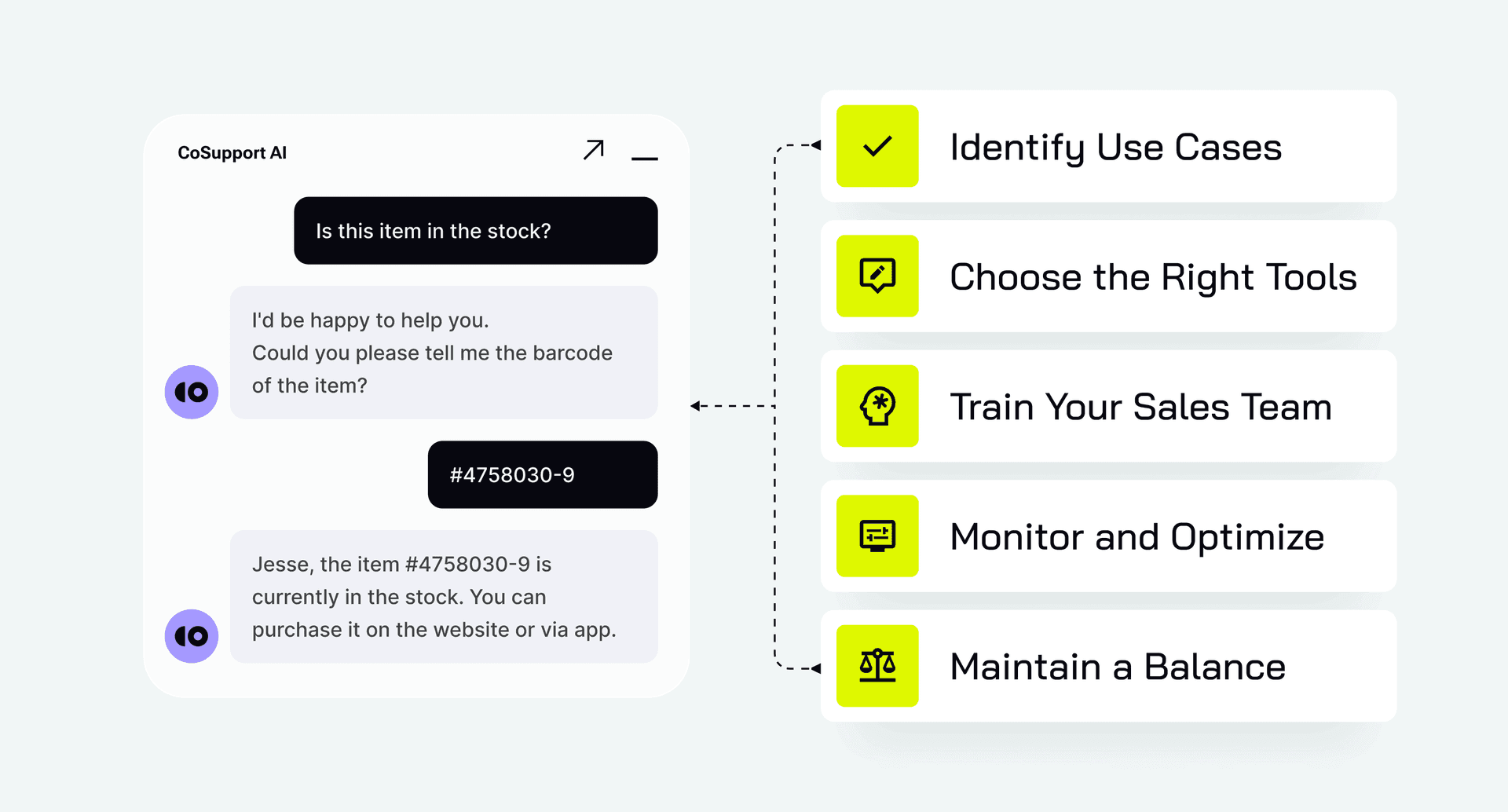
To maximize the benefits of generative AI, businesses should follow these steps:
Identify Use Cases
Pinpoint specific areas where AI can have the most immediate and impactful results, such as lead generation or customer engagement.
Choose the Right Tools
Evaluate popular generative AI platforms based on your goals, team size, and budget. Popular tools include Jasper for content creation and HubSpot for AI-driven CRM.
Train Your Sales Team
Provide workshops and resources to help employees understand and use AI tools effectively. Emphasize how these tools complement their skills rather than replace them.
Monitor and Optimize
Track key performance metrics such as conversion rates and customer satisfaction to measure the effectiveness of AI systems. Adjust strategies as needed for continuous improvement.
Maintain a Balance
Combine the efficiency of generative AI with human creativity and empathy. A hybrid approach ensures that technology enhances — not replaces — personal connections.
Want to see what this might look like in action? Visit our Demo page to test sales use cases for our chatbot. Take it for a test drive today.
AI in Sales: Real-Life Use Cases
Netflix
Ever wondered how your favorite streaming service decides what movies or shows to recommend? Netflix uses an AI-powered algorithm that analyzes your viewing history and preferences. It combines these with current trends and recommends your next watch.
AI helps Netflix boost viewing time, which ultimately boosts subscriptions. It also reduces churn because people always have something to watch.
BMW
BMW uses chatbots and virtual assistants to make the sales journey more effortless. The bot can answer queries about:
- Car models
- Features
- Financing options
It can also schedule test drives and connect customers with their nearest dealership. AI improves response times and lead conversions. It gives clients the information they need instantly, making it easier for them to make a purchase decision.
Sephora
Sephora uses AI online and in-store to improve the customer experience. The AI Color IQ system matches their clients’ skin tones to foundation and makeup shades. The Virtual Artist tool uses augmented reality and AI to let customers try on makeup virtually.
These tools drive product sales because they take all the guesswork out of choosing the right makeup palettes. They can try the looks before actually buying.
Want to see similar results for your business? CoSupport AI Agent is our completely customizable chatbot. We train it using your knowledge base, processes, and product specifications so it offers personalized support and makes relevant recommendations.
Conclusion
Having an AI sales agent is fast becoming an important part of remaining competitive.
Businesses that embrace this technology can expect improved customer relationships, reduced costs, and a competitive edge in the market. That said, you need to carefully consider the potential risks like over-automation and data privacy concerns.
This isn’t an area to rush into willy-nilly. Instead, view AI in sales as a partnership. You need to carefully consider your options, as you would with partners you bring on board. Take the time to find the right options for you and you can stay ahead of the game.