.png&w=96&q=75)


 145
145
Freshdesk may seem appealing for small SaaS support teams, but scaling often reveals hidden costs and inefficiencies. Essential features like AI tools, custom roles, or integrations are locked behind expensive upgrades, with costs reaching $97 per agent per month for a 10-agent team. Add to this fragmented services and poor data synchronization, and many teams find themselves searching for better alternatives.
Here’s a quick breakdown of popular Freshdesk alternatives for 2026:
- Zendesk: Feature-rich but costly, with prices rising to $214 per agent for advanced AI and tools. Best for mid-market teams.
- Intercom: Focuses on in-app messaging but combines per-seat and usage-based fees. Costs can escalate quickly for teams handling many tickets.
- Help Scout: Simplified email-based support, starting at $22 per agent, but lacks full AI automation.
- HubSpot Service Hub: Ideal for teams already using HubSpot’s CRM, with pricing starting at $90 per seat for advanced features.
- Zoho Desk: Affordable, starting at $7 per agent, with built-in AI for smaller teams.
- Kayako: Centralizes multi-channel support at $39 per agent, suitable for mid-sized teams.
- CoSupport AI: Automates up to 90% of tickets for just $0.19 per resolution or $99/month flat, offering unmatched cost-efficiency.
Quick Comparison:
| Platform | Pricing (Mid-Tier) | AI Automation Rate | Best For |
|---|---|---|---|
| Zendesk | $115/agent/month + $50 AI | 15–30% | Mid-market teams |
| Intercom | $99/seat/month + $0.99 AI | ~25% | Startups, small teams |
| Help Scout | $40/agent/month | Assistive only | Small to mid-sized teams |
| HubSpot Service Hub | $90/seat/month | Limited | Teams using HubSpot CRM |
| Zoho Desk | $7–$23/agent/month | 15–40% | Budget-conscious teams |
| Kayako | $39/agent/month | Minimal | Mid-sized teams |
| CoSupport AI | $0.19/resolution or $99 | Up to 90% | Teams automating tickets |
Switching platforms depends on your team’s size, ticket volume, and budget. For cost-effective automation, CoSupport AI stands out, while Zendesk and Intercom are better suited for teams needing advanced features despite higher costs. Evaluate your current expenses and operational needs to choose the best fit.
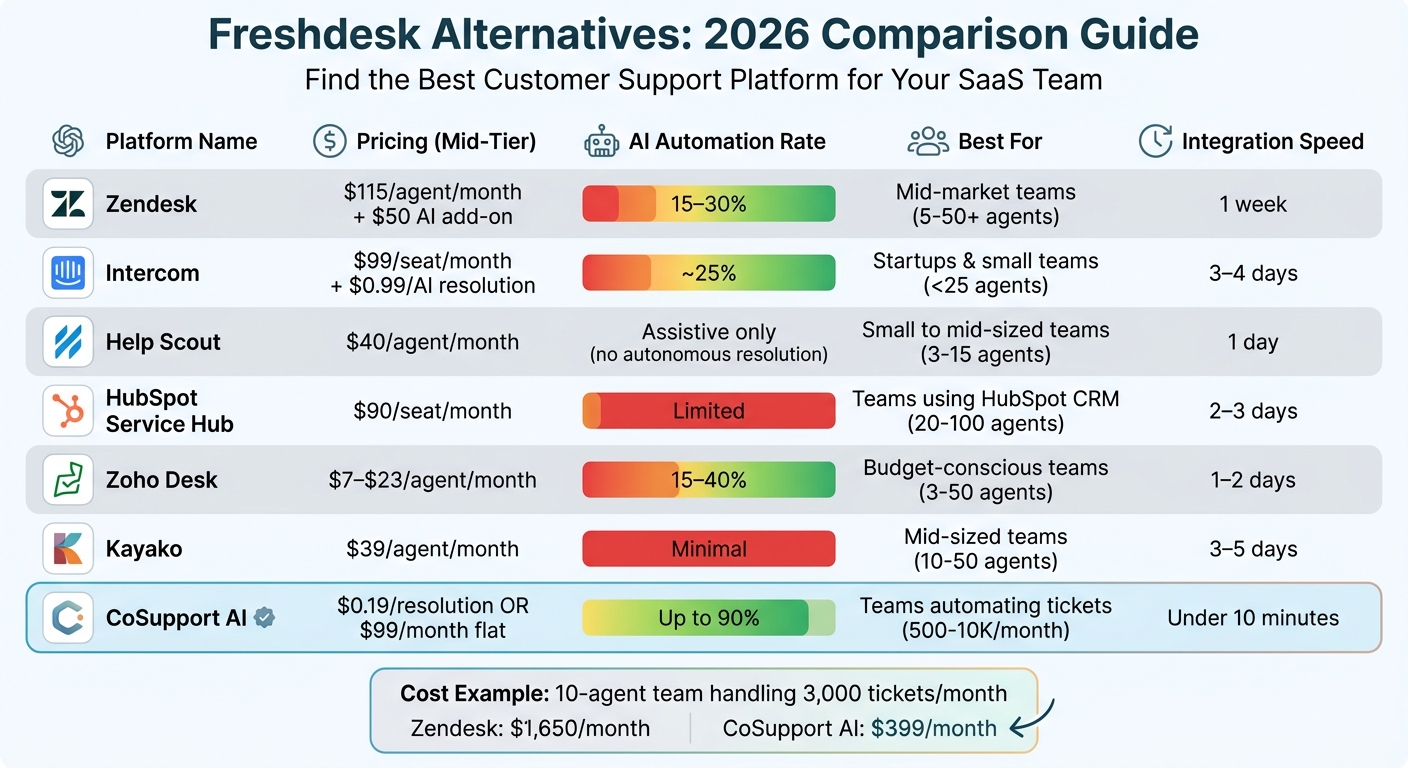
Freshdesk Alternatives Comparison: Pricing, AI Automation & Best Fit for SaaS Teams 2026
1. Zendesk
Zendesk is often seen as the gold standard for enterprise-level customer support software, but it comes with a hefty price tag and a steep learning curve. For example, a 12-agent team using the Suite Professional plan pays $1,380 per month just for basic licensing. Add-ons like phone support, QA tools, and AI features can drive the cost up to $2,568 per month - an 86% jump from the base plan, equating to about $214 per agent.
Pricing Model
Zendesk operates on a per-agent, per-month pricing structure that scales with team size. The Suite Team plan starts at $55 per agent, while Suite Professional costs $115 per agent. Advanced AI features, including automation tools, add another $50 per agent monthly, and AI resolutions come with usage fees ranging from $0.50 to $2.00 per resolution. For a 12-agent team, annual licensing costs reach $16,560, not including additional tools like Talk or AI features. These extra costs can limit how much you can take advantage of Zendesk's advanced AI capabilities.
AI Automation
Zendesk's AI tools include the Answer Bot, which can handle about 15% of tickets automatically once trained on your help center content. Meanwhile, the agent copilot helps draft responses that are usable 60-70% of the time, reducing the need for manual effort. However, these features require the Advanced AI add-on, which costs an extra $50 per agent per month. To make the most of these tools, you'll need to keep your documentation up-to-date, as outdated content could lead to incorrect responses. Keep in mind that the performance of these AI tools can vary depending on your team's size and needs.
Team Size Fit
Zendesk is ideal for mid-market companies with support teams ranging from 5 to 50+ agents. However, for smaller teams - especially those with fewer than 5 agents - the high costs and administrative demands can be a hurdle. Setting up automation rules, views, and macros can take around 3 full days, which might be a strain for smaller teams with limited resources.
Integration Speed
Zendesk boasts a vast library of over 1,000 integrations, including popular tools like Salesforce, JIRA, and Shopify, making it easy to connect with your existing tech stack. While basic implementation usually takes about a week, migrating data from another system can take anywhere from 2 to 6 weeks, depending on the amount of data involved. This extended setup time could slow down benefits for fast-growing teams. Plan for 2–6 weeks for migration and an additional week for full implementation.
sbb-itb-97114f1
2. Intercom
Intercom focuses on in-app messaging and proactive customer engagement, moving away from traditional email ticketing systems. Let’s break down its pricing and features to see how it stacks up.
For example, a 12-agent team on the Advanced plan pays $1,188 per month for seat licenses ($99 × 12). Adding Fin AI at $0.99 per resolution means resolving 3,000 tickets monthly would cost an extra $2,970 in AI fees. That brings the total to $4,158 per month, or about $346 per agent. In this case, AI fees increase costs by 250% compared to seat licenses alone.
Pricing Model
Intercom uses a hybrid pricing structure, combining per-seat subscriptions with usage-based AI fees. Here’s how the plans break down:
- Essential plan: Starts at $39 per agent
- Advanced plan: $99 per agent
- Expert plan: $139 per agent
- Fin AI: $0.99 per successful resolution
For a team handling 5,000 tickets monthly, the AI fees alone would add $4,950 on top of seat costs. As your team grows - particularly beyond 25 agents - this pricing model can become quite expensive.
AI Automation
Intercom’s AI, Fin AI, is designed to handle about 25% of conversations without needing human input. One standout feature? It’s programmed to admit when it doesn’t know the answer, avoiding incorrect responses. Setting up the AI takes around 90 minutes, but its effectiveness hinges on the quality of your help documentation. If your knowledge base is outdated or incomplete, Fin’s performance may suffer.
One major advantage is how Fin preserves the full conversation context during handoffs to human agents. This reduces the need for customers to repeat themselves, speeding up resolution times. However, it’s worth auditing transcripts regularly, as Fin might mark conversations as "resolved" even if a customer abandons the chat.
Team Size Fit
Intercom is a great fit for startups and smaller support teams with fewer than 25 agents. For larger teams, the combined per-seat and per-resolution fees can escalate quickly. While onboarding the platform takes 3–4 days (a bit longer than Freshdesk’s 2–3 days), its modern interface and proactive messaging tools can help reduce ticket volume by 20% or more. This makes it particularly attractive for startups that need fast and efficient customer support.
Integration Speed
When it comes to integrations, Intercom’s ecosystem is smaller compared to Zendesk. Its knowledge retrieval works best with Intercom’s Articles product, which can make syncing external documentation tricky - especially for teams with complex or diverse knowledge bases. This limitation could slow down workflows for larger or more established companies with extensive resources to manage.
3. Help Scout
As teams grow beyond the complexity of ticketing systems like Freshdesk, Help Scout emerges as a simpler, email-focused alternative. This platform prioritizes a human touch by using a shared inbox that feels like regular email for both agents and customers. Unlike Freshdesk's ticket-centric approach, Help Scout simplifies workflows and can often be set up in under an hour if email is already configured, or within a day in most cases.
Pricing Model
Help Scout's pricing begins at $22 per user/month (billed annually) for its Standard plan, which includes shared inboxes and essential features. The Plus plan, priced at $40 per user/month, adds advanced reporting, automated workflows, and integrations with tools like Salesforce, Jira, and HubSpot. For teams needing more, the Pro plan costs $65 per user/month, offering up to 25 mailboxes and enterprise-grade security. Notably, the Plus plan is 27% cheaper per user than Zendesk Suite Team, which costs $55.
However, Help Scout uses a usage-based billing model, which can lead to fluctuating costs as customer interactions increase - unlike Freshdesk's fixed per-agent pricing structure.
To further optimize support, Help Scout integrates AI virtual assistants at no additional cost in its higher-tier plans.
AI Automation
Help Scout leverages a GPT-4-based model to speed up response times by drafting replies and summarizing lengthy conversation threads. This enables agents to quickly understand complex cases without starting from scratch. Unlike Intercom's Fin AI, Help Scout's AI is strictly assistive and does not handle autonomous resolutions. AI tools are included in the Plus and Pro plans, avoiding the extra fees seen with Freshdesk's Freddy AI Copilot, which costs $29 per agent/month. While Help Scout's AI is less advanced than some competitors offering full automation, it still provides meaningful efficiency for support teams.
This focus on assistive AI, combined with its user-friendly setup, makes Help Scout particularly attractive for certain team sizes.
Team Size Fit
Help Scout is best suited for small to mid-sized teams (3–15 agents) or agencies that emphasize personalized, human-first customer service. For larger teams (20+ agents), its limited reporting capabilities and lack of built-in phone support may become restrictive. Unlike Freshdesk, which offers a dedicated voice solution (Freshcaller), Help Scout relies on third-party integrations like Aircall or RingCentral for phone services.
Integration Speed
One of Help Scout's strengths is its quick deployment, requiring minimal technical setup. It integrates seamlessly with popular tools like Slack, HubSpot, Salesforce, Jira, and Zapier. However, its integration library is smaller compared to Freshdesk's ecosystem of over 1,000 apps. Help Scout does include a "Docs" knowledge base feature across all pricing tiers, ensuring a consistent experience for support teams without additional charges - something competitors often monetize separately.
4. HubSpot Service Hub
If your SaaS team already uses HubSpot for sales or marketing, the Service Hub offers a way to consolidate tools - no need for separate subscriptions for chat or phone systems. By unifying support and product data, it tackles the integration headaches that often come with juggling multiple platforms.
Pricing Model
HubSpot Service Hub provides a free tier for 2–3 users, making it accessible for smaller teams. For more advanced needs, the Professional tier costs $90 per seat/month (billed annually) and includes features like automation, a knowledge base, a customer portal, SLAs, and NPS surveys. The Enterprise tier, priced at $150 per seat/month, adds conversation intelligence and advanced routing. These pricing levels align with HubSpot's focus on streamlining workflows through integrated tools and AI.
AI Automation
HubSpot's AI, known as Breeze AI, enhances productivity without replacing human agents. It powers chatbots and conversation intelligence, analyzing customer sentiment and drafting responses. One standout feature: it can flag churn risks before a ticket is even opened, giving teams a head start on managing potential issues. While it’s not fully autonomous, Breeze AI is a powerful tool for speeding up workflows and improving agent efficiency.
Team Size Fit
HubSpot Service Hub is ideal for small to mid-sized SaaS teams (20–100 agents) that prioritize a comprehensive customer view. For teams already using HubSpot’s Sales or Marketing Hubs, integration is seamless. That said, if your team relies heavily on phone support, you’ll need to look at third-party integrations like Aircall or RingCentral since native telephony isn’t included. For SaaS companies with $5M–$20M ARR, typical monthly support tool costs range from $1,200–$2,400, and HubSpot can help reduce these expenses by eliminating data silos and streamlining operations. Plus, its extensive integration options make setup faster and more efficient.
Integration Speed
For teams already using HubSpot CRM, Service Hub deployment is quicker than setting up a standalone helpdesk. With access to over 1,500 pre-built apps and integrations, getting started is straightforward. Agents can immediately view customer purchase histories and support tickets in one interface, cutting down on tool-switching. However, if you’re building complex workflows across multiple hubs, you might need extra time for setup.
5. Zoho Desk
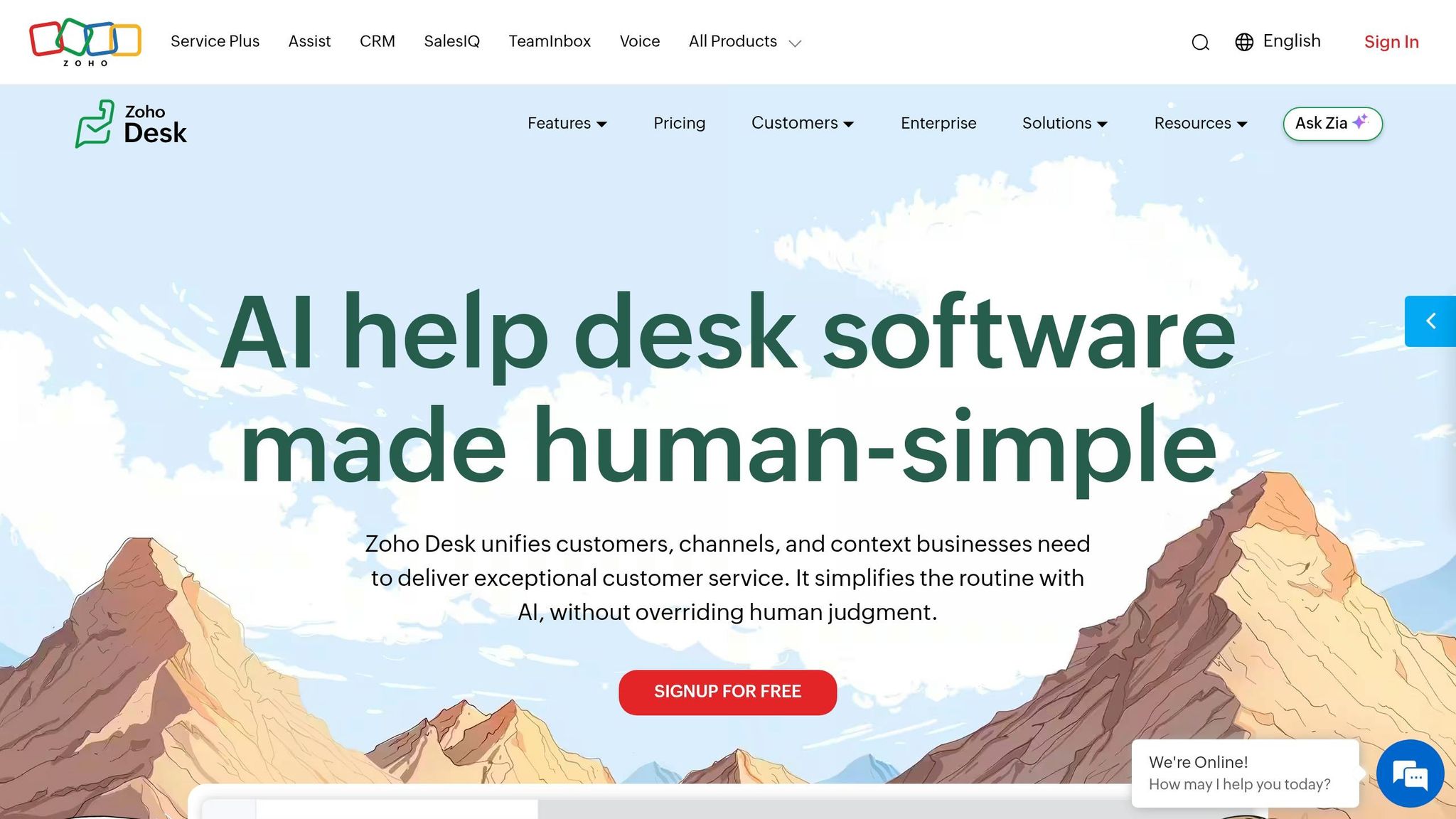
Zoho Desk is a solid choice for teams looking for an all-in-one help desk solution without the steep integration costs. For teams handling 500–3,000 tickets monthly, it delivers strong ticketing features at a much lower price point compared to Freshdesk. Here's a closer look at its pricing, AI capabilities, team suitability, and integration process.
Pricing Model
Zoho Desk starts with a free plan for up to 3 users, making it a great option for startups just getting off the ground. Paid plans range from $7 per user/month (Express) to $40 per user/month (Enterprise) when billed annually. The Professional plan, priced at $23 per user/month, includes features like automation, SLAs, and custom roles - tools that Freshdesk often reserves for its higher-priced plans.
To put it into perspective, a team of 10 agents on Zoho Desk's Professional plan would pay about $230/month, while Freshdesk's Pro plan typically costs $490/month for the same team size. That means Zoho Desk is roughly 53% cheaper. Plus, there's a 15-day free trial for all paid plans, giving you a risk-free way to test its features. On top of that, Zoho Desk offers built-in AI tools for Zoho Desk and SalesIQ to enhance its value.
AI Automation
Zoho Desk's AI assistant, Zia, streamlines workflows by automating ticket categorization, performing sentiment analysis, and suggesting responses. While agents still review and send replies, Zia helps reduce manual effort and speeds up the process. Keep in mind, though, that Zia is only available in the Professional and Enterprise plans, so you'll need to budget accordingly if advanced AI functionality is a must-have.
Team Size Fit
When considering Zoho Desk, it's important to think about team size and needs. It's particularly well-suited for small to mid-sized teams (3–50 agents), especially those already using other Zoho tools. Its integration with Zoho CRM ensures customer data flows seamlessly into support tickets, eliminating the need for custom API setups. However, the interface might feel a bit dated, and teams with 100+ agents may find its workflow customization options limiting as they scale.
Integration Speed
For teams already in the Zoho ecosystem, setup is quick - basic ticketing features can be up and running in just 1–2 days. Zoho Desk also supports over 250 third-party integrations, including popular tools like Slack, Jira, and Salesforce. That said, configuring more complex workflows may require technical expertise. If you're not already using Zoho products, onboarding could take a bit longer.
6. Kayako
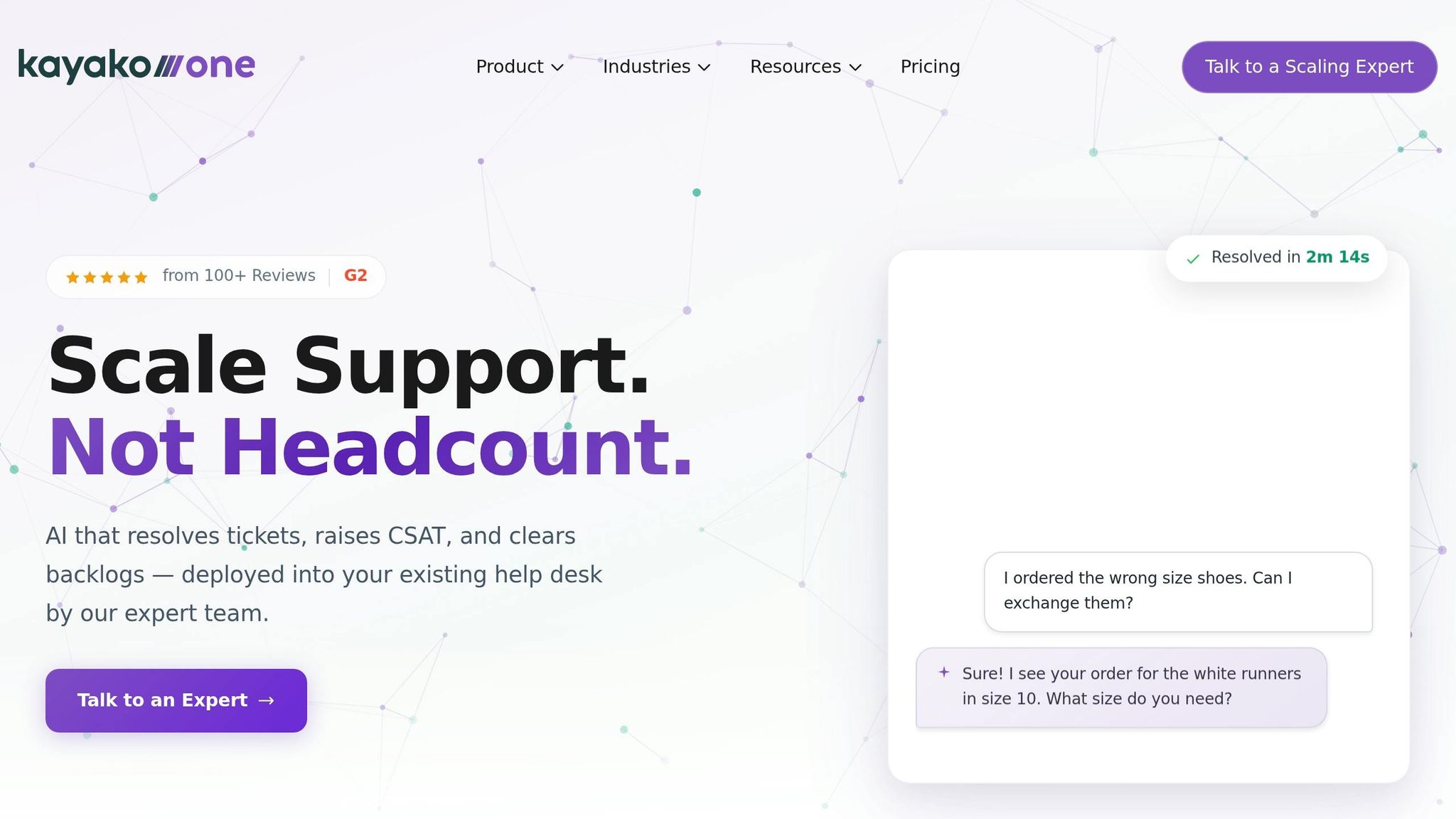
Kayako is designed for mid-sized teams looking for a unified workspace to manage multi-channel customer conversations. Growing SaaS teams often face challenges with scattered customer data across email, chat, and social platforms. Kayako tackles this issue by bringing all interactions together in one streamlined interface.
Pricing Model
Kayako’s pricing starts at $39 per agent/month when billed annually, with a free trial available for testing. For instance, a team of 10 agents would pay around $390 per month. This pricing reflects the platform’s robust features, which go beyond basic ticketing to include tools like advanced AI capabilities that boost agent productivity.
AI Automation
Kayako uses AI to simplify tasks like ticket summarization and transcription. These features allow agents to quickly understand customer issues without sifting through lengthy conversation threads or listening to entire audio recordings. It’s all about saving time and improving response accuracy.
Team Size Fit
Kayako works best for teams with 10–50 agents, offering an omnichannel workspace that centralizes customer interactions. Features like shared notes promote internal collaboration, ensuring complex issues get the attention they need. While smaller teams might not require all of its capabilities, and larger enterprises may need more specialized solutions, Kayako hits the sweet spot for mid-sized teams. Plus, its easy setup means teams can get up and running quickly.
Integration Speed
With real-time reporting and integrations for your existing tools, Kayako ensures smooth connectivity across support channels. While setup time may vary depending on the number of channels and systems you’re integrating, the platform is built for efficient deployment and seamless operation.
7. CoSupport AI
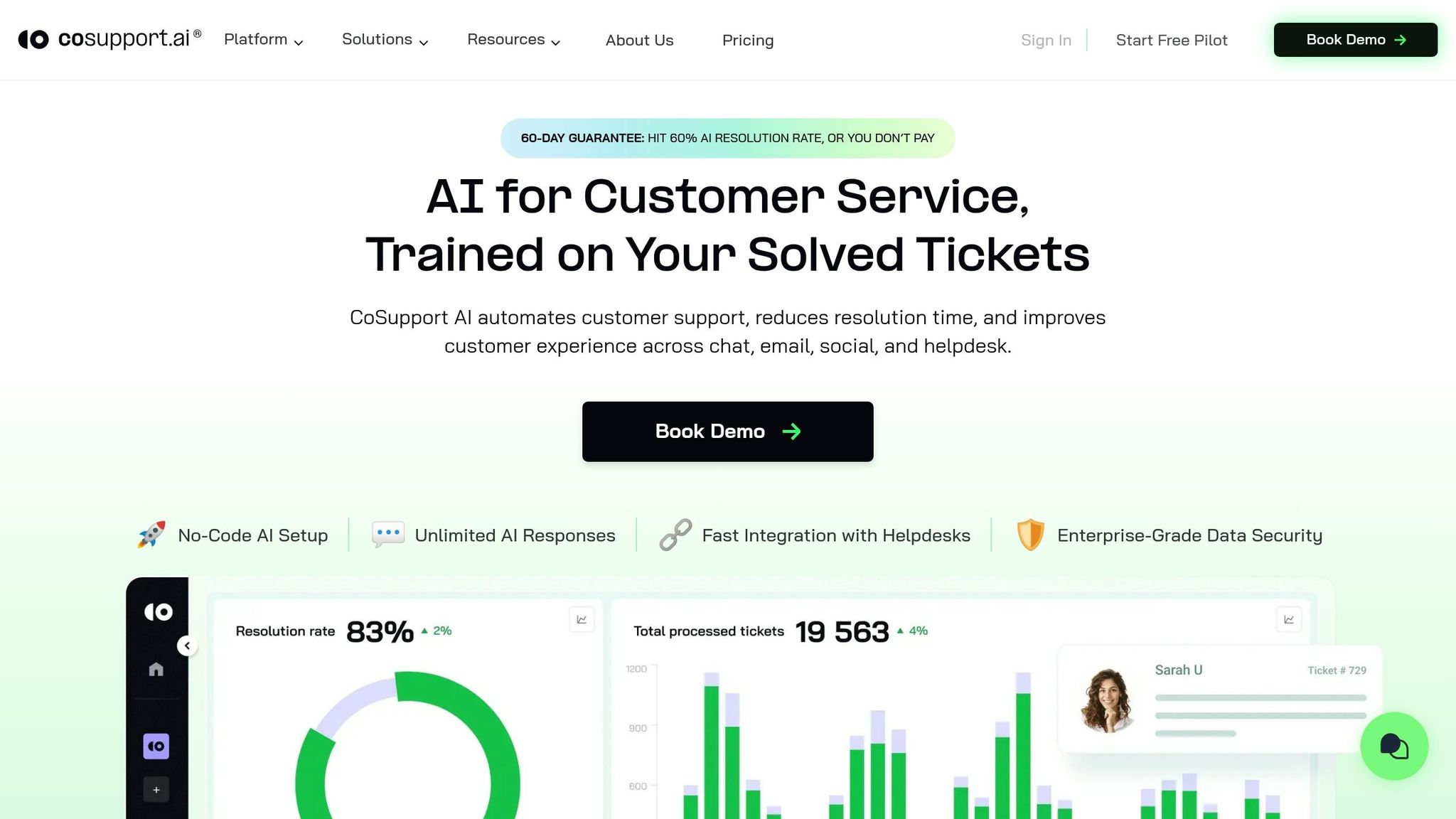
CoSupport AI is a customer support automation platform tailored for SaaS and e-commerce teams managing 500–10,000 tickets per month. It seamlessly integrates with Zendesk and Freshdesk to handle up to 90% of tickets autonomously, eliminating the need for agent involvement. Unlike generic AI models, it trains on your specific ticket history, macros, and help center content, ensuring accurate responses by relying solely on verified knowledge.
Pricing Model
CoSupport AI offers three flexible pricing options, moving away from the traditional per-agent pricing:
- Resolution-Based Plan: Charges $0.19 per resolved ticket, so you only pay when the AI successfully resolves a case.
- Server-Based Plan: Costs a flat $99/month for unlimited AI responses.
- Response-Based Plan: Charges $0.04 per AI-generated response, with discounts as volume increases.
For example, a team managing 3,000 tickets per month with a 70% AI resolution rate would spend around $399/month on the Resolution-Based plan - far less than hiring two additional full-time agents. These options make automation affordable for teams of all sizes.
AI Automation
Using Retrieval-Augmented Generation (RAG), CoSupport AI retrieves the most relevant knowledge, avoiding generic or loosely related content. The results speak for themselves: Silencerco slashed its Freshdesk backlog by 60% in just 30 days, while Ocus reduced handle times from 4 minutes to just 47 seconds. Unlike many other platforms, CoSupport AI maintains context across multi-turn conversations, even after several exchanges, ensuring smooth and efficient ticket resolution.
Team Size Fit
This platform is ideal for teams with 10–100 employees managing 500–10,000 monthly tickets. For instance, iubenda handles 5,000 tickets per month on Freshdesk with CoSupport AI, while Cocoatech manages 500 tickets on Zendesk. Importantly, its pricing models don't penalize growth, so adding seasonal staff or contractors won't increase costs under the resolution or server-based plans.
Integration Speed
Getting started with CoSupport AI is quick and hassle-free. Teams can connect the platform to their systems in under 10 minutes, with no need for developer assistance. Its native integration with Zendesk and Freshdesk AI Agents eliminates the need for complex API setups. Additionally, CoSupport AI is SOC 2 and GDPR compliant and supports 40+ languages, making it a great fit for global teams looking for a fast and secure solution.
Platform Comparison: Strengths and Weaknesses
Here’s a breakdown of pricing, AI resolution capabilities, and integration speed for platforms commonly used by support teams handling 500–10,000 tickets per month:
| Platform | Pricing (Mid-Tier) | AI Resolution Rate | Integration Time |
|---|---|---|---|
| Zendesk | $115/agent/month + $50/agent AI add-on | 15–30% | 1 week |
| Intercom | $99/seat/month + $0.99/AI resolution | ~25% | 3–4 days |
| Help Scout | $40/user/month | No autonomous resolution | 1 day |
| HubSpot Service Hub | Bundled with CRM | Limited AI automation | 2–3 days |
| Zoho Desk | $7/user/month (basic tier) | 15–40% deflection | 2–3 days |
| Kayako | Custom pricing | Minimal AI features | 3–5 days |
| CoSupport AI | $0.19/resolution or $99/month flat | Up to 90% | Under 10 minutes |
This table highlights the trade-offs between cost, automation efficiency, and time to integrate.
Platforms like Zendesk and Intercom come with higher per-agent costs, which can make scaling expensive. For example, a 10-agent team using Zendesk Suite Professional with Advanced AI would spend $1,650 per month. By comparison, CoSupport AI offers a flat rate of $399/month for 2,100 resolved tickets at a 70% automation rate.
Help Scout stands out for its quick setup time of just one day, but it doesn’t offer autonomous AI resolution. On the other hand, CoSupport AI integrates with tools like Zendesk or Freshdesk in under 10 minutes - no developer assistance required. This ease of integration is especially helpful for teams looking to scale quickly without technical hurdles.
AI resolution rates vary widely across platforms. Zendesk achieves a 15–30% resolution rate, while Intercom’s Fin manages around 25%. CoSupport AI, however, leads the pack with up to 90% resolution by using your existing ticket history and help center data, rather than relying on generic models. Companies like Silencerco and Ocus have reported major efficiency improvements thanks to this approach.
For teams ready to move beyond Freshdesk, the choice often depends on priorities. Zendesk offers enterprise-grade reporting, Intercom supports product-led growth, and CoSupport AI provides unmatched automation and cost savings.
Conclusion
If your SaaS support team has outgrown Freshdesk, finding the right alternative comes down to factors like ticket volume, automation capabilities, and overall costs. Platforms like Zendesk and Intercom provide extensive features, but their per-agent pricing can get expensive as you scale. On the other hand, CoSupport AI offers a cost-effective solution, resolving up to 90% of tickets autonomously for just $0.19 per resolution or a $99/month flat rate - delivering savings while maintaining quality.
Take a close look at your current cost per ticket and customer satisfaction trends before making a switch. With quick setup and the promise of greater efficiency, CoSupport AI might just be the upgrade your team needs. Why wait? Start exploring CoSupport AI today.
FAQs
What are the biggest Freshdesk limitations when a SaaS team scales?
Freshdesk presents some challenges for scaling SaaS teams, particularly with its tiered pricing model. Access to advanced features like custom reporting and automation is often restricted to higher-priced plans, which can drive up costs and add complexity as your team expands.
Another hurdle is the analytics usage limits. These restrictions can make it difficult to generate accurate reports, especially when managing a growing volume of tickets. This can lead to unreliable insights, complicating efforts to maintain efficiency as your operations scale.
How do I estimate total support costs beyond per-agent pricing?
To get a clear picture of total support costs beyond just the per-agent pricing, you’ll need to factor in a few additional elements. For instance, costs can rise with the use of AI tools, specialized integrations, or advanced features that are only accessible in higher-tier plans.
On top of that, don’t forget about expenses tied to supplementary tools like CRM systems or communication platforms. These can add to both the upfront procurement costs and ongoing maintenance fees, significantly impacting your overall budget.
What should I prioritize when switching helpdesk platforms in 2026?
When considering a helpdesk platform switch in 2026, keep a few critical factors in mind. First, evaluate whether the platform can effectively manage both your current ticket volume and any potential growth. Next, look for advanced AI features that can automate repetitive tasks and enhance response times. Transparent pricing is also crucial - hidden costs can quickly derail your budget. Finally, ensure the platform integrates smoothly with the tools your team already relies on. By focusing on these elements, you can select a solution that aligns with your team’s needs and supports long-term success.
.png&w=128&q=75)


.png&w=96&q=75)
.png&w=3840&q=75)
