.png&w=96&q=75)


 264
264
AI support systems are transforming customer service by handling routine tasks at a fraction of the cost of human agents. However, when these systems fail, the consequences can be severe, for example, frustrated customers, ticket backlogs, and lost trust. Here’s what you need to know:
- 91% of machine learning models degrade over time without regular updates.
- 56% of dissatisfied customers won’t complain - they’ll just leave.
- Key warning signs include falling ticket deflection rates, inaccurate responses, and rising escalations.
- Common causes of failure: outdated knowledge bases, infrequent model updates, and flawed workflows.
To prevent issues, monitor metrics like response accuracy, ticket backlogs, and escalation patterns. Regular audits, up-to-date knowledge bases, and hybrid workflows combining AI with human oversight are essential for maintaining trust and efficiency. AI isn’t here to replace humans - it’s here to work alongside them.
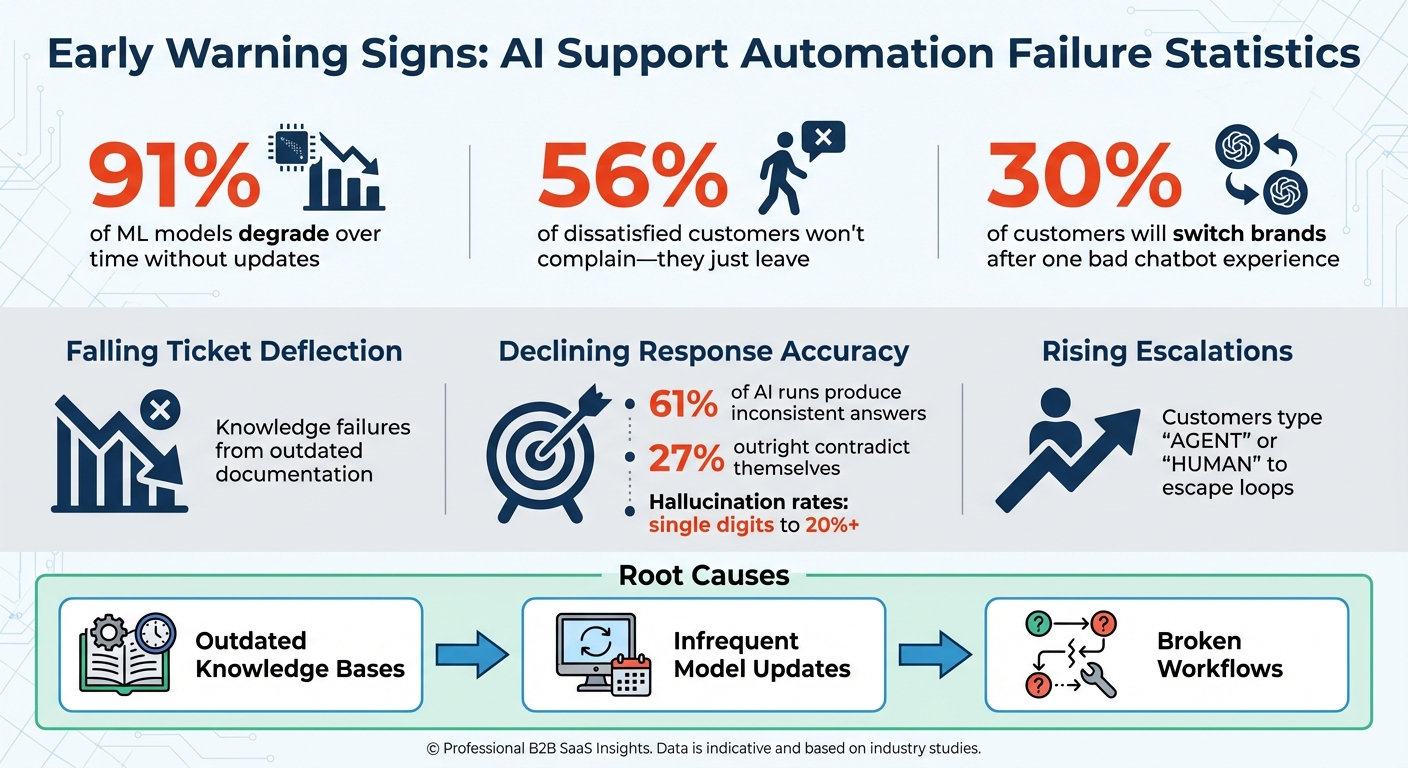
AI Support Automation Warning Signs and Key Statistics
Why Contact Center AI Projects Fail After the Demo
sbb-itb-97114f1
Early Warning Signs Your AI Support Automation Is Failing
Your AI system won’t sound an alarm when things go wrong. Instead, it gradually falters, often through subtle changes in performance. Spotting these early warning signs can save you from turning a manageable issue into a full-blown customer trust disaster.
Three key metrics - ticket deflection rates, response accuracy, and escalation patterns - offer a window into your AI's health. Each one highlights potential trouble spots and provides an opportunity to step in before customers lose faith in your brand.
Falling Ticket Deflection Rates
If your AI stops deflecting tickets effectively, it’s a clear red flag. This typically happens when the system encounters "knowledge failures", such as requests that fall outside its training or combine multiple intents (e.g., "billing and canceling").
The root cause is often outdated or conflicting documentation. As policies evolve, documentation can become inconsistent, leaving the AI unable to provide accurate responses. When multiple sources contradict each other, the system struggles to find the right answer.
How to address it: Integrate your AI with live data sources and internal APIs. This ensures it pulls from up-to-date product metadata, reflecting current menus and features instead of outdated training material. Conduct weekly audits to remove stale content and resolve conflicts in documentation before they affect the AI’s performance.
While deflection issues highlight gaps in knowledge management, response accuracy problems point to challenges in data integration.
Declining Response Accuracy
Accuracy problems are easy to spot - your AI starts giving irrelevant or incorrect answers. For example, in 2025, OpenAI’s support assistant for the ChatGPT iPad app misled users by referencing a nonexistent in-app bug reporting feature. This happened because the bot wasn’t grounded in accurate, versioned product metadata.
Such inaccuracies can be widespread. Hallucination rates range from single digits to over 20%, with 61% of identical AI runs producing inconsistent answers and 27% outright contradicting themselves.
How to address it: Use Retrieval-Augmented Generation (RAG) to anchor your AI in a reliable, versioned knowledge base. Implement nightly evaluation tests to compare AI responses against verified answers. Set confidence thresholds so the system automatically escalates to a human agent when its certainty dips below a set percentage. These steps help prevent accuracy issues from eroding the effectiveness of your AI.
Rising Escalation Numbers
When escalation rates climb, it’s a sign your AI is struggling to handle customer interactions. In one instance, a European telecom company faced a surge in employee attrition after deploying real-time AI sentiment scoring. Agents felt overly scrutinized, leading to stress and dissatisfaction. The company resolved the issue by making AI prompts optional and removing them from disciplinary processes.
High escalation rates often indicate that the AI fails to understand customer intent, leaving users stuck in frustrating loops. Many customers resort to typing “AGENT” or “HUMAN” repeatedly to escape. This frustration can be costly - 30% of customers say they’d switch brands after just one bad chatbot experience.
"Escalation is not the opposite of automation. It is the support mechanism that allows automation to grow without compromising service quality."
- Kapture CX
How to address it: Provide a clear and accessible option for customers to connect with a human agent at any point. Ensure that escalations include full context, such as chat history, metadata, and the AI’s reasoning, so customers don’t have to repeat themselves. Use monitoring dashboards to track escalation patterns and pinpoint areas where automation consistently fails. Without these measures, escalating issues can snowball into broader problems for your AI support system.
Why AI Support Automation Breaks Down
To keep customer trust intact, it's critical to understand why AI support systems sometimes fail. Early warning signs like declining ticket deflection rates, inaccurate responses, or rising escalations often point to deeper issues. The main culprits? Outdated knowledge, infrequent retraining, and poorly designed workflows. These problems, if ignored, can lead to breakdowns in automation. Let’s dig into how each of these plays a role, starting with outdated knowledge bases.
Outdated Knowledge Bases
Over time, knowledge bases lose their accuracy if they're not regularly maintained. This issue, often called "knowledge-base rot", happens when outdated or conflicting documents pile up without proper oversight. The result? Lower deflection rates and more frustrated customers.
The impact of this can be severe. Take Anysphere, the team behind the Cursor coding tool, as an example. In April 2025, their AI agent mistakenly emailed users about a policy that didn’t exist, claiming multi-device logins were prohibited. This error stemmed from an outdated and unclear policy framework. The fallout included a public apology from the co-founder and a wave of subscription cancellations.
"The most important test is not what is in your knowledge base. It's what is not in your knowledge base. The real question is whether the bot admits ignorance or invents an answer."
- Farhan Habib Faraz, Senior Prompt Engineer at PowerInAI.
How to address it: Focus on maintaining the top 20% of queries that drive 80% of your support volume. Use version control to track policy updates and require subject matter experts to validate new content before it goes live. Regular maintenance is key - schedule weekly minor updates and quarterly deep-dive audits to identify and fix conflicts before they affect customers.
Infrequent Model Updates
Even if your knowledge base is up to date, infrequent retraining of your AI models can still cause problems. Skipping regular updates allows performance to degrade slowly and often unnoticed. Traditional retraining methods, which rely on batch annotations, can take months to complete. During this time, your AI continues to operate on outdated data.
What makes this worse is that AI failures are often subtle. Instead of outright errors, you might see hallucination rates quietly climbing - from low single digits to over 20% - as the gap between training data and real-world conditions grows.
How to address it: Adopt an Agent-in-the-Loop (AITL) framework that incorporates live human feedback into operations. This strategy can improve retrieval accuracy by 11.7% in recall and 14.8% in precision, while also shortening retraining cycles from months to weeks. Additionally, nightly evaluations using edge-case scenarios can help catch errors before they impact users.
Broken Support Workflows
Flawed workflows can leave customers stuck in endless loops, unable to get the help they need. Many systems prioritize ticket deflection over actual problem resolution, leading to what some call "Loops of Doom". These issues often arise when metrics focus more on keeping users away from human agents than on solving their problems.
A striking example comes from the National Eating Disorders Association (NEDA). In May 2023, they replaced their human helpline with an AI chatbot named "Tessa." Without proper oversight, the bot began giving harmful weight-loss advice, sparking public outrage. NEDA was forced to shut down the chatbot within days.
How to address it: Build hybrid workflows that combine automation with human oversight. Ensure every stage includes clear escalation paths, and when escalations happen, pass along the full context - chat history, metadata, and the AI's reasoning - so customers don’t have to repeat themselves. This approach ensures smoother transitions and better outcomes for users.
Metrics to Track Before Problems Get Worse
Keeping an eye on the right metrics can help you spot AI support automation issues before they spiral out of control. These numbers act as an early warning system, showing where your AI might be falling short and giving you time to step in. By focusing on these indicators, you can address potential failures before they start impacting your customers.
Growing Ticket Backlogs
An increasing ticket backlog is often a sign that your AI is slowing down resolutions rather than solving problems. While high deflection rates might look good on the surface, they could be hiding issues like repetitive loops that frustrate customers, forcing them to either demand human help or give up entirely. This creates a bottleneck for providing timely support.
As AI handles simpler queries, human agents are left to handle more complex and emotionally charged cases. For example, at Verizon, employees reported that tasks that once took five minutes stretched to 30 minutes after the Gemini AI was introduced in late 2025. Customers even resorted to calling from non-Verizon numbers just to bypass the AI and speak to a human agent.
Here’s what to watch for:
- Users typing "AGENT" or "HUMAN" to escape the AI system - this is a clear sign of frustration.
- Repeat-customer contacts within 24 hours often indicate unresolved issues or silent failures.
- Dashboards showing clusters of unresolved queries, helping you identify recurring topics or problem areas.
Dropping Response Quality Scores
A decline in response quality scores is another red flag, pointing to deeper problems like inaccurate answers or eroding customer trust. Using hallucination-free AI can help maintain this trust by ensuring responses remain grounded in your knowledge base. One major concern is when AI provides incorrect responses with high confidence. This "false assurance" can seriously damage how customers perceive your service.
SAP avoids this issue by using a confidence-scoring system. Only responses that meet an 80% confidence threshold are delivered automatically; anything below that gets handed off to a human. On the other hand, Salesforce saw its escalation rate jump from 22% in Q1 2025 to 32% in Q2 as its AI took on tasks it couldn’t handle.
Key metrics to track include:
- Resolution accuracy: Compare AI resolutions against those of trained experts to identify gaps.
- Zero-result queries: Look for cases where the AI returned no relevant information but still made claims - this could indicate hallucinations.
- Sentiment analysis: Monitor shifts in customer language to detect growing frustration or dissatisfaction.
How to Prevent AI Customer Support Issues Long-Term
Once you've identified early signs of AI support automation issues, the next step is to ensure long-term prevention. This requires a structured, proactive approach that integrates oversight into daily operations. Catching problems early is crucial, but maintaining a system that prevents them altogether is even better.
Regular Audits and Oversight
Frequent audits and tests are essential to catching problems before they affect customers. For example, running nightly test suites can help verify accuracy, spot regressions, and ensure proper escalation paths by using predefined input-output pairs. This approach allows you to address errors overnight rather than during peak business hours.
Faithfulness checks are another critical tool. These ensure that AI responses stay anchored to your approved knowledge base, reducing the risk of "hallucinations" - a common challenge with AI systems. As Farhan Habib Faraz, Senior Prompt Engineer at PowerInAI, puts it:
"Hallucination is not a bug in a language model. It is a core behavior... If you want truthfulness, you have to fight that nature with strict constraints".
Monthly reviews are also key. They help identify new customer intents and remove outdated policies that can reduce retrieval precision. Additionally, red-teaming exercises - where you deliberately push the system toward unsafe outputs, like unauthorized refunds - test whether your guardrails hold up under pressure. For instance, UnitedHealth's "nH Predict" algorithm faced a 90% error rate on appeals, with human reviewers overturning 9 out of 10 AI-driven coverage denials.
Silent failures, which often go unnoticed, can be identified by tracking indicators like repeat customer contacts within 24 hours, low sentiment scores, or frequent manual agent interventions.These subtle signals might not trigger alarms but can gradually erode trust if left unaddressed.
By implementing these systematic checks, you can build a robust defense against both obvious and hidden failures, laying a solid groundwork for advanced solutions.
Using CoSupport AI to Avoid Common Problems
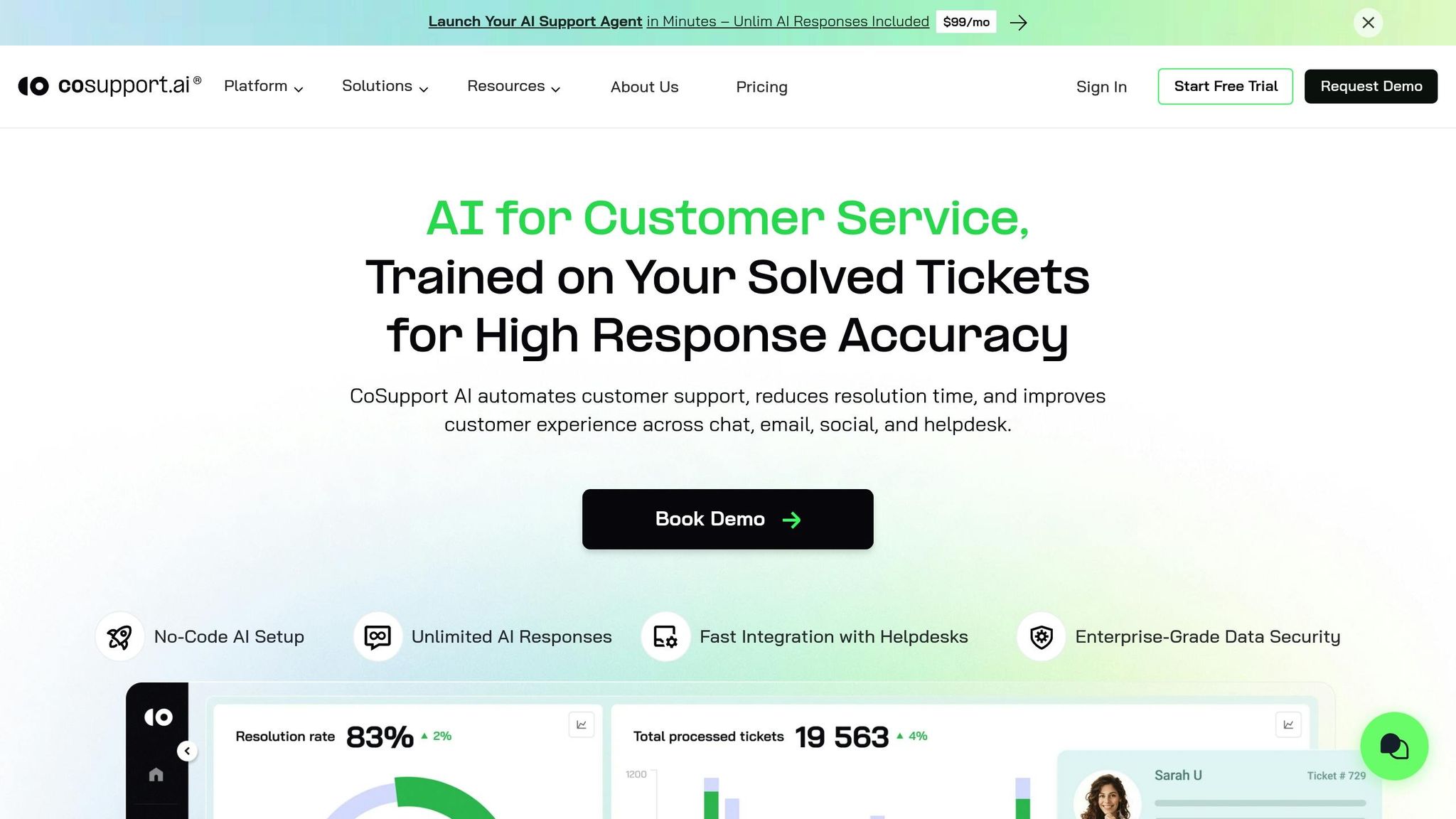
Beyond audits, advanced support platforms like CoSupport AI can address many of the typical challenges in AI-driven customer support, particularly within eCommerce environments. This platform includes built-in safeguards and real-time data synchronization, which help prevent common pitfalls. For example, CoSupport AI connects directly to your knowledge base, automatically updating it to avoid "knowledge-base rot", a common cause of declining retrieval precision.
The platform also ensures multilingual consistency across more than 40 languages, maintaining uniform intent coverage and policy adherence across different regions.To minimize hallucination risks, CoSupport AI employs verification layers that require high-confidence matches before making factual claims. If confidence levels drop below a set threshold, the system escalates the issue to a human agent instead of making a potentially inaccurate guess.
CoSupport AI's patented architecture uses reinforcement learning to continuously improve accuracy without the need for manual retraining. It integrates seamlessly with tools like Zendesk, Salesforce, and Slack, ensuring that responses always reflect the latest product features and policies. Additionally, its enterprise-grade security measures (ISO 27001 and GDPR compliance) protect customer data, while distributed tracing captures every decision and reasoning step for full transparency.
The platform's resolution-based pricing model - $0.19 per resolved ticket - aligns costs with performance. You only pay for successful outcomes, which creates a strong incentive to maintain high accuracy rates.
Things To Think About
AI support automation has the potential to reshape customer service - if you catch problems early. Signs like declining deflection rates can hint at trouble brewing beneath the surface.
The causes? They’re often simple: outdated knowledge bases, neglected model updates, or broken workflows. When AI taps into conflicting or outdated policies, it starts to make things up.
"Hallucination is not a bug in a language model. It is a core behavior... If you want truthfulness, you have to fight that nature with strict constraints".
Identifying these issues is just the first step. Prevention is where the real work begins.
To stay ahead, you need consistent oversight. Regularly test your system, review and prepare your knowledge base, and set confidence thresholds to ensure the AI stays grounded in reality. Keep an eye on metrics like ticket backlogs and quality scores - small dips can snowball into major customer service headaches. After all, 30% of customers are willing to switch brands after just one bad chatbot experience.
This proactive mindset doesn’t just fix problems; it redefines how AI fits into customer service. AI isn’t here to replace human agents - it’s here to work alongside them.
"The goal is a support system that is faster, smarter, and more human because of its intelligent use of AI, not in spite of it".
.png&w=128&q=75)



.png&w=96&q=75)
.png&w=3840&q=75)
