.png&w=96&q=75)
Faster Knowledge Capture Inside the Control Desk
Updates from CoSupport AI Platform
Support teams spend a surprising amount of time switching contexts. Reviewing conversations in one place. Updating the knowledge base in another. Manually turning resolved issues into reusable answers later, if it happens at all.
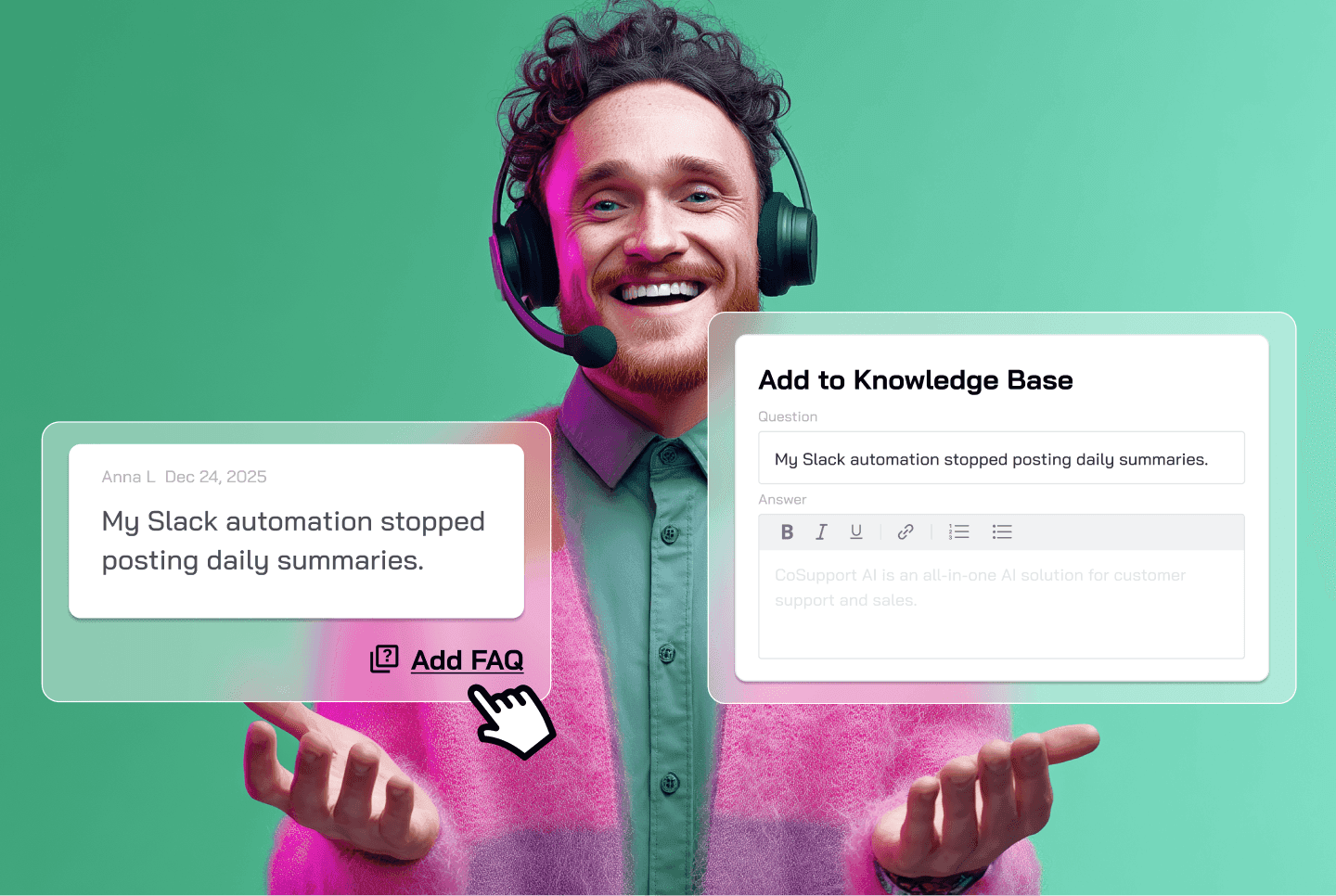
The latest Control Desk redesign addresses that gap directly. This update introduces in-context FAQ creation, allowing teams to capture knowledge at the exact moment it appears in real conversations.
The Problem with Traditional Knowledge Base Workflows
Most support teams agree on one thing. Their knowledge base is always behind.
The reason is structural. Creating FAQs usually requires leaving the conversation view, navigating to the knowledge base section, selecting the correct base, and manually adding a new entry. That friction adds up. As a result, valuable answers stay trapped inside resolved tickets and chat logs.
Over time, this leads to three predictable outcomes. Repetitive questions continue to reach agents. AI responses rely on outdated or incomplete sources. And institutional knowledge remains scattered across conversations instead of being centralized.
The Control Desk redesign focuses on removing those barriers.
What Changed in the Control Desk
The redesigned Control Desk introduces a new Add FAQ action directly inside conversations. This feature is available in both the conversation history tab and the playground view.
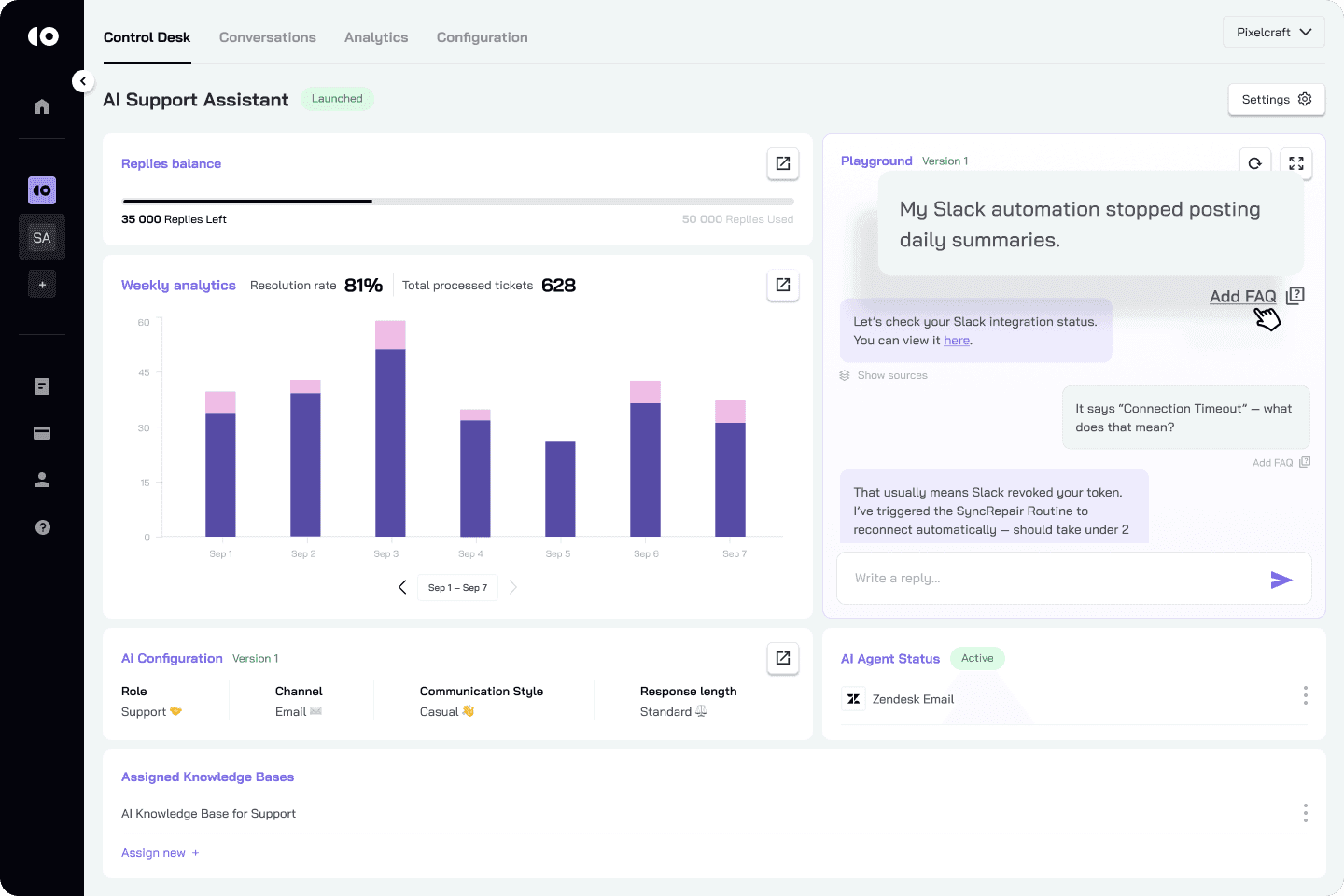
Instead of treating knowledge creation as a separate task, it becomes part of the support workflow itself. When an agent or AI resolves a customer request, that answer can immediately become a reusable FAQ without leaving the page.
The result is a tighter feedback loop between real customer questions and the knowledge base that supports future responses.
Creating FAQs Directly from Conversations
The new workflow is simple and deliberate.
Under each customer request or message, users now see an Add FAQ option. Clicking it opens a lightweight creation flow where the question is prefilled using the customer’s message from the conversation. The user then adds the correct answer, selects the appropriate knowledge base, and saves it in place.
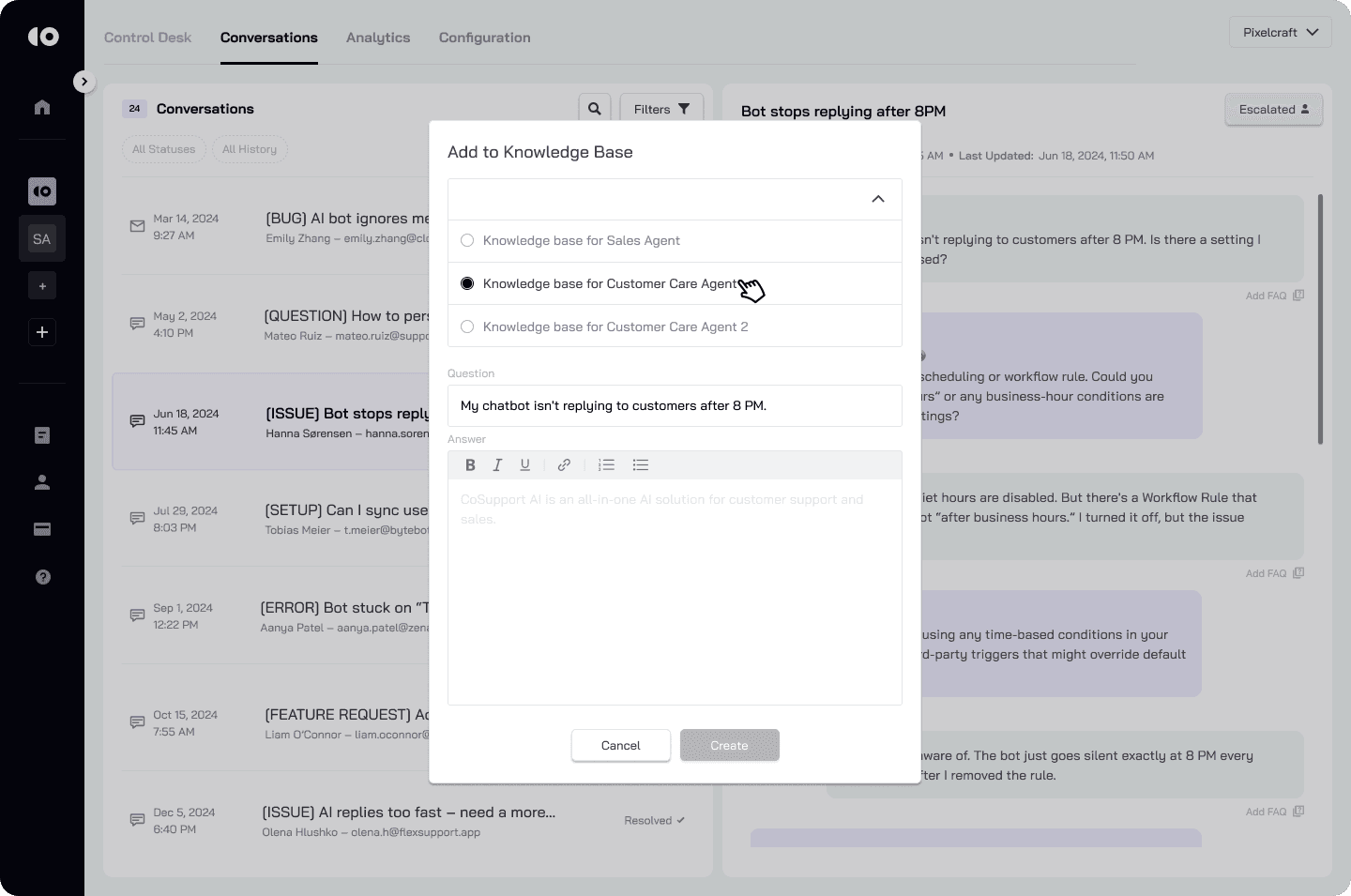
There is no need to navigate away, no need to retype information, and no risk of losing context. The knowledge base grows organically from real interactions instead of assumptions about what customers might ask. This matters because FAQs created from live conversations reflect actual language, intent, and edge cases. They are grounded in how customers phrase questions, not how internal teams describe features.
Why This Improves AI Accuracy Over Time
AI support systems are only as strong as their underlying knowledge sources. When answers stay buried in tickets, the system cannot learn from them.
By enabling FAQ creation directly inside the Control Desk, teams shorten the distance between resolution and reuse. Every resolved issue has the potential to become structured knowledge immediately.
This approach supports more reliable AI behavior in production environments. As the knowledge base expands with verified answers, AI responses become more consistent, better sourced, and easier to audit. Over time, this reduces hallucinations, improves deflection rates, and lowers unnecessary escalations.
In practical deployments, features like this are what allow platforms such as CoSupport AI to move from experimental automation to stable, production-grade support operations.
Impact on Daily Support Operations
From an operational standpoint, the redesign changes how teams think about documentation.
Knowledge creation no longer depends on separate documentation sprints or manual cleanup after peak periods. Instead, it happens continuously during normal support work. Agents contribute to the system without extra effort, and AI agents benefit from fresher, more accurate sources.
This also improves onboarding. New agents rely less on tribal knowledge and more on structured answers derived from past conversations. Over time, the support organization becomes less dependent on individual memory and more on shared, evolving context.
Reducing Friction Without Changing Processes
One of the key strengths of this update is that it does not require teams to change how they work. There is no new dashboard to learn and no additional configuration step to manage.
The feature lives where agents already spend their time. Conversations remain the center of gravity, and knowledge capture becomes a natural extension of resolution rather than an afterthought.
This design choice reflects a broader product philosophy. Automation and AI should adapt to support workflows, not force teams to reorganize around tooling.
What This Means Going Forward
The Control Desk redesign sets the foundation for tighter integration between conversations, analytics, and learning systems. When knowledge creation happens at the point of truth, every resolved interaction strengthens future performance.
For support leaders, this means faster iteration on FAQs, better AI grounding, and less manual maintenance. For customers, it means more consistent answers and fewer repeated questions.
This update moves the Control Desk closer to its core goal. Turning everyday support interactions into long-term operational leverage without adding complexity. More updates are coming, but this release already changes how teams capture and reuse what they learn from customers every day.
.png)