.png&w=96&q=75)


 20
20.png&w=3840&q=75)
By 2026, 91% of customer service leaders are under pressure to adopt AI due to rising ticket volumes, declining customer satisfaction, and cost challenges. AI support automation offers a scalable solution, reducing costs by up to 90% while handling routine queries. For example, companies like Anthropic saved over 1,700 hours in a month, and Rocket Money achieved $1 million in annual ROI. Here’s how you can build a strong case for AI in customer support:
- Identify key challenges: High ticket volumes, missed SLAs, and repetitive queries like password resets or order updates are ideal for automation.
- Set measurable goals: Examples include reducing first response time by 40% or achieving a 60% autonomous resolution rate within three months.
- Calculate ROI: Compare current costs (e.g., $8 per ticket) to AI costs ($0.50 per resolution) and project savings. For 5,000 tickets per month, AI could save $270,000 annually.
- Address risks: Start with a 30-day pilot, refine training data, and focus on compliance and integration with tools like Zendesk or Freshdesk.
- Present to leadership: Use a one-page summary with clear financial projections, risks, and a 90-day phased plan.
AI can transform customer support operations, delivering cost savings and efficiency while allowing human agents to focus on complex issues. Want to see results? Start with a small pilot and scale up.
Define Your AI Support Automation Use Case
Before pitching AI support automation to leadership, you need to pinpoint the exact problems you’re tackling and how you’ll measure success. Vague claims like "improved efficiency" won’t cut it - decision-makers need to see specific pain points, clear metrics, and evidence that AI can handle your ticket volume effectively. A solid understanding of your challenges and success criteria will also guide your financial and risk analysis.
Identify Your Biggest Support Problems
Start by outlining the key issues impacting your support team. Common challenges include high ticket volumes, rising costs, missed SLAs, and agent burnout. For instance, Silencerco managed to reduce its Freshdesk backlog by 60% in just 30 days using AI automation. Real-world results like this can strengthen your case.
Take a close look at your current metrics, especially if repetitive queries are overwhelming your team. If most tickets involve simple issues like order status or password resets, these are prime candidates for automation. AI can resolve such tickets for $0.10 to $0.70 each, offering a 90-95% cost reduction. For teams managing 2,000 to 10,000 tickets monthly, these savings can be substantial.
Set Measurable Success Metrics
Define success with specific, actionable goals. For example, aim to "reduce first response time by 40% within 90 days" or "achieve a 60% autonomous resolution rate by month three." Clear targets like these make it easier to track progress and demonstrate ROI. Consider Anthropic, which saved over 1,700 hours in a single month by achieving a 58% resolution rate across 50,000 resolutions. These are the types of outcomes you should aim to replicate.
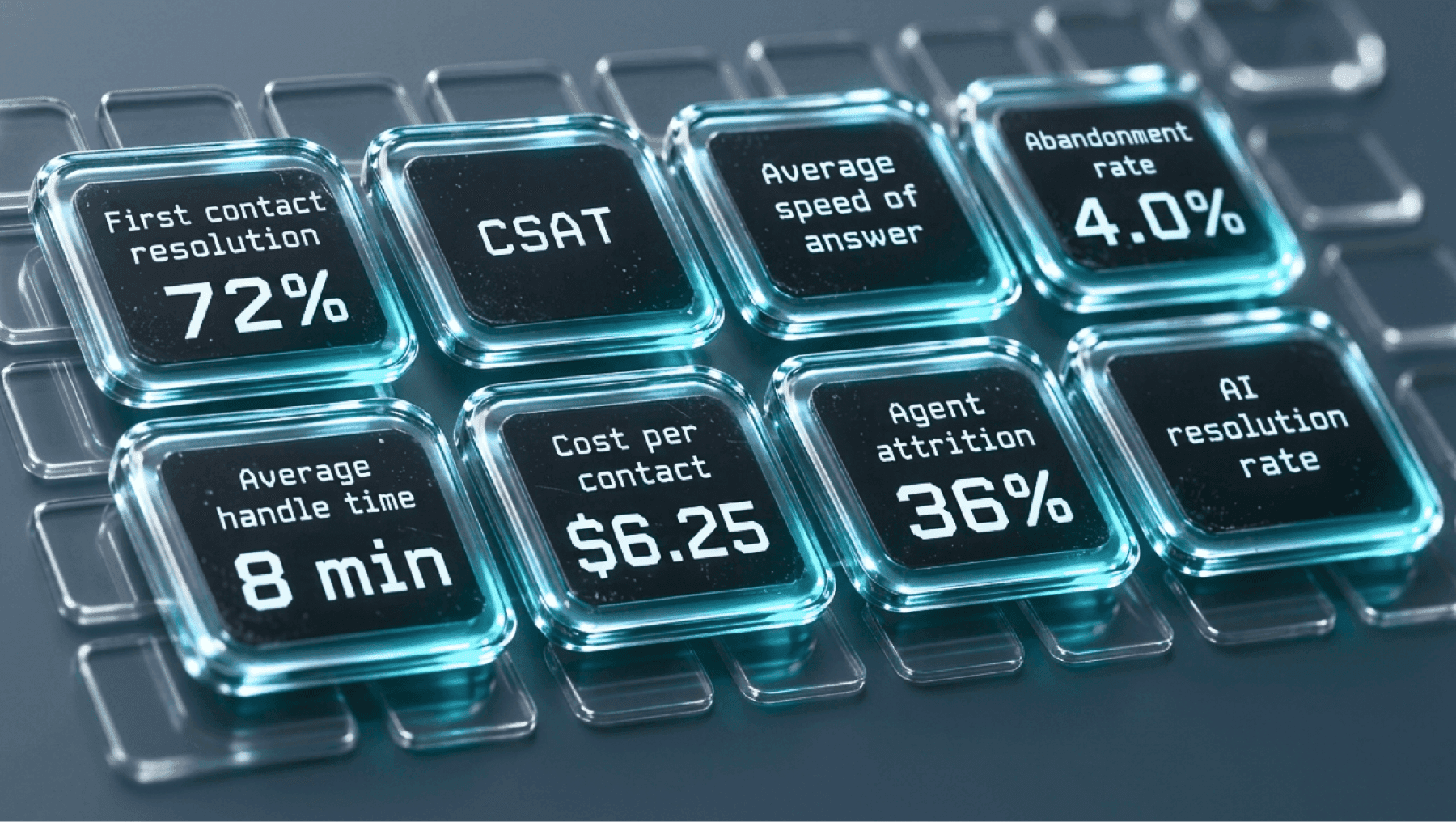
Focus on metrics that matter. Resolution rate is more meaningful than deflection, as it shows the AI is actually solving customer problems. Other key metrics include cost per resolution, handle time reduction (targeting a 20-35% improvement), and CSAT impact. On average, AI automation rates fall between 40% and 80%, with 60% being a common benchmark. Tailor your goals to your ticket complexity and the quality of your knowledge base. Then, connect these metrics to your most frequent ticket types to identify where automation will have the biggest impact.
Map Your Most Common Ticket Types
Analyze your Zendesk or Freshdesk data to identify your top 20 ticket categories by volume. High-frequency, low-complexity queries are your best opportunities for automation. These often include order status updates, returns, password resets, and basic troubleshooting, which typically account for over 60% of ticket volume.
Review your existing macros and help center content. If agents are repeatedly using templates to handle the same questions, AI can take over those tasks. For example, ZayZoon achieved an 80% resolution rate, saving millions by automating repetitive workflows. However, avoid automating sensitive areas like high-emotion conversations, security issues, or complex billing disputes during the initial phase - those should remain with human agents.
sbb-itb-97114f1
Calculate Financial Benefits and ROI

Manual support vs AI support: cost breakdown for 5,000 tickets a month
When making the case for AI support automation, it all boils down to three key figures: your current support costs, the price of AI, and the savings you can expect. Leadership doesn’t want vague projections - they need hard numbers. Start by determining your current support expenses, then estimate savings using actual resolution rates and pricing models. These calculations lay the foundation for understanding risks and requirements tied to implementation.
Calculate Your Current Support Costs
To get started, you need a clear picture of your total support costs. This includes everything: agent salaries, benefits, taxes, management overhead (like team leads or QA staff), software licenses (such as Zendesk or Freshdesk), training, and facility expenses. On average, handling a ticket manually costs between $5 and $15, with most companies falling in the $6 to $12 range.
Here’s a simple formula: divide your total annual support costs by the number of tickets you handle each year. For instance, if you spend $240,000 annually and resolve 30,000 tickets, your cost per ticket is $8. If you don’t have detailed data, you can estimate by multiplying your support team’s headcount by their average fully loaded annual cost (usually $35,000 to $80,000), then divide by your monthly ticket volume. Even an approximate baseline, as long as you document your assumptions, is enough to start projecting savings.
Project Cost Savings with AI
AI resolutions are far cheaper than manual ones. For example, CoSupport AI charges $0.50 per resolved AI conversation, meaning you only pay when the AI successfully resolves a ticket. Let’s break it down:
- Imagine you process 5,000 tickets monthly for $8 per ticket, which totals $40,000/month.
- If AI resolves 60% of these tickets, that’s 3,000 tickets handled at $0.50 each, costing $1,500/month.
- The remaining 40% (2,000 tickets) are handled manually, costing $16,000/month.
- Combined, your total monthly cost drops to $17,500, saving you about $22,500 per month or $270,000 annually.
On top of that, AI often reduces agent handle time by 20-35%, creating even more savings. By calculating your cost per ticket, you can make precise projections about how much AI can save you.
Use Real ROI Examples
Plenty of companies are already seeing results. For instance, Nordic Knots automated 5,000 Zendesk tickets per month, and Shelterluv uses AI to handle 2,000 tickets. Most businesses recover their investment within 3 to 6 months, with some high-volume operations breaking even in as little as 3-4 weeks.
| Metric | Manual Support | With AI (60% Resolution) |
|---|---|---|
| Monthly Tickets | 5,000 | 5,000 |
| Cost Per Ticket | $8.00 | $0.50 (AI) / $8.00 (human) |
| Monthly Cost | $40,000 | $1,500 (AI) + $16,000 (human) = $17,500 |
| Monthly Savings | - | $22,500 |
| Annual Savings | - | $270,000 |
When presenting your projections, it’s smart to start conservatively. Assume a 40-50% resolution rate in the first month, scaling to 60-70% over six months. This approach builds trust with finance teams and accounts for the time needed to fine-tune your knowledge base and training data. Real-world examples like these show how AI can deliver measurable ROI, making it easier to justify the investment and move forward with implementation planning.
Address Risks and Implementation Requirements
Before approving the budget, leadership will likely want to understand the risks involved. The good news is that AI support automation often presents fewer technical challenges compared to traditional enterprise software projects. Most platforms, for instance, can integrate with tools like Zendesk or Freshdesk in under 10 minutes - no developers needed. Plus, compliance with frameworks like ISO 27001 and GDPR is typically built in. To move forward smoothly, focus on three key areas: preparing your training data, confirming compliance and integration timelines, and running a controlled pilot to validate the results. Let’s break it down.
Prepare Your Training Data
Getting your training data ready is one of the most critical steps to managing risk and ensuring compliance. AI learns from your historical tickets, macros, and help center content to understand how your team resolves issues. However, this step can take up a significant chunk of the project timeline - data prep often accounts for 60–80% of the AI lifecycle, and poor data management is a leading cause of failure (85% of initiatives fail due to this).
Start by auditing your top 20 most common ticket types - think password resets, order status inquiries, and billing questions. Make sure your knowledge base contains accurate, well-structured answers for these types of queries. CoSupport AI, for example, uses a zero-hallucination design, meaning it only pulls responses from your verified knowledge base. This minimizes the risk of incorrect answers. For your pilot, focus on high-volume, low-complexity queries where clear answers already exist. Clean up and refine these responses first, then gradually expand to cover more ticket types.
Address Compliance and Integration
Platforms like CoSupport AI are designed to integrate quickly and securely. They’re compliant with ISO 27001, GDPR and CCPA and can connect to Zendesk or Freshdesk in under 10 minutes. Once integrated, you’ll need about 1–2 weeks to configure your knowledge base, test queries, and train the AI on product-specific terminology.
For compliance, confirm that the platform can identify and protect sensitive information (like PII) and anonymize data where necessary. It’s also important to establish clear escalation policies. For example, sensitive queries - such as billing disputes or account security issues - should automatically be routed to human agents. Most companies complete the configuration and internal testing process within 14 days, followed by a soft launch where AI drafts responses for human review. Once your data and compliance measures are in place, you’re ready to test performance through a pilot.
Run a 30-Day Pilot Test
The next step is to validate the AI’s performance with a controlled pilot test. Using your refined data and integration setup, start with a subset of tickets. For instance, Cocoatech tested their AI system on 500 tickets per month in Zendesk to measure resolution rates before scaling.
During the first 30 days, have human agents review AI-generated responses to catch false positives - cases where the AI incorrectly handles complex queries - and adjust escalation thresholds as needed. Define your success metrics upfront. Most companies see AI resolution rates of 40% to 60% during this phase, with some reaching 70% to 84% within the first quarter. Track deflection rates, CSAT scores, and escalation patterns daily. Use the insights from the pilot to fine-tune your knowledge base and escalation rules. This controlled approach not only reduces risks but also provides solid metrics to share with leadership, ensuring a smoother rollout.
Build and Present Your Business Case
Once you've validated your pilot results and confirmed your ROI projections, it’s time to create a clear and concise business case. The key is to present straightforward numbers, a simple roadmap, and a strong connection to your company’s priorities. Many business cases fail not because the ROI isn’t compelling but because the presentation lacks clarity or doesn’t address stakeholder concerns. Your job is to make the decision easy by leading with the payback period, using cautious estimates, and directly tying the investment to strategic goals.
Structure Your Business Case
Keep your business case to a single page, broken into five sections: Executive Summary, Use Case, Financial Projections, Risks and Mitigation, and Implementation Roadmap. Start with the executive summary by outlining the current ticket volume, the cost per ticket, and the proposed AI solution. For example, if you handle 5,000 tickets monthly at $8 per ticket, that’s $40,000 in costs. With AI resolving 60% of tickets at $0.80 per ticket, you could save $21,600 per month - or $259,200 annually. Begin with the payback period, as many AI support solutions deliver ROI within 3 to 6 months.
In the financial section, stick to cautious projections. Assume 40–50% resolution rates in the first month, scaling to 60–70% within six months. This conservative approach builds trust with finance teams and avoids overpromising. Add a "Do Nothing" cost to highlight the risks of delaying action, such as continued headcount growth, agent burnout, and falling behind competitors. Use a prioritization matrix to identify high-volume, low-complexity tasks (like password resets, order status updates, and billing inquiries) that can deliver quick wins.
Once your one-page case is complete, connect these figures directly to your company’s strategic goals.
Connect to Company Goals
Tie your business case to major company priorities like cost reduction, SLA compliance, and NPS improvements. For instance, if leadership is focused on lowering the cost per ticket, show how AI can reduce costs from $8.00 to $0.80. Highlight that AI provides instant, 24/7 responses, cutting delays during peak times. A real-world example: StayLoyal managed to scale from 900 tickets per month without adding headcount by reallocating agents to higher-value tasks while AI handled repetitive queries.
Tailor your pitch to address specific stakeholder priorities. CFOs care about payback periods and cost predictability, so show them a 3- to 6-month timeline and explain how AI shifts costs from variable headcount expenses to fixed per-resolution pricing. CEOs, on the other hand, are more interested in strategic advantages and long-term impact. Additionally, emphasize that quick issue resolution can boost customer loyalty - customers are 2.4 times more likely to stay loyal when their problems are solved quickly. Position AI as both a cost-saving tool and a way to protect revenue.
This alignment sets the stage for a focused and impactful leadership presentation.
Present to Leadership
When presenting to leadership, build on the cost-saving and risk analyses you’ve already outlined. Use visual aids like metrics dashboards that show resolution rates, cost per ticket, and automation trends. A side-by-side comparison of baseline metrics versus projected improvements after AI deployment can make the benefits crystal clear. Focus on measurable outcomes rather than abstract features. For instance, instead of saying, "AI will streamline workflows", say, "AI will autonomously resolve 3,000 of our 5,000 monthly tickets, saving $22,500 per month."
Lay out a 90-day phased plan: Configuration (Days 1–14), Soft Launch (Days 15–30), Live Launch (Days 31–60), and Optimization (Days 61–90). This step-by-step approach minimizes risk and gives leadership clear checkpoints to evaluate progress. Define success metrics upfront - such as cutting the cost per ticket by 60% within 90 days - so the initiative’s results can be objectively measured.
Conclusion
Lay the groundwork for your business case by pinpointing support costs, calculating potential savings, and aiming for a payback period of 3–6 months. On average, companies see a return of $3.50 for every dollar invested. Kick things off with a 30-day pilot to test your assumptions and validate results. This step-by-step method helps demonstrate the value of an AI assistant for customer support practically.
.png&w=128&q=75)




.png&w=96&q=75)