.png&w=96&q=75)

Automating Zendesk tickets can save your team time, reduce costs, and improve efficiency. CoSupport AI helps businesses handle repetitive support tasks like password resets and order tracking, allowing agents to focus on complex issues. Companies like Shelterluv and Ocus have achieved up to 80% automation, cutting costs by as much as $500,000 annually and reducing response times significantly.
Key Takeaways:
- Automates up to 80% of repetitive tickets (e.g., FAQs, order tracking).
- Learns from historical ticket data and knowledge bases for accurate responses.
- Escalates complex queries to human agents when necessary.
- Saves costs by reducing agent workload and improving resolution speed.
Results from Real Companies:
- Shelterluv: Reduced ticket backlog by 60% in 30 days, saving $120,000 annually.
- Ocus: Cut annual support costs by $500,000 and reduced handle time to 47 seconds.
- Nordic Knots: Achieved an 85% auto-resolution rate, reducing SLA violations by 70%.
With a setup time under 10 minutes and flexible pricing starting at $0.19 per resolved ticket, CoSupport AI is a practical solution for scaling support operations without hiring more staff.
How CoSupport AI Connects to Zendesk
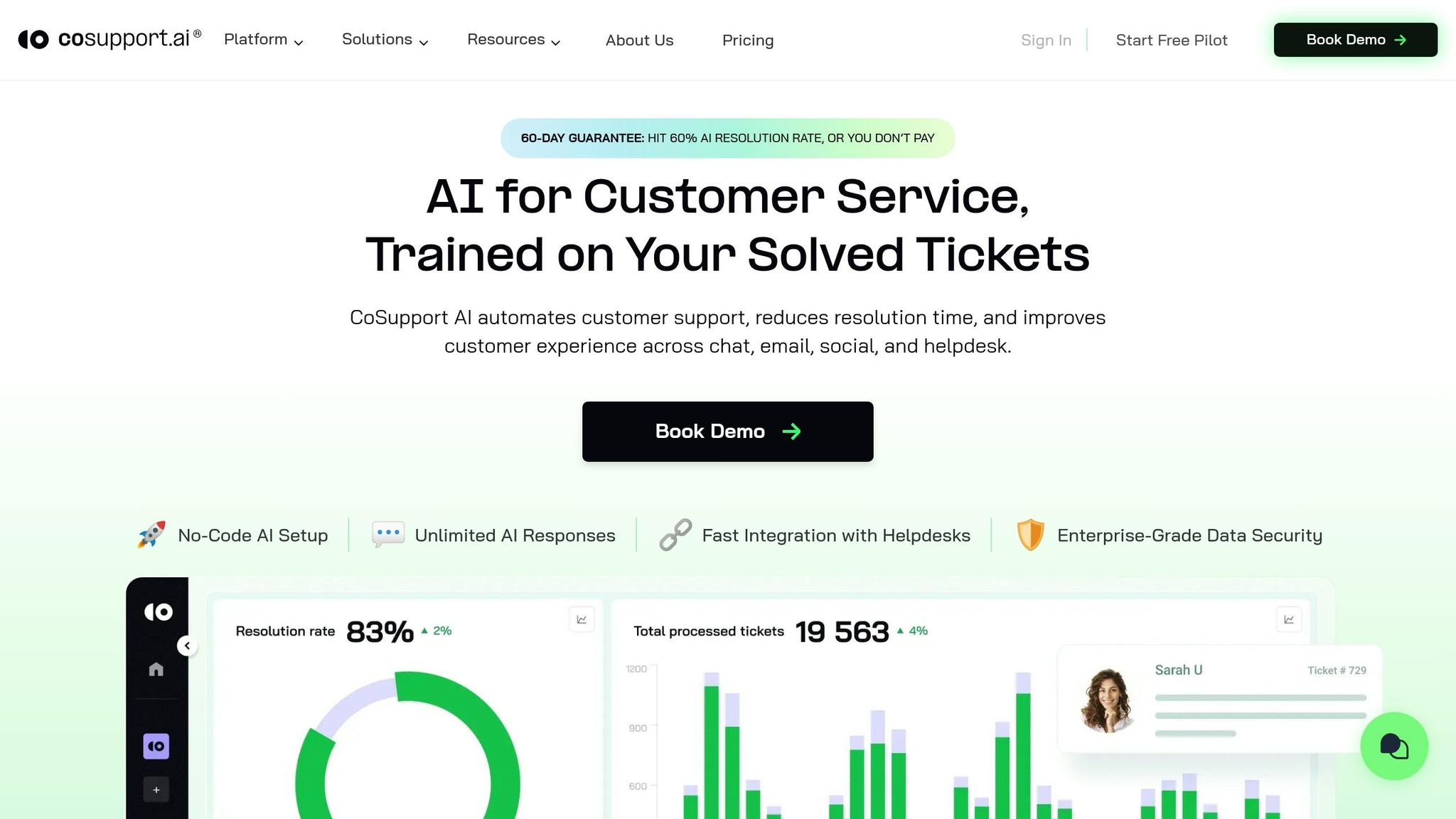
CoSupport AI seamlessly integrates with Zendesk Chat, Messaging, Ticketing, and Guide. All you need is your Zendesk subdomain and an API key - no coding or developer resources required.
With a focus on quick setup, tailored learning, and accurate responses, CoSupport AI ensures dependable and consistent automation.
Setup Takes Under 10 Minutes
The integration process is straightforward and entirely no-code. Simply input your Zendesk subdomain and generate an API key through your Zendesk admin panel. CoSupport AI then connects directly to your workspace and starts syncing with your existing data. For example, Cocoatech began their integration on November 7, 2024, and went live with the automation by December 2, 2024 - completing the transition in under a month.
AI Learns from Your Past Tickets
Once connected, the system immediately begins analyzing your historical support data. It learns from resolved tickets, macros, and Zendesk Guide articles to understand your unique support practices, tone, and resolution methods. Shelterluv, for instance, trained CoSupport AI with 20,000 historical Zendesk tickets over two months in late 2024. By the end of its first operational month, the AI achieved a 69% resolution rate for chats.
Answers Only from Verified Knowledge
CoSupport AI is built on a patented architecture designed to avoid inaccuracies. It generates responses solely from your Zendesk Guide, past tickets, and internal knowledge base. If it lacks sufficient data, it escalates the query to a human agent. Dragan Milić, Senior Technical Specialist at Cocoatech, shared:
The response accuracy is excellent - whenever we add a new data source, I am confident the AI won't misinterpret it.
With real-time syncing to your help center, the AI ensures that responses stay up-to-date as you revise or expand your content. This reliance on verified information reduces errors and strengthens the automation process.
sbb-itb-97114f1
3 Steps to Automate 80% of Zendesk Tickets
Using CoSupport AI to automate ticket handling can significantly streamline your operations, but it requires a clear plan. The process involves training the AI with historical data, setting up automation rules, and continuously monitoring its performance. Here's how you can make it work effectively.
Step 1: Train the AI on Historical Tickets
Start by uploading 3–6 months of Zendesk tickets and macros through a secure API. This allows CoSupport AI to analyze patterns in customer issues, solutions, and phrasing. For instance, Shelterluv uploaded six months of ticket data and achieved 80% automation within 30 days by targeting repetitive queries like password resets and billing questions. A minimum of 500 tickets is recommended to train the AI effectively. Cocoatech, handling 500 monthly tickets, trained on 800 historical tickets and deflected 75% of recurring queries in just one week, saving 40 hours of agent time each month.
Step 2: Set Up Automation and Escalation Rules
Once the AI is trained, configure automation rules within the CoSupport dashboard. Decide which tickets should be auto-resolved, which should receive drafted responses, and which require escalation to agents. You can also set confidence thresholds - for example, tickets with an 85% match rate can be auto-resolved. Additionally, configure rules for categories and SLAs, such as escalating tickets pending for over two hours. Silencerco, using Freshdesk to manage 3,500 tickets, reduced its backlog by 60% in 30 days with a 95% CSAT. Similarly, Ocus, handling 6,000 tickets, used category-specific rules to auto-resolve 82% of Tier 1 tickets, cutting average handle times from 4 minutes to just 47 seconds.
Step 3: Track Performance and Retrain
Use real-time dashboards to monitor metrics like deflection rates, resolution accuracy, SLA compliance, and CSAT. Retrain the AI weekly with fresh tickets or monthly for more stable performance. The AI improves by learning from agent adjustments to suggested answers and macros. Nordic Knots, handling 5,000 tickets, retrained their AI bi-weekly and reduced SLA misses by 70% over two months. Regularly review escalated tickets to identify gaps in training data or missing knowledge base content. (Learn how to build a knowledge base optimized for AI.) Be sure to update documentation promptly when new products or policies are introduced.
Results from Companies Using CoSupport AI
CoSupport AI is proving to be a game-changer for support teams, helping them tackle backlogs, meet SLAs, and drastically cut handle times - no matter their size. Here’s a closer look at the results some companies have achieved.
Ocus: Handle Time Reduced to Just 47 Seconds
Ocus automated 80% of its 6,000 monthly Zendesk tickets, slashing the average handle time from 4 minutes to an impressive 47 seconds - a massive 90% improvement.
Nordic Knots: SLA Misses Down by 70%
By deploying AI trained on historical tickets and Guide articles, Nordic Knots resolved 85% of their 5,000 monthly Zendesk tickets automatically. This led to a 70% reduction in SLA misses within just two months. The AI's instant resolution capabilities not only eliminated backlogs but also ensured consistent response times. These results paved the way for similar achievements at Shelterluv.
Shelterluv: 60% Backlog Reduction in 30 Days
Shelterluv saw remarkable results after training CoSupport AI on 20,000 historical tickets. The AI deflected over 2,000 monthly Zendesk tickets, cutting the backlog by 60% in just 30 days. Chat resolution rates rose from 69% to 73% within three months, and average chat time dropped to 2 minutes. The AI efficiently handled FAQs and escalated only the most complex inquiries.
"The AI performance has been very good. It handles FAQs and many complex questions well, and the escalated tickets I'm seeing come through are ones I wouldn't expect AI to be able to handle. CoSupport AI has exceeded my expectations."
- Matthew Brown, Director of Customer Solutions, Shelterluv
Cost Savings from Zendesk Ticket Automation
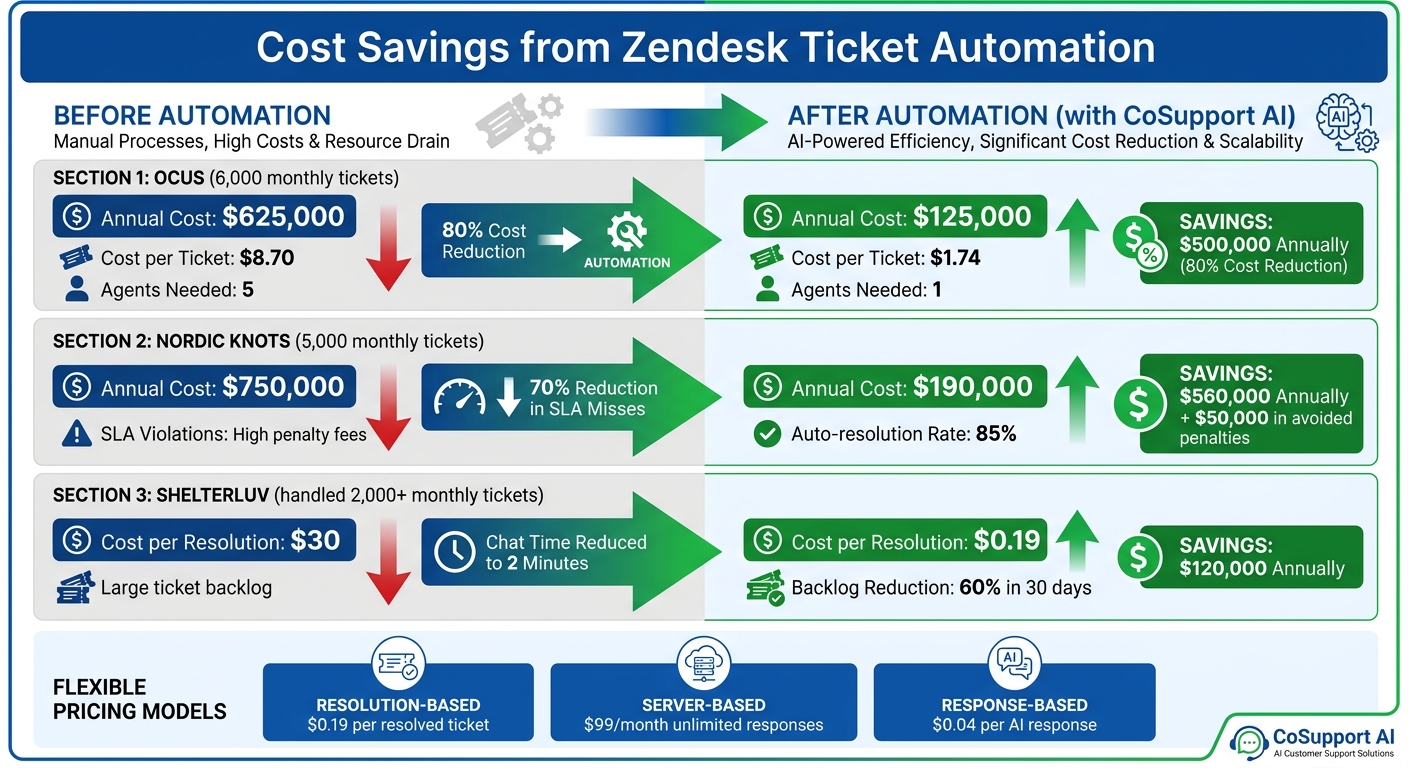
Cost Savings from Zendesk Ticket Automation: Before vs After Results
Automating Zendesk tickets with CoSupport AI Agent doesn't just speed up resolutions - it also slashes costs in a big way. Companies can cut support expenses by 60–80% without sacrificing quality. These savings mainly come from three areas: fewer agents needed, reduced overtime during busy periods, and a lower cost per ticket. This is especially impactful for businesses managing 500–10,000 tickets each month.
Before and After Automation Costs
Take Ocus, for example. They saved $500,000 annually by automating 80% of their 6,000 monthly tickets. Their yearly support costs dropped from $625,000 (or $8.70 per ticket, factoring in salaries, training, and overhead) to just $125,000 - an impressive $1.74 per ticket. Plus, they avoided hiring four additional agents, each costing $60,000 annually.
Nordic Knots experienced similar results. With 5,000 monthly tickets, they saw their annual support costs shrink from $750,000 to $190,000, saving $560,000. They also reduced SLA violations by 70%, avoiding $50,000 in penalty fees. Shelterluv, on the other hand, cut backlog costs by 60% within 30 days, saving $120,000 annually by deflecting 2,000 tickets per month. Their cost per resolution dropped to just $0.19 compared to $30 for manual handling.
These examples show how automation delivers significant savings year after year.
| Metric | Before Automation | After Automation | Savings |
|---|---|---|---|
| Annual Cost (Ocus) | $625,000 | $125,000 | $500,000 |
| Agents Needed | 5 | 1 | 4 |
| Cost per Ticket | $8.70 | $1.74 | 80% |
In addition to these savings, CoSupport AI offers flexible pricing models to align with your ticket volume and budget.
Flexible Pricing Options
CoSupport AI keeps costs low with flexible pricing plans tailored to your needs. One popular option is resolution-based pricing, where you pay just $0.19 per resolved ticket. For example, Cocoatech, handling 500–3,500 tickets monthly, saw their monthly costs drop from $1,200 to just $95 with this model.
Another option is server-based pricing at $99 per month, which provides unlimited AI responses. This is a great fit for teams like StayLoyal, managing steady volumes of 900–5,000 tickets. Lastly, response-based pricing charges $0.04 per AI response. For Ocus, this averages out to $240 per month for 6,000 tickets - far less than the $60,000 annual cost of hiring a single agent.
"This allowed us to significantly cut operational costs, saving thousands of $, while maintaining high support quality."
- Axel Barrionuevo, Account Manager, SupportYourApp
Ready to see it in action? Start a free trial with CoSupport and test it on your ticket backlog - no credit card required.
Conclusion
CoSupport AI streamlines Zendesk ticket automation for up to 80% of inquiries, cutting costs and speeding up resolution times - all without increasing staff. Companies like Cocoatech, with an 81% auto-resolution rate, and SupportYourApp, saving $14,000 monthly, highlight its effectiveness. With a setup time of less than 10 minutes and pricing starting at just $0.19 per resolution, it’s a game-changer for Zendesk support. Request a demo today and see the difference for yourself.
.png)

.png&w=96&q=100)



.png&w=96&q=100)