.png&w=96&q=75)

Scaling customer support doesn’t have to mean hiring more people. By using AI-powered tools like CoSupport AI, you can handle up to 81% of routine tickets automatically, reduce costs, and free up your team for complex issues. Here’s how companies like Shelterluv and Cocoatech have saved thousands monthly without expanding their teams:
- Automate repetitive tasks: Identify common ticket types and automate repetitive FAQ flows to let AI handle them.
- Streamline complex ticket routing: AI escalates unresolved issues to agents with full context, saving time and improving response quality.
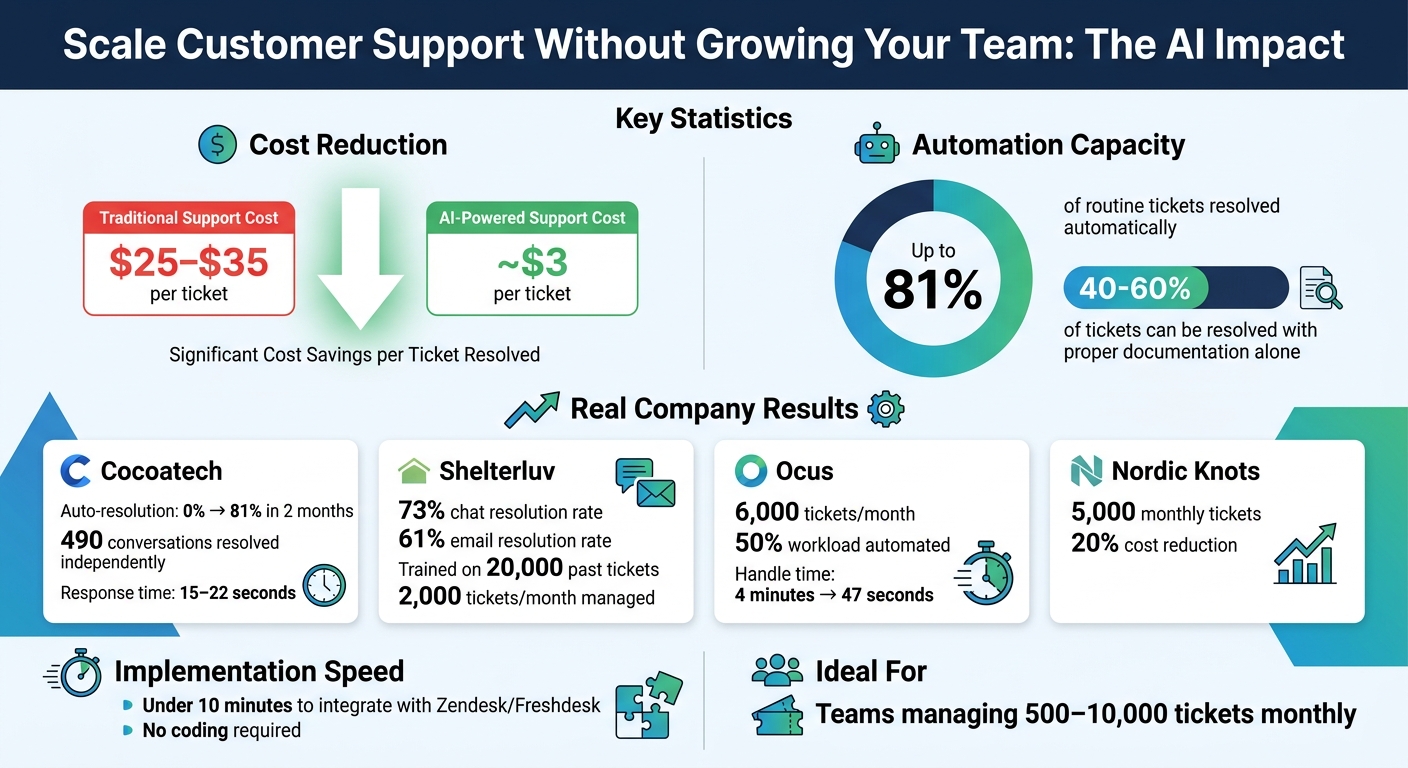
- Cut costs per ticket: AI reduces costs from $25–$35 per ticket to about $3.
- Track and improve performance: Use analytics tools to monitor resolution rates and refine AI training.
With tools like CoSupport AI, you can integrate with platforms like Zendesk in under 10 minutes, train the AI on your historical data, and track ROI to ensure sustainable growth. If your team manages 500–10,000 tickets monthly, this approach can help you scale efficiently without increasing headcount.
AI Customer Support Automation: Cost Savings and Resolution Rates
Evaluate Your Ticket Volume and Identify What to Automate
Take a closer look at your recent support data to uncover patterns in recurring issues. Start by exporting the last 30 to 90 days of ticket data from tools like Zendesk or Freshdesk. From there, identify the top 5 to 20 issues that pop up repeatedly. This step helps you see which tickets eat up the most agent time and which ones follow a predictable resolution process. Once you have this list, group these issues to figure out which ones are good candidates for automation.
Here’s a key insight: between 40% and 60% of support tickets can be resolved with proper documentation alone. In other words, nearly half of your ticket queue could be managed without human involvement - you just need to pinpoint the right areas to tackle.
Sort Tickets by Type and Complexity
Separate your tickets into two main categories: routine and complex. Routine tickets include things like password resets, order tracking, and billing inquiries. These are straightforward, follow clear resolution steps, and don’t require much judgment. On the other hand, complex tickets - like SLA disputes, refunds, or issues involving outages - often need a personal touch, critical thinking, or empathy, especially when sensitive information like PII is involved.
Take Ocus, for example. They handle around 6,000 tickets each month and managed to automate 50% of their workload by zeroing in on routine queries. They also set strict boundaries, or “redlines,” for issues that automation should never handle alone. The result? Faster responses without needing to hire more staff.
To get started, focus on the 10 most common ticket types in your data. Then, mark which ones are repetitive and can be automated versus those that require a human approach.
Use Analytics to Find Patterns
Once you’ve categorized your tickets, dive into analytics to better understand the patterns. Use Zendesk or Freshdesk reporting tools to identify recurring ticket types, the average time it takes to resolve them, and any gaps in your knowledge base. Pay close attention to questions agents repeatedly answer manually because no self-service option exists for them.
Another time-saving tip: measure how long agents spend searching through your CRM, Jira, or documentation before they even begin drafting a response. AI can instantly pull relevant context from past tickets, help center articles, or internal FAQs, eliminating the need for these time-consuming searches.
For example, Shelterluv trained CoSupport AI using 20,000 past Zendesk tickets along with their help center content. In just three months, they achieved a 73% resolution rate for chats and 61% for emails - all without the AI producing inaccurate or irrelevant responses. Their success came from teaching the AI to recognize what a strong, accurate answer looks like based on real support history.
These steps help you build a foundation for using AI to handle routine tickets, boosting your support efficiency without having to expand your team.
sbb-itb-97114f1
Connect CoSupport AI to Your Helpdesk
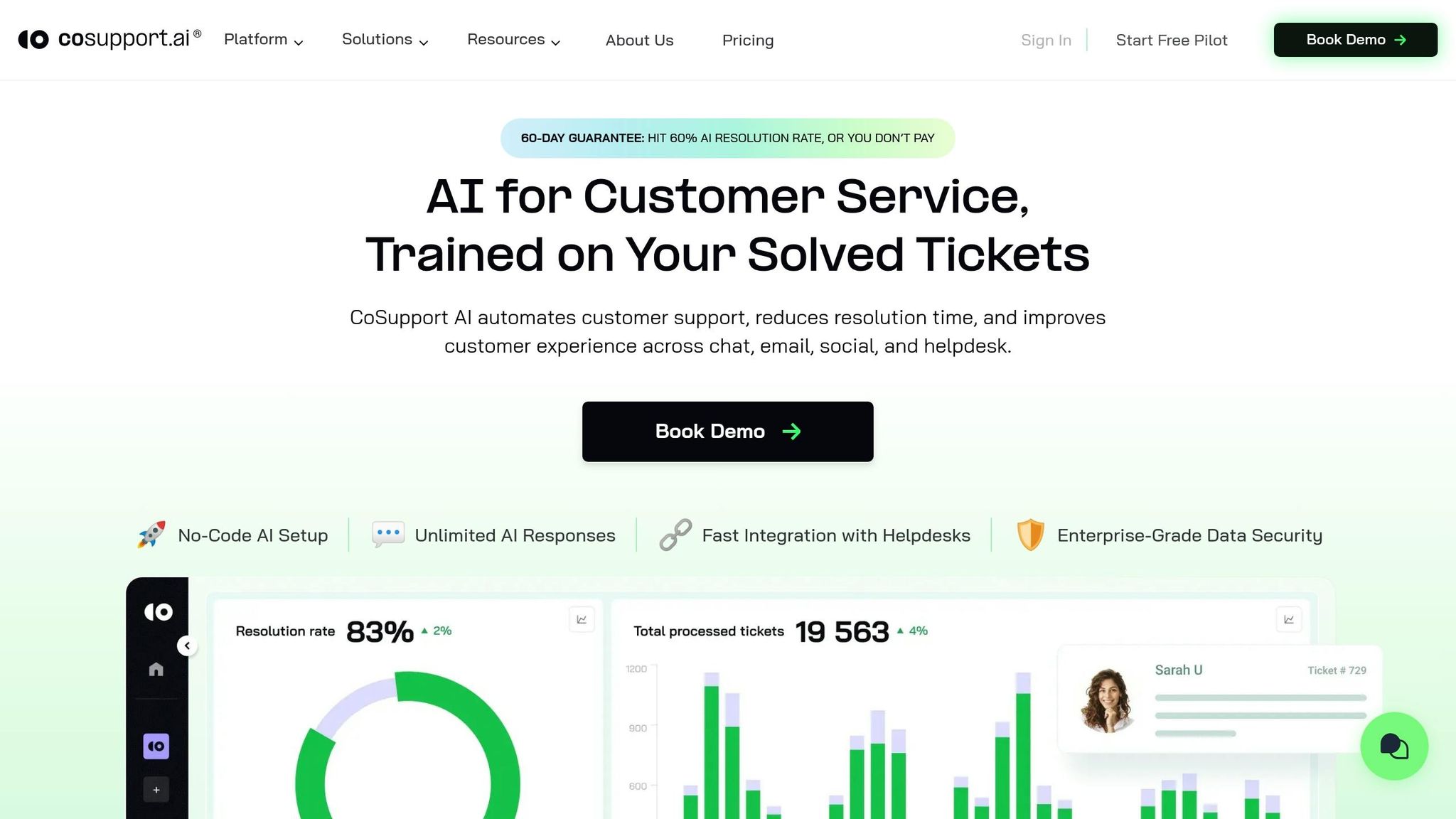
After identifying which tickets to automate, the next step is linking CoSupport AI to your helpdesk. This connection turns your ticket analysis into instant automation. With built-in integrations for Zendesk and Freshdesk, setup takes less than 10 minutes - no developers required. The AI syncs with your help center, past tickets, and documentation, ensuring it stays up-to-date.
Set Up and Train in Under 10 Minutes
CoSupport AI offers a no-code integration process. Simply link your Zendesk or Freshdesk workspace, grant access, and the AI begins gathering data from your help center and ticket history. There's no need for custom development or complicated API configurations.
For example, Shelterluv, a software provider for animal rescues managing around 2,000 tickets monthly, connected CoSupport AI to their Zendesk Suite in October 2024. Matthew Brown, their Director of Customer Solutions, trained the AI on roughly 20,000 past tickets and help center articles. Within the first month, the AI achieved a 69% resolution rate for chats, which later improved to 73% for chats and 61% for emails by January 2025. This performance helped Shelterluv reduce the need for additional support staff, all while ensuring the AI delivered accurate responses without guesswork or intensive oversight.
Once connected, the next step involves using your historical data to fine-tune AI responses.
Train AI on Your Support History
CoSupport AI learns directly from your historical support data, including past tickets, macros, help center articles, and internal documentation. This training enables the AI to align with your product knowledge, tone, and resolution processes. Its specialized design ensures it won’t "guess" answers - if unsure, it escalates the ticket to a human agent.
Take Cocoatech, creators of Path Finder for macOS, as an example. Facing an increase in support volume in late 2024, Senior Technical Specialist Dragan Milić integrated CoSupport AI with their Zendesk workspace in November 2024. By training the AI on their Zendesk Guide articles and internal FAQs, they saw a dramatic improvement. By January 2025, the AI was independently resolving 81% of chats (490 conversations), a huge leap from 0% before implementation. This allowed Cocoatech to handle growing support demands without expanding its team.
"The impact of launching the CoSupport AI chatbot is tangible. We get our hands on way fewer tickets now, as AI solves many on its own. The response accuracy is excellent - whenever we add a new data source, I am confident the AI won't misinterpret it."
The quality of your training data plays a critical role. Well-organized help center content and accurate ticket histories lead to better AI performance. On the flip side, outdated or incomplete documentation can hinder the AI’s ability to provide consistent answers.
Automate Routine Tickets and Route Complex Ones
Once your AI has been trained on past interactions, it's ready to manage routine tasks and escalate more complex issues. AI can now resolve up to 81% of routine tickets, leaving agents free to focus on more nuanced problems. This approach not only lightens the workload but also ensures faster response times. The AI takes care of repetitive, data-driven tasks while humans handle situations that need critical thinking.
Let AI Handle Repetitive Requests
CoSupport AI uses your help center data and past interactions to automatically handle common requests like password resets, order tracking, billing questions, and product setup. If the AI cannot confidently resolve an issue, it escalates the ticket immediately to a human.
Take Cocoatech as an example. By integrating CoSupport AI with Zendesk, their AI resolved 81% of chats (490 conversations) by January 2025. This allowed their two-person support team to concentrate on technical challenges. Even better, the AI often responded within 15 to 22 seconds, far outpacing the typical wait times in human-only queues.
Now, let’s look at how AI handles tickets that require a personal touch.
Route Complex Tickets with Context
When AI encounters a ticket it can't solve, it passes the conversation to a human agent - complete with the customer's full history. This includes details like account tier, recent activity, and a summary of what the AI has already attempted. This way, agents don’t have to ask customers to repeat themselves or dig through records.
Ocus, which processes about 6,000 tickets each month, saw a dramatic drop in handle times - from 4 minutes to just 47 seconds - after adopting CoSupport AI. The AI not only triages tickets by topic, complexity, and language but also ensures they’re routed to the right specialist, saving time and improving efficiency.
"The goal isn't to eliminate human support. It's to ensure humans spend their time on problems that actually require human judgment." - Wilson Wilson, Author, Ferndesk
This balance allows agents to focus on meaningful, high-value tasks while the AI efficiently manages repetitive inquiries.
Another important thing to mention is that one area teams consistently overlook when scaling support is the knowledge transfer process. As ticket volume grows and new agents join, the time senior agents spend on verbal walkthroughs and repeated demonstrations compounds quickly. Recording those processes once and making them reusable removes that overhead entirely.
Track ROI and Improve Over Time
Measuring the impact of automation is key to scaling your support operations without increasing headcount. Keep an eye on metrics like cost per ticket, automated resolution rate, and deflection rate to understand how your resources are being used. Use this data to fine-tune your AI's training and broaden its capabilities.
Monitor Metrics with CoSupport BI
CoSupport BI provides real-time insights into how your automation efforts are performing. It tracks critical data like the number of tickets resolved by AI, the time saved by agents, and the cost per ticket. To calculate your cost per contact, use this formula:
(Monthly customer support payroll + support tool costs) ÷ total monthly contacts.
This calculation serves as a baseline for spotting trends and measuring improvements over time.
For example, Nordic Knots used CoSupport BI to analyze automation for 5,000 monthly tickets in Zendesk. By monitoring deflection rates and cost per ticket, they managed to cut support costs by 20% without hiring additional staff. The dashboard highlighted which types of tickets the AI handled effectively and where human agents were still needed. This allowed them to refine AI training and expand its scope to new categories.
On average, support costs range from $25 to $35 per ticket, but AI self-service can lower this to about $2.93 per ticket. By reviewing these metrics monthly, you can clearly see where automation is saving money and where there’s room for improvement.
Armed with these insights, you can shift focus to optimizing the AI’s training for even better results.
Refine AI Training and Expand Coverage
Once you’ve established baseline metrics, the next step is to improve your AI’s performance through targeted training. Unlike traditional support bots, AI becomes more effective when it has access to updated, relevant data. Sync CoSupport AI with your Zendesk Guide or help center to ensure it learns from the latest articles in real time. Reviewing escalated tickets can also reveal gaps in your knowledge base - if the AI frequently escalates certain queries, it’s a sign those areas need attention.
Take Cocoatech, for example. In November 2024, their AI had a 0% auto-resolution rate, but by January 2025, they boosted it to 81%. According to Senior Technical Specialist Dragan Milić, adding new data sources immediately improved accuracy. In one month, the AI independently resolved 490 chats, while the team focused on analyzing the 19% of tickets that still required human intervention to further enhance training.
To build on this progress, categorize recent tickets to identify opportunities for more automation. Start by reviewing your last 500 to 1,000 tickets, sorting them by type and complexity. High-volume, low-complexity queries are ideal for automation. Gradually expand the AI’s scope by adding 3 to 5 new question types at a time. This step-by-step approach allows you to test the AI’s accuracy before scaling further. Over time, you’ll automate more ticket types, reduce costs, and maintain quality support.
Conclusion
Scaling customer support without increasing headcount has become a practical approach for many teams. Instead of hiring more agents as ticket volume grows, companies shift repetitive work to AI and keep team size stable. In some cases, automation rates have increased from near zero to over 70–80% within a few months, allowing teams to handle significantly higher volumes without expanding.
The key change is how work is distributed. Routine tickets, such as onboarding questions, billing issues, and common product requests, are handled automatically using historical support data. More complex cases are passed to human agents with full context, so they can focus on tasks that require judgment rather than repetition.
In practice, implementation often starts with analyzing a sample of recent tickets, usually 500 to 1,000, to identify patterns. Once connected to a helpdesk like Zendesk or Freshdesk, the system uses this data to respond to similar requests going forward. Over time, automation absorbs a larger share of incoming tickets, while the workload for agents becomes more manageable.
If your team manages 500 to 10,000 tickets monthly and hiring isn’t an option, automation offers a smart solution. Explore how CoSupport AI works with your helpdesk and discover your potential savings in just a few minutes.
.png)

.png&w=96&q=100)



.png&w=96&q=100)